


Will A Pcie 5.0 Gpu Work With A Pcie 4.0 Motherboard? Compatibility Guide
Will A Pcie 5.0 Gpu Work With A Pcie 4.0. Hand-picked gift ideas at every budget tier. SA pricing & Evetech availability included.
Read moreLearn all about mesh WiFi in South Africa and how it can eliminate internet dead zones forever. 📶 We explain what it is, how it works, and why it's the ultimate upgrade for fibre connections in larger homes. Get ready for seamless streaming and gaming everywhere! ✨
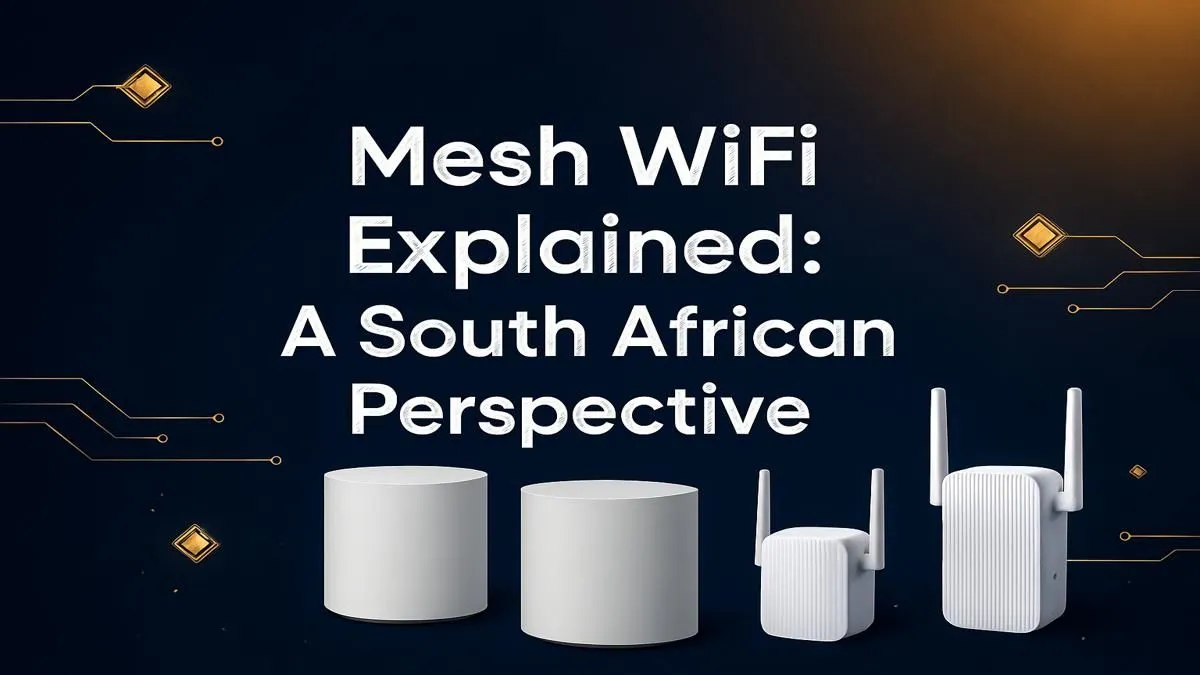
Tired of your fibre connection feeling fast next to the router, but crawling to a halt in the bedroom or at the braai area? You're not alone. Those dreaded WiFi dead zones are a common frustration in many South African homes. Before you blame your ISP, the real culprit is often your single, overworked router. Enter Mesh WiFi, the modern solution designed to deliver seamless, powerful internet to every corner of your home. Let's dive in. ✨
So, what exactly is a mesh WiFi system? Forget the single-router setup you're used to. Think of a mesh system as a team of smart devices working together. It includes a main router that connects directly to your modem (or fibre ONT) and a series of smaller satellite hubs, or "nodes," that you place around your house.
Together, these nodes create a single, unified network with one name and one password. Unlike older signal boosters, your phone, laptop, or console will automatically and seamlessly switch to the strongest node as you move around. This intelligent handover means no more dropped video calls when you walk from the lounge to the kitchen. It’s the ultimate fix for reliable home internet in South Africa.
This is a big point of confusion for many people. While both aim to increase your WiFi coverage, they work in fundamentally different ways.
A traditional wireless range extender essentially grabs your existing WiFi signal and rebroadcasts it. The problem? It usually creates a separate network (like "MyHome_EXT") and can cut your internet speed by half or more. It's a quick fix, but not an elegant one.
A mesh system, on the other hand, is a far smarter solution.
For a modern home filled with smart devices, 4K streaming, and online gaming, the choice is clear.
For the best performance, place your mesh nodes out in the open, not hidden in cupboards or behind the TV. A good rule of thumb is to position a satellite node roughly halfway between your main router and the known dead zone. This gives it a strong signal to work with, ensuring optimal coverage extension.
A mesh WiFi system is a fantastic investment, but is it the right one for you? If you nod along to any of these points, it’s probably time to upgrade your complete home wireless networking setup.
A solid mesh WiFi setup in South Africa ensures you get the full value from that expensive fibre line you're paying for.
Worried about a complicated setup? Don't be. Most mesh kits are designed for a plug-and-play experience. You'll typically connect the first node to your fibre box or existing ISP router, then use an app to place and configure the other nodes around your home. The app guides you through the entire process. 🚀
While mesh blankets your home in WiFi, some older devices like desktop PCs might not have built-in wireless capabilities. For these situations, simple and effective USB wireless adapters can get them connected in seconds. The goal is to replace the WiFi function of older, less capable standard wireless routers, creating one powerful and reliable network for your entire digital life.
Ready to Banish Buffering for Good? Stop letting dead zones and weak signals ruin your online experience. A mesh WiFi system ensures you get the fast, reliable internet you pay for in every room. Explore our wide range of Mesh WiFi and networking gear and build the seamless home network you deserve.
A mesh WiFi system uses multiple interconnected nodes or satellites to create a single, seamless wireless network, eliminating dead zones and providing strong signal everywhere.
Yes, mesh WiFi is generally better. It creates one seamless network, whereas an extender creates a separate, often slower network, causing connection drops as you move.
The price for a mesh WiFi system in South Africa can range from R2,000 for a basic 2-pack to over R10,000 for high-performance, multi-node kits for very large homes.
Absolutely. A mesh WiFi system connects to your existing fibre or ADSL router provided by your ISP and simply replaces its WiFi signal with a much stronger, wider one.
For a small apartment, a single powerful router is often sufficient. Mesh WiFi truly shines in larger, multi-story homes or properties with thick walls that block signals.
A good rule of thumb is one node for every 100-150 square meters. A typical 2-3 bedroom house is well-covered by a 2-pack, while larger homes may need 3 or more nodes.
Will A Pcie 5.0 Gpu Work With A Pcie 4.0. Hand-picked gift ideas at every budget tier. SA pricing & Evetech availability included.
Read more
Streamelements Setup with GPU: Streamer Guide. Clear setup instructions with SA-specific considerations, troubleshooting tips & recommended components.
Read more
Intel Arc B580 Throttling Under Load: Temperature. Everything you need to know with SA pricing, step-by-step instructions & expert recommendations.
Read more
Complete ATX Case Size Guide: Interior Dimensions. Best deals curated with real SA discounts, price history & tips on getting genuine value.

What GPU Do You Need for AI & Machine Learning. Hardware requirements breakdown with recommended specs & SA pricing for each tier.

Top Settings for RTX 4060 at Ultrawide 1440p picks evaluated on performance, value & SA availability with current Rand pricing from Evetech.

Head-to-head comparison of FreeSync vs G-Sync Explained: Which Should Gamers for SA gamers. Performance benchmarks, Rand pricing & which delivers better value.

Every spec on PCIe 5.0 explained in plain English. What matters for gaming and creator work in 2026, what's marketing fluff, and how each number translates to real-world performance.

Every spec on bios explained in plain English. What matters for gaming and creator work in 2026, what's marketing fluff, and how each number translates to real-world performance.

Every spec on gaming setups explained in plain English. What matters for gaming and creator work in 2026, what's marketing fluff, and how each number translates to real-world performance.

Every spec on cooling systems explained in plain English. What matters for gaming and creator work in 2026, what's marketing fluff, and how each number translates to real-world performance.

Every spec on understanding how much vram is needed explained in plain English. What matters for gaming and creator work in 2026, what's marketing fluff, and how each number translates to real-world.

How to pick the right PCIe 5.0 for your build in 2026: the features worth paying for, ZAR value tiers, and the trade-offs between budget, mid-range and flagship picks.

Every spec on gpu explained in plain English. What matters for gaming and creator work in 2026, what's marketing fluff, and how each number translates to real-world performance.

Every spec on gpu explained in plain English. What matters for gaming and creator work in 2026, what's marketing fluff, and how each number translates to real-world performance for SA buyers.