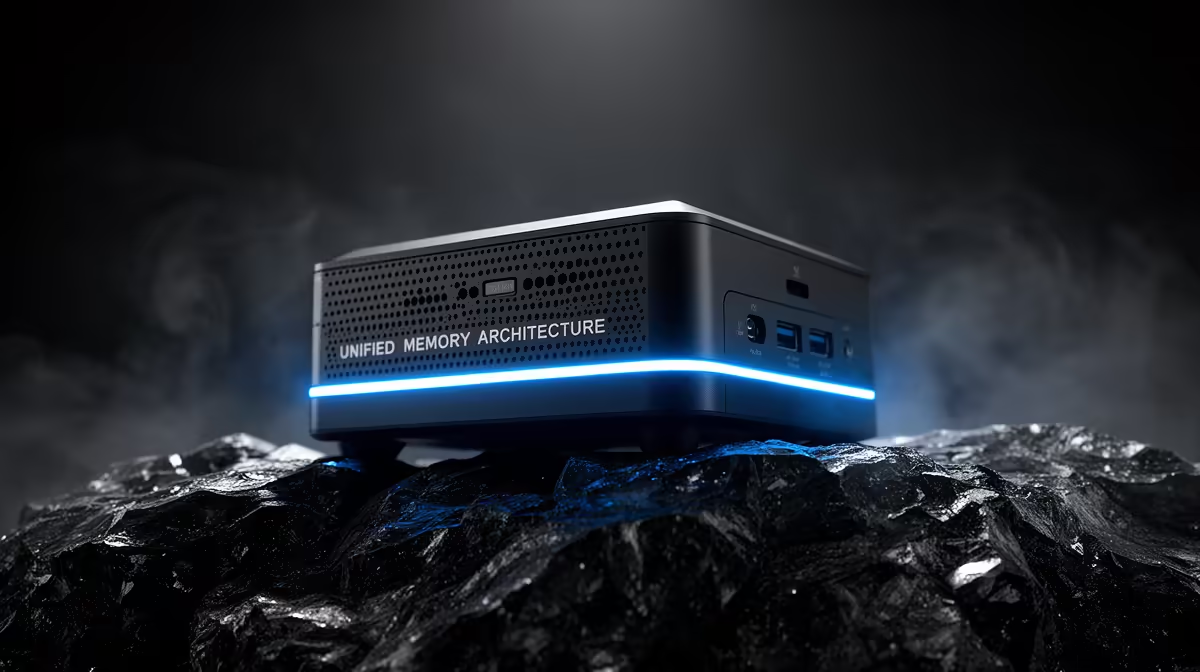
For years the rule for running large AI models locally was simple: buy the discrete GPU with the most VRAM you can afford, and accept its ceiling. A new class of unified-memory mini-PC has quietly broken that rule. A Strix Halo system built on AMD's Ryzen AI Max+ 395 can hand up to 96GB of its shared memory pool straight to the integrated GPU, which is more usable VRAM than any single consumer discrete card on the market.
Quick Answer
A unified-memory mini-PC wins when the model is too big to fit on one discrete GPU. The Ryzen AI Max+ 395 shares a 128GB LPDDR5X pool and lets you allocate up to 96GB to the GPU, enough to load a 70B-class model at Q4 with room to spare. A desktop with a single discrete card is faster per token but caps out long before that, so the decision comes down to model size versus raw speed.
The VRAM Ceiling That Defines the Choice
Every discrete consumer GPU has a fixed amount of dedicated memory soldered to the board. Once a model and its context exceed that, the card cannot load it at all, or the overflow drains into system RAM and generation drops to a fraction of VRAM speed. That ceiling is the single hardest wall in local AI, and no amount of compute speed gets you past it.
A unified-memory design removes the wall by sharing one large memory pool between the CPU and GPU. On a 128GB Strix Halo machine, AMD's variable graphics memory lets you assign up to 96GB of that pool to the GPU, leaving the rest for the operating system. The practical effect is that a 70B model loads in a box that sits on your desk, something that otherwise needs a multi-GPU server. You can see how compact-but-capable AI machines are positioned in the AI PC range at Evetech.
Where the Mini-PC Wins
Models that will not fit on one card
This is the decisive case. At 4-bit quantisation, a 70B model occupies roughly 40GB or more once context is included, which exceeds every single consumer discrete GPU. On the unified-memory mini-PC it loads without sharding across multiple cards. If your work depends on 70B-class models or larger, the mini-PC is not a compromise, it is the only single-box option.
Footprint and power
A Strix Halo mini-PC idles around 10 to 15 watts and draws roughly 25 to 65 watts under inference load, in a chassis you can tuck behind a monitor. Eight hours of daily inference works out to only a few rand a day on the meter. A multi-GPU tower delivering similar capacity draws several times that and dominates the desk.
Where the Desktop Still Wins
Token speed on models that do fit
Memory bandwidth is the catch. Strix Halo measures around 256GB/s, while a high-end discrete card runs many times faster. So when a model fits comfortably inside a discrete GPU's VRAM, that card generates tokens far quicker. On a 70B model the mini-PC produces roughly 5 tokens per second, usable for interactive chat but noticeably slower than a discrete card running a model it can hold. Mid-range models in the 7B to 30B class run briskly on both platforms.
Upgrade path and flexibility
A desktop lets you swap the GPU, add a second card, or move to a larger model card next year. The mini-PC's memory is fixed at purchase, so you choose your ceiling on day one. For buyers who want to grow the rig over time, the desktops and towers in the PC best sellers keep that door open.
Running Costs and Practicalities
Power draw is a meaningful part of this comparison, especially if the machine runs for many hours a day. A Strix Halo mini-PC sits at 10 to 15 watts at idle and draws roughly 25 to 65 watts under inference load depending on the model size and quantisation. A mid-range desktop with a capable discrete GPU idles around 60 to 80 watts and draws 200 to 350 watts under sustained inference. The mini-PC's efficiency advantage compounds across a working day. In a South African context where electricity costs matter, the difference adds up noticeably over a month of daily use.
Physical footprint compounds the advantage. A Strix Halo chassis is typically sub-3-litre, small enough to sit behind a monitor or in a drawer. A capable desktop tower occupies a floor or desk corner permanently. For a home office, a spare room server, or anyone who values desk space, that physical scale difference is concrete.
The trade-off to keep clear is upgradability. On a desktop, the GPU can be replaced when larger VRAM cards become available. The memory in a mini-PC is soldered and fixed at purchase. If you buy a 64GB unit today and then need 128GB next year, the answer is a new machine, not an upgrade. That is not a reason to avoid mini-PCs, but it makes the initial memory configuration more important than it would be for a desktop.
How to Decide
Ask one question first: what is the biggest model you actually need to run? If it fits inside a discrete GPU's VRAM, a desktop gives you more speed per rand and a clear upgrade path. If your workload lives at 70B and above, or you want several medium models resident at once, the unified-memory mini-PC is the practical winner because it removes the ceiling entirely. Speed matters, but only after the model fits at all.
Frequently Asked Questions
How much GPU memory can a Strix Halo mini-PC actually use?
On a 128GB configuration, AMD's variable graphics memory allows up to 96GB to be allocated to the integrated GPU, with the remainder reserved for the operating system and CPU tasks. That is more usable VRAM than any single consumer discrete GPU currently offers.
Is a mini-PC faster than a desktop GPU for AI?
Not for raw token speed on models that fit in a discrete card's VRAM. The desktop's higher memory bandwidth makes it quicker there. The mini-PC wins only on models too large to fit a single discrete GPU, where the desktop simply cannot run them at all.
What does 70B at Q4 mean in plain terms?
It refers to a 70-billion-parameter model compressed to 4-bit precision to shrink its memory footprint. Even compressed, it needs around 40GB or more including context, which is why it overflows single consumer cards but loads fine on a 96GB unified pool.
Can the mini-PC run multiple models at once?
Yes. The large unified pool can hold several medium models simultaneously, letting one machine act as a multi-model host. This is a real advantage over a discrete GPU that has to unload and reload models as you switch between them.
Does unified memory replace the need for a discrete GPU entirely?
For large-model inference in a compact, low-power box, it can. For maximum token speed on models that fit in VRAM, for gaming, or for upgradability, a discrete GPU desktop remains the stronger pick. The two suit different priorities.
Sizing a rig around the models you really run? Compare unified-memory machines and discrete-GPU builds side by side in the AI PC range at Evetech and match the hardware to your largest model, not the other way round.