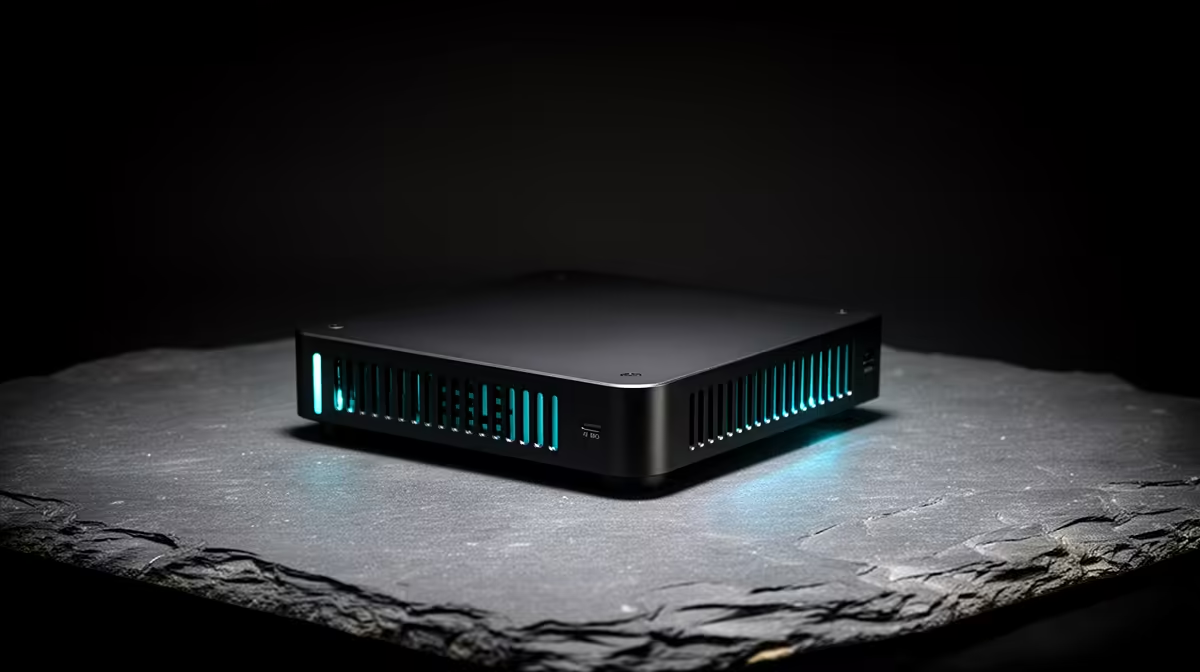
Stand a mini PC next to a full desktop tower and the size gap tells only half the story. The mini idles under 15W and tucks behind a monitor; the tower draws 50W to 80W at rest and dominates the desk, but it accepts a discrete graphics card the mini never will. For an always-on machine that mostly browses, streams and handles office work, the little box quietly saves on your electricity bill. For gaming and serious GPU work, the tower still wins.
Quick Answer
Buy a mini PC if you want low power draw (often under 15W idle), a tiny footprint and a quiet machine for browsing, media, office work and light tasks, especially one left on all day. Buy a full desktop tower if you need a discrete GPU, real upgrade room and thermal headroom for gaming, video editing or heavy multitasking. Power use and upgradability are the two decisions that split them.
The Power Story, in Rand
The headline difference SA buyers feel is electricity. A mini PC sips power because it uses laptop-class, low-wattage components, often idling in single-digit to mid-teen watts. A full tower with a desktop processor and a graphics card idles far higher and climbs steeply under load. Run a machine many hours a day, as a home office, a media box or a small server does, and the gap compounds across a year of usage. The mini will not transform your bill, but it is the meaningfully cheaper machine to leave running.
Evetech's mini PC range lists each unit's stated specs so you can compare idle draw and chipset before committing.
What the Tower Gives Up Nothing On
Size is not free. The tower's bulk buys two things the mini simply cannot offer.
A Real Graphics Card
This is the deciding line for many buyers. A full tower takes a discrete GPU, which means proper gaming, GPU-accelerated rendering and AI workloads. Most mini PCs rely on integrated graphics that handle desktop work and light gaming but cannot touch demanding modern titles at high settings. If a dedicated GPU is on your list, the tower is the only honest choice.
Upgrades and Thermal Headroom
A tower has space, slots and airflow. You can add storage, more memory, a bigger cooler or a newer graphics card years down the line. Its larger volume also keeps components cooler under sustained load, so it holds performance during long renders or gaming sessions. A mini PC is largely what you buy on day one; memory and storage are sometimes upgradable, but the GPU and processor usually are not.
Where the Mini PC Genuinely Wins
Beyond power, the mini earns its place on practicality. It hides behind a monitor or mounts to a wall, runs near-silent because there is little heat to move, and clears your desk entirely. For a student in res, a tidy home office, a lounge media machine or a lightweight always-on box, it is often the smarter buy. It does everyday computing, video calls, streaming and document work without fuss, and its quietness alone wins people over.
The SA Context: Desk Space and Running Costs
South African home offices and student setups tend to operate in tighter spaces than a dedicated PC room. A mini PC that mounts behind a monitor or sits on a small shelf solves a genuine space problem while also keeping running costs low. Mini PCs typically consume 50 to 80 percent less energy than a comparable desktop tower for everyday workloads, a meaningful gap when the machine runs many hours a day.
For buyers who need occasional heavy lifting but want the mini for daily use, some Minisforum models add OCuLink, which supports an external GPU for GPU-intensive sessions while the box stays compact on the desk the rest of the time.
Matching the Machine to the Job
Be honest about what you actually do. Browsing, email, streaming, office apps and light photo work all sit comfortably on a mini PC. Gaming at high settings, video editing, 3D, heavy multitasking or anything that wants a strong GPU points firmly at a tower. Plenty of homes end up with both: a tower at the gaming desk and a mini as the quiet media or office machine. To see which full-power builds SA buyers are actually spending on, the best-selling PCs at Evetech reveal where compact and full-size systems overlap in popularity.
What Ports to Expect from Each
This is a practical concern many buyers overlook. A full tower typically has more USB ports, multiple PCIe slots for add-in cards, and room for expansion bays. A mini PC condenses everything, so check your specific unit: most current models offer two to four USB ports, HDMI and DisplayPort outputs, and a wired Ethernet jack, but the internal expansion you had in the tower is gone. If you relied on a capture card, a sound card, or specialty hardware in a PCIe slot, the tower keeps that edge. For the majority who use standard peripherals and an external monitor, the mini PC covers everything without compromise.
Frequently Asked Questions
Does a mini PC really use less electricity than a tower?
Yes, and noticeably so. Mini PCs use low-wattage, laptop-class parts and often idle under 15W, while a full tower with a desktop processor and graphics card idles far higher, which adds up over a machine left on all day.
Can a mini PC handle gaming?
Light and older games, yes, on integrated graphics. Demanding modern titles at high settings need a discrete GPU, which most mini PCs cannot fit, so serious gamers should choose a tower.
Can I upgrade a mini PC later?
Sometimes the memory and storage, but rarely the processor or graphics. Treat a mini PC largely as the spec you buy, whereas a tower is built to be upgraded over years.
Which is quieter?
The mini PC, comfortably. It generates little heat and needs minimal cooling, so it runs near-silent, while a tower's larger fans and hotter components make more noise under load.
Should I buy both?
Many people do. A tower covers gaming and heavy work at the desk, while a mini PC serves as a quiet, low-power machine for media or office tasks elsewhere in the home.
Weighing a compact build against full desktop power? Browse the mini PC range at Evetech for a low-draw everyday machine, and compare it against the full towers to match the right one to your workload.