


Complete Guide: Setting Up AIO Liquid 420mm
Setting Up AIO Liquid 420mm. Tested & verified settings for best FPS and visual quality on SA hardware budgets.
Read moreUpgrade your home lab with mini PCs 🔧 - Boost efficiency and capability. Explore our top picks 💻⚡
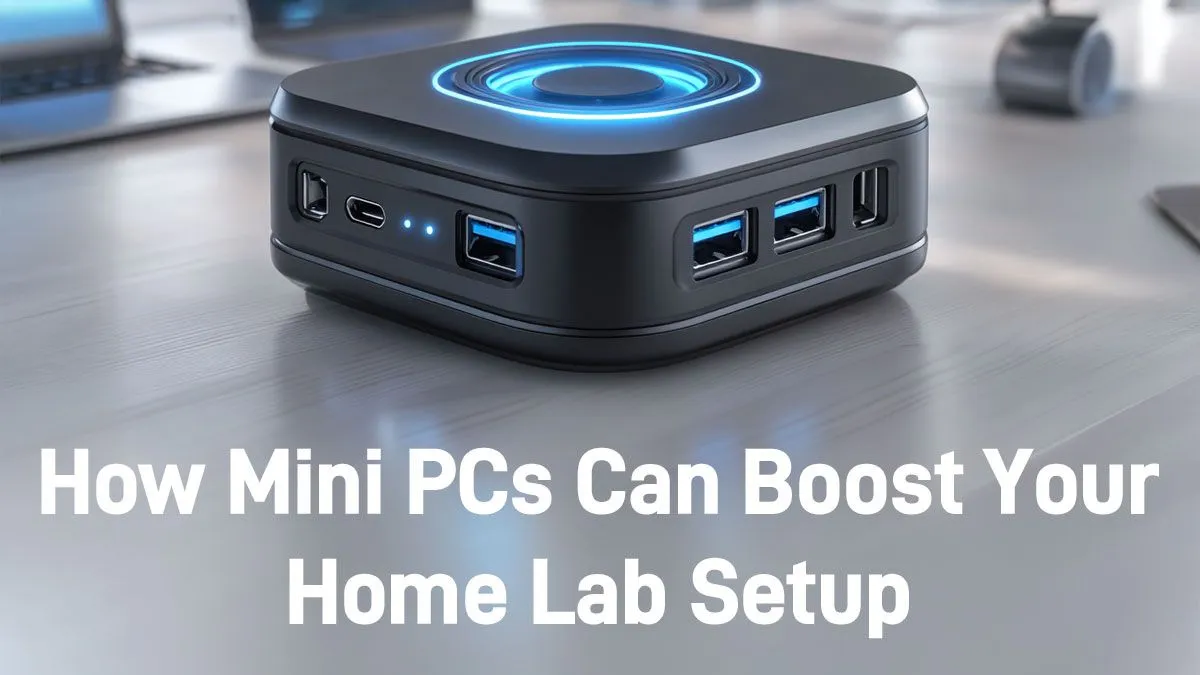
Tired of that noisy, power-hungry tower whirring away in the corner, pretending to be your home lab? We get it. In a world of load shedding and shrinking living spaces, building a versatile home server can feel like a compromise. What if you could get all the power you need in a box smaller than your router? ⚡ It’s time to discover how mini PCs supercharge home labs, offering massive performance without the massive footprint or Eskom bill.
The old way of thinking meant you needed a giant case for a capable server. That's just not true anymore. The latest generation of powerful mini PCs packs an incredible punch, making them an ideal foundation for any home lab project, from beginner to pro.
The most obvious win is the size. A mini PC can sit discreetly on a bookshelf or be mounted behind a monitor, freeing up valuable desk or floor space. But the benefits go deeper. They are engineered for thermal efficiency, meaning they run cool and often near-silently. No more jet-engine fans interrupting your late-night coding sessions or movie marathons. A quiet, compact setup is the first step to a truly optimised mini PC home lab.
Let's talk rands and cents. A traditional desktop server can easily pull 100-200 watts or more under load. Many mini PCs, on the other hand, sip power, often idling at under 15 watts and rarely exceeding 60 watts at full tilt. Over a year of 24/7 operation, that's a significant saving on your electricity bill. This efficiency makes them perfect for running always-on services without breaking the bank.
When setting up a virtualisation host like Proxmox on your mini PC, prioritise RAM. Aim for at least 16GB, but 32GB is the sweet spot. This allows you to run multiple virtual machines and containers smoothly without your system grinding to a halt.
So, you've got this tiny powerhouse. What's next? A mini PC can supercharge your home lab by becoming the central hub for all your digital services. The possibilities are vast, but here are a few popular projects to get you started:
Top-tier options from brands like Minisforum come equipped with modern Ryzen or Intel CPUs that can handle heavy transcoding and multiple virtual machines with ease.
Getting started is easier than you think. When browsing, focus on three key components:
Ready to see what’s possible? You can explore our full range of mini PCs to find the perfect match for your budget and your ambition. Building a powerful, efficient, and quiet home lab has never been more accessible.
Ready to Build Your Ultimate Home Lab? Stop compromising and start creating. Explore our curated selection of high-performance mini PCs and find the perfect engine for your next project. Shop now at Evetech for compact power that delivers.
Yes! Mini PCs run virtual machines and servers smoothly. Check our picks for reliable options.
Absolutely. Their performance suits development environments. Explore setups with Intel or Ryzen chips
Yes. Run network monitoring or firewall tools efficiently with mini PCs. Compact but powerful.
Many models are fanless or low-noise. Check spec sheets for quiet home setups.
Yes. Most allow SSD/HDD upgrades. Great for scaling your home infrastructure projects.
Yes. They handle automation and scripting with low energy use. Perfect for home labs.
They offer portability, low power, and full functionality. Create versatile home environments easily.
Setting Up AIO Liquid 420mm. Tested & verified settings for best FPS and visual quality on SA hardware budgets.
Read more
Intel XTU Download & Setup Guide: Intel CPU. Clear setup instructions with SA-specific considerations, troubleshooting tips & recommended components.
Read more
Cyberpunk 2077 Max Settings on RTX 4090. Tested & verified settings for best FPS and visual quality on SA hardware budgets.
Read more
The Complete Guide to GPU. Everything you need to know with SA pricing, step-by-step instructions & expert recommendations.
Read more
NVCleanstall Download & Setup Guide: NVIDIA. Clear setup instructions with SA-specific considerations, troubleshooting tips & recommended components.
Read more
to Driver Installation for Beginners. Everything you need to know with SA pricing, step-by-step instructions & expert recommendations.
Read more
AMD RX 9050 XT: Rumoured Specs, Price & Release. SA-focused analysis with local pricing data, real-world insights & actionable buying advice.

Can RTX 4080 Super Run AI Workloads for SA Developers Detailed answer with SA data, expert analysis & practical recommendations for local buyers.

Can RTX 4090 Run AI Workloads for SA Developers Detailed answer with SA data, expert analysis & practical recommendations for local buyers.

Top Settings for Intel Arc B580 at Ultrawide 1440p picks evaluated on performance, value & SA availability with current Rand pricing from Evetech.

RTX 4060 CS2 Low Settings at 1080p: FPS Results. Real-world benchmark data, FPS numbers & performance analysis. What SA gamers can actually expect.

Visual Artifacts: Possible GPU Issue Issue #1. Diagnosis steps, proven fixes & when to seek professional help. SA-specific support info included.

Can the RTX 4090 Handle 1440p 144Hz Gaming. Performance testing verdict with real data & practical recommendations for SA buyers.

Top ASUS GPU Under R15000 picks evaluated on performance, value & SA availability with current Rand pricing from Evetech.

GTA 6 Max Settings on RTX 5070. Tested & verified settings for best FPS and visual quality on SA hardware budgets.

Cyberpunk 2077 Max Settings on RTX 5080. Tested & verified settings for best FPS and visual quality on SA hardware budgets.

Starfield Max Settings on RTX 5070 Ti. Tested & verified settings for best FPS and visual quality on SA hardware budgets.

Top RTX 5090 Under R5000 picks evaluated on performance, value & SA availability with current Rand pricing from Evetech.