


Storage Specs Explained for Beginners
Storage Specs Explained for Beginners. Plain-English explanation of what it means, why it matters & how it affects your buying decisions in SA.
Read more🎉 Discover mini PCs designed for effortless maintenance and repair. Boost performance without breaking the bank!
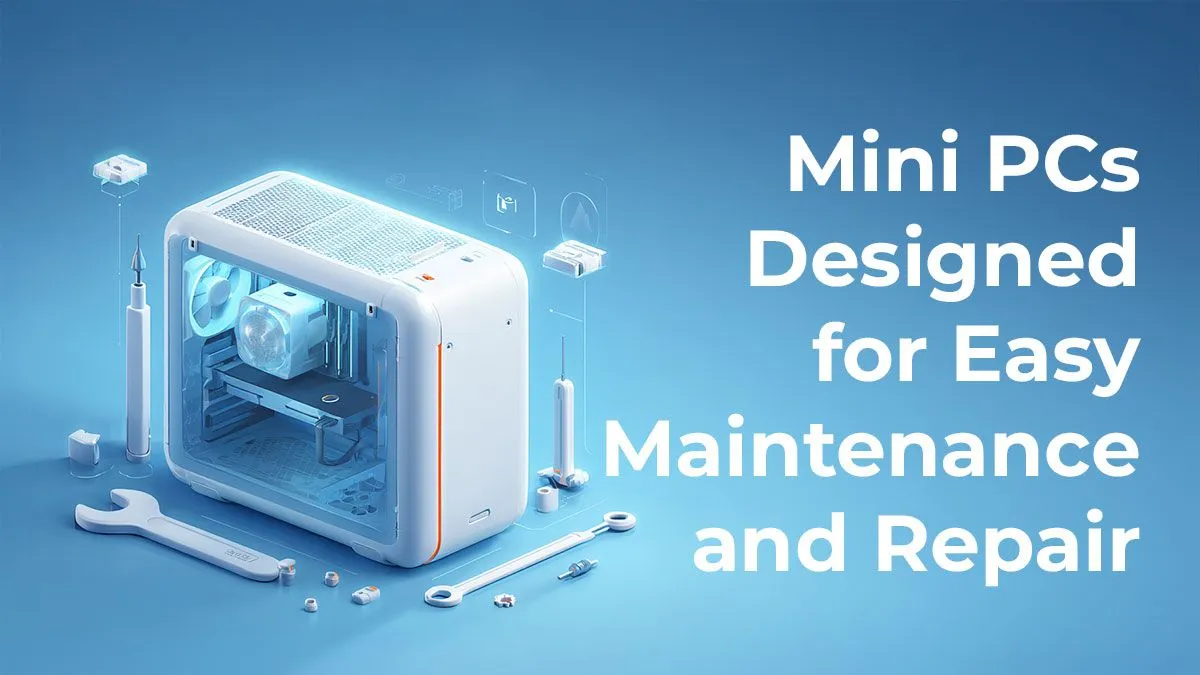
Think a powerful PC means a massive, desk-hogging tower? That era is over. The latest generation of Mini PCs packs serious punch into a chassis that fits in your hand. But here’s the real secret… they’re not just small and mighty. The best modern compact PCs are specifically built for easy upgrades, giving you a future-proof rig that grows with your needs, without needing a new case, motherboard, or a weekend of cable management. 🚀
Let's be real, space is a luxury. Whether you're in a snug apartment in Cape Town or optimising a minimalist setup in Joburg, a massive tower can feel like an antique. Mini PCs reclaim your desk space, offering a clean, modern aesthetic.
But it's not just about looks. These tiny powerhouses are incredibly energy-efficient, a welcome bonus with South Africa's unpredictable power grid. They produce less heat and noise, creating a more focused gaming or work environment. Forget the loud hum of six case fans; imagine whisper-quiet performance for your daily tasks and a respectable roar only when you dive into a game.
The old knock against small form-factor machines was that they were locked down and impossible to improve. Not anymore. Today’s designs have changed everything. Manufacturers now prioritise accessibility, creating chassis that open with just a few screws, revealing neatly arranged, modular components.
This means you’re not stuck with the specs you buy on day one. Most of these compact performance PCs are designed with standard, laptop-style components that are simple to source and swap out. The two most impactful and straightforward improvements you can make are to your RAM and storage.
Before buying a new M.2 SSD, quickly check the Mini PC's spec sheet on the product page. Some models have specific length requirements (e.g., 2280) or may have a heatsink with limited clearance. A quick check saves a lot of hassle!
Thinking about giving your compact rig a boost? It’s probably easier than you think. Most upgrades on these machines require little more than a single Phillips-head screwdriver and about ten minutes of your time. 🔧
Is your PC feeling a bit sluggish when you have multiple browser tabs, Discord, and a game running? More RAM is the answer. Most mini PCs use SODIMM memory—the same type found in laptops. Accessing the slots is usually straightforward after removing the bottom panel. Pop the old sticks out, click the new ones in, and you’re done. More memory means smoother multitasking and better performance in memory-hungry applications.
Running out of space for your Steam library is a classic gamer problem. Luckily, adding a faster or larger SSD is a breeze. Many models, especially from top-tier brands like Minisforum, come with at least one M.2 slot for blazing-fast NVMe storage and often a 2.5-inch bay for a traditional SATA SSD. This gives you the flexibility to have a speedy drive for your OS and a larger one for games and media.
The beauty of a mini PC built for easy upgrades is the freedom it gives you. Start with a budget-friendly configuration today and bolt on more power tomorrow. It's the smartest way to build a PC that truly lasts.
Find Your Perfect Compact PC Ready to embrace small-form-factor power? Explore the full range of mini PCs and find the perfect base for your next upgradable rig. Shop now at Evetech for performance that fits anywhere.
Upgrade-friendly mini PCs feature tool-less access and modular components for simple maintenance.
Yes! These compact computers allow targeted upgrades without replacing your entire system.
Definitely! User-friendly designs let you handle common repairs and component replacements.
Most models let you easily upgrade storage, RAM, and cooling systems in DIY-friendly mini PCs.
No, these compact computers deliver powerful performance while maintaining easy access for upgrades.
Check your repairable compact computer every 6-12 months for dust removal and component checks.
Storage Specs Explained for Beginners. Plain-English explanation of what it means, why it matters & how it affects your buying decisions in SA.
Read more
Will RDNA 5 Use the Same Silicon as the Next. Plain-English explanation of what it means, why it matters & how it affects your buying decisions in SA.
Read more
Google Workspace on Mac: Drive, Docs, Sheets and. Everything you need to know with SA pricing, step-by-step instructions & expert recommendations.
Read more
Back-to-School Parent Guide: Storages. Everything you need to know with SA pricing, step-by-step instructions & expert recommendations.
Read more
to Esports Tournaments. Everything you need to know with SA pricing, step-by-step instructions & expert recommendations.
Read more
Easter Storage Buying Guide. Hand-picked gift ideas at every budget tier. SA pricing & Evetech availability included.
Read more
AMD RX 9050 XT: Rumoured Specs, Price & Release. SA-focused analysis with local pricing data, real-world insights & actionable buying advice.

Can RTX 4080 Super Run AI Workloads for SA Developers Detailed answer with SA data, expert analysis & practical recommendations for local buyers.

Can RTX 4090 Run AI Workloads for SA Developers Detailed answer with SA data, expert analysis & practical recommendations for local buyers.

Top Settings for Intel Arc B580 at Ultrawide 1440p picks evaluated on performance, value & SA availability with current Rand pricing from Evetech.

RTX 4060 CS2 Low Settings at 1080p: FPS Results. Real-world benchmark data, FPS numbers & performance analysis. What SA gamers can actually expect.

Visual Artifacts: Possible GPU Issue Issue #1. Diagnosis steps, proven fixes & when to seek professional help. SA-specific support info included.

Can the RTX 4090 Handle 1440p 144Hz Gaming. Performance testing verdict with real data & practical recommendations for SA buyers.

Top ASUS GPU Under R15000 picks evaluated on performance, value & SA availability with current Rand pricing from Evetech.

GTA 6 Max Settings on RTX 5070. Tested & verified settings for best FPS and visual quality on SA hardware budgets.

Cyberpunk 2077 Max Settings on RTX 5080. Tested & verified settings for best FPS and visual quality on SA hardware budgets.

Starfield Max Settings on RTX 5070 Ti. Tested & verified settings for best FPS and visual quality on SA hardware budgets.

Top RTX 5090 Under R5000 picks evaluated on performance, value & SA availability with current Rand pricing from Evetech.