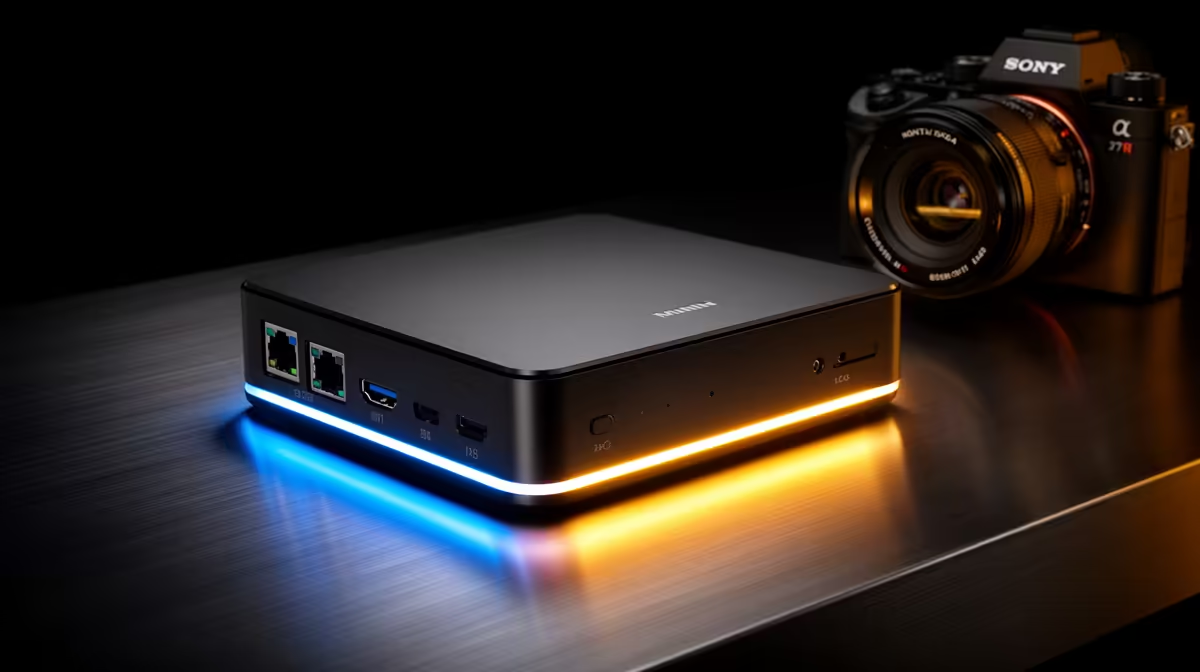
Most mini PCs ask you to choose between expandability and a small footprint. The Minisforum AI X1 barebone refuses that trade-off: it pairs a Ryzen 7 260-class chip with two SO-DIMM slots, two M.2 Gen4 SSD slots, two USB4 ports, an OCuLink connector for an external GPU and 2.5GbE, all in a compact chassis. As a barebone it ships without RAM or storage so you fit your own, and that combination of an eGPU-ready port plus serious internal expansion is what makes people ask whether it is worth it.
Quick Answer
The Minisforum AI X1 barebone is worth it for anyone who wants a small, upgradeable machine that can also drive an external GPU. The Ryzen 7 260 brings 8 cores and 16 threads at up to 4.9GHz, and the dual USB4, OCuLink, dual Gen4 M.2, dual SO-DIMM and 2.5GbE make it far more flexible than a typical mini PC. As a barebone you add your own RAM and SSD, which keeps the entry price down.
The chassis and what is inside
The AI X1 in this configuration runs the AMD Ryzen 7 260, an 8-core, 16-thread chip with a 3.8GHz base and a 4.9GHz boost. That is genuine desktop-class multitasking in a box you can tuck behind a monitor. Because it is the barebone version, the two SO-DIMM slots and storage bays arrive empty: you choose the DDR5 capacity and the NVMe drives, which is exactly what experienced builders want and what keeps the buy-in affordable.
The board takes DDR5-5600 across its two SO-DIMM slots, supporting high capacities, and offers two M.2 Gen4 NVMe slots for fast storage that you can expand as your needs grow.
The connectivity is the real story
Plenty of mini PCs have a fast CPU. The AI X1 stands out on its ports.
Dual USB4 and OCuLink
Two USB4 ports run at up to 40Gbps each on PCIe 4.0 x4 links, enough for fast external storage, docks or a display. The standout is the OCuLink connector. OCuLink carries PCIe signalling directly with up to 64Gbps of bandwidth, comfortably more than USB4 or Thunderbolt 4 once protocol overhead is accounted for, and with lower latency. For an external GPU that difference is real: OCuLink loses far less performance than a USB4 or Thunderbolt eGPU link, so the AI X1 can pair with a desktop graphics card and keep most of its frame rate.
Display and network
The machine drives up to three 4K displays through HDMI 2.1, DP 2.0 and USB4. Networking is handled by 2.5GbE with link aggregation support and Wi-Fi 7, so it slots neatly into a fast home or studio network without a separate card.
Who the AI X1 suits
This is a machine for the person who wants one small box to cover several roles. As a compact desktop it handles work, browsing and light creative tasks on the Ryzen 7 260 alone. Add an OCuLink eGPU and it becomes a capable gaming or rendering rig on demand, then goes back to silent and small when the card is unplugged. The dual NVMe and dual SO-DIMM mean it grows with you rather than boxing you in. If you are comparing it against other compact options, the mini PC range at Evetech gives a sense of where small-form-factor machines sit on price and specification in SA.
It is less ideal if you want a plug-and-play unit with RAM and storage already installed, since the barebone needs you to source and fit those parts. For builders comfortable doing that, it is one of the most flexible small machines available. Anyone weighing it against a small tower will find the full systems other SA buyers choose useful for judging whether a mini PC plus eGPU or a conventional desktop makes more sense for the budget.
The integrated graphics and NPU
The Ryzen 7 260 is a Zen 4 design paired with a Radeon 780M integrated GPU built on RDNA 3 architecture. The 780M runs up to 2.7GHz and handles light gaming, smooth 4K video decode, and multiple display outputs without breaking a sweat. For buyers who will not pair an OCuLink GPU immediately, the 780M is a genuinely capable iGPU for casual use and media duties.
The chip also carries a small NPU rated around 18 TOPS, which clears the bar for Windows Copilot+ features and on-device AI assistance. That is not the flagship-level NPU you find in the Ryzen AI Max chips, but it is enough for background effects on calls, live captions, and the Copilot+ feature set that runs efficiently without touching the CPU or drawing on battery.
Barebone vs pre-built: the SA angle
Buying barebone means sourcing your own DDR5-5600 SO-DIMMs and an M.2 Gen4 NVMe drive locally. That is straightforward in SA, and it keeps your spend flexible: start with 16GB and one SSD if budget is tight, then double up later. The entry price for the barebone unit is lower than a fully configured equivalent, and you avoid paying for RAM and storage you did not choose.
Is it worth it?
For the right buyer, yes. The value sits in the rare combination of a strong 8-core Zen 4 CPU with a capable Radeon 780M iGPU, true eGPU support over OCuLink, and internal expansion through dual SO-DIMM and dual Gen4 M.2, all in a footprint you can hide. Pay for it and you get a small machine that refuses to be a dead end: more RAM, more storage and a desktop GPU are all later upgrades rather than reasons to replace it.
Frequently Asked Questions
What CPU does the Minisforum AI X1 use?
This configuration runs the AMD Ryzen 7 260, an 8-core, 16-thread chip with a 3.8GHz base and 4.9GHz boost. Other AI X1 variants offer different chips, but the 260 gives strong multitasking and everyday performance in a compact body.
Can the AI X1 run an external GPU?
Yes. Its OCuLink port carries PCIe signalling directly at up to 64Gbps, giving an external GPU more bandwidth and lower latency than USB4 or Thunderbolt. That means an OCuLink eGPU keeps far more of a desktop card's performance.
What does the barebone version include?
The barebone ships without RAM or storage so you fit your own. It has two SO-DIMM slots for DDR5-5600 and two M.2 Gen4 NVMe slots, letting you choose capacities and keep the entry price lower than a fully built unit.
How many displays can it drive?
Up to three 4K displays, using its HDMI 2.1, DP 2.0 and USB4 outputs. Combined with Wi-Fi 7 and 2.5GbE networking, it works well as a compact multi-monitor desktop or a small creative workstation.
Is the Minisforum AI X1 good for gaming?
On its own the Ryzen 7 260's integrated graphics handle lighter titles. For serious gaming, pair it with a desktop GPU over the OCuLink port, where it loses far less performance than a Thunderbolt eGPU and turns the small box into a capable gaming machine on demand.