


GTA 6 Max Settings on RTX 5070: Complete Guide
GTA 6 Max Settings on RTX 5070. Tested & verified settings for best FPS and visual quality on SA hardware budgets.
Read moreMMO mouse for beginners: learn a simple setup path, button mapping basics, DPI tips, and profile shortcuts so you can play confidently without overwhelm. 🎮✨
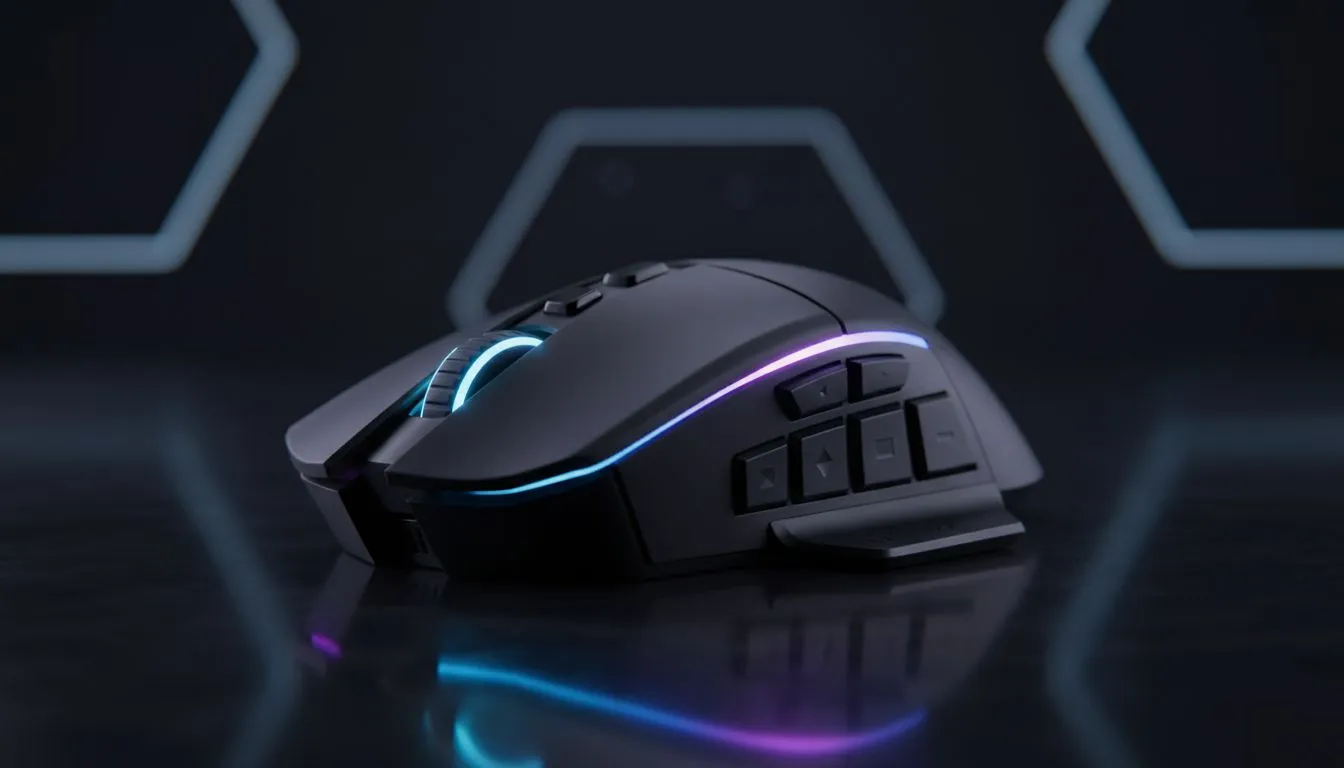
South African gamers, want an MMO mouse that’s easy to live with and quick to learn? Start here. Stop guessing and pick a mouse that matches your hand, your main game, and your budget — without the overwhelm. Small steps: try a 12-button layout, test the weight, and don’t ignore comfort. For a quick browse of what's available locally, see Evetech’s gaming mice collection 🚀: https://www.evetech.co.za/components/gaming-mouse-117.aspx
Begin with three priorities: button layout, sensor/DPI, and wired versus wireless. For MMO play, extra thumb buttons and a reliable sensor beat flashy RGB every time. If you prefer zero-lag and simple setup, wired mice are still the go-to; Evetech lists solid wired options here: https://www.evetech.co.za/buy-wired-mouse/x/1596.aspx. If you value cable-free freedom, modern wireless mice match wired performance for many players — check wireless picks here: https://www.evetech.co.za/buy-wireless-mouse/x/1597.aspx.
Budget note: expect to pay anywhere from about R399 up to R3,000+ depending on brand and features. Look for current ZAR deals before you buy — Evetech’s deals page is a good place to compare prices: https://www.evetech.co.za/best-gaming-mouse-deals/x/054.aspx. Even small savings let you get a better sensor or extra buttons.
Start simple. Don’t remap dozens of macros on day one. Assign the most-used abilities to 2–4 comfortable thumb buttons. Test in a practice zone, not a ranked match. Micro‑story: I once overset 12 macros before a raid and mixed up heals and cooldowns; lesson learnt — fewer, consistent binds work better under pressure.
Grip and weight matter. Try a handful of shapes if possible. If you’re buying online, dimension images and customer photos help. Add a wrist pad or mouse skates if glide feels rough — accessories like skates and grips can transform a cheaper mouse: https://www.evetech.co.za/buy-mouse-accessories/x/1595.aspx ✨.
On Windows, use the PowerToys FancyZones utility to create custom snap layouts for your windows. It's a lifesaver for managing multiple apps on an ultrawide monitor, letting you organise your timeline, preview window, and asset folders perfectly for video editing.
Test returns and warranty; South African support matters. If you’re unsure, pick a model with a local warranty and clear return policy. When in doubt, compare sensors and button counts, then choose comfort. For a quick side‑by‑side of available models and specs, Evetech’s main gaming mouse hub is the fastest way to compare: https://www.evetech.co.za/components/gaming-mouse-117.aspx 🚀 (see product pages for detailed specs).
Want a shortlist? Aim for:
If you’re ready to shop, check wired, wireless, and accessory pages above to match features and budget. Happy hunting — you’ll play better once your mouse stops being a distraction 🔧.
Ready to Find Your Perfect Match? The Mac vs Windows debate is complex, but for maximum power, choice, and value in South Africa, Windows is hard to beat. Explore our massive range of laptop specials and find the perfect machine to conquer your world.
Install the mouse software, choose a DPI, create a profile, and map a few core keys. Start simple and refine—this is how to set up MMO mouse efficiently.
Begin around 800–1600 DPI and adjust with in-game tests. Use the MMO mouse DPI and sensitivity guide to find what feels natural.
Map 4–6 essential buttons first—target, heal, mount, a quick skill—then expand. Follow MMO mouse button mapping for beginners advice.
Yes. Create game-specific profiles so keybinds and macros load automatically—MMO mouse profiles explained makes switching seamless.
You can use basic clicks, but the software unlocks button mapping and profiles. Refer to MMO mouse software tips to get full value.
Add bindings slowly, label or color-code buttons, and practice in low-pressure scenarios to simplify MMO mouse controls.
Yes—configured simply they speed actions and reduce key clutter. Start small to experience MMO mouse for new players benefits.
GTA 6 Max Settings on RTX 5070. Tested & verified settings for best FPS and visual quality on SA hardware budgets.
Read more
Cyberpunk 2077 Max Settings on RTX 5080. Tested & verified settings for best FPS and visual quality on SA hardware budgets.
Read more
Starfield Max Settings on RTX 5070 Ti. Tested & verified settings for best FPS and visual quality on SA hardware budgets.
Read more
AMD RX 9050 XT: Rumoured Specs, Price & Release. SA-focused analysis with local pricing data, real-world insights & actionable buying advice.

Can RTX 4080 Super Run AI Workloads for SA Developers Detailed answer with SA data, expert analysis & practical recommendations for local buyers.

Can RTX 4090 Run AI Workloads for SA Developers Detailed answer with SA data, expert analysis & practical recommendations for local buyers.

Top Settings for Intel Arc B580 at Ultrawide 1440p picks evaluated on performance, value & SA availability with current Rand pricing from Evetech.

RTX 4060 CS2 Low Settings at 1080p: FPS Results. Real-world benchmark data, FPS numbers & performance analysis. What SA gamers can actually expect.

Visual Artifacts: Possible GPU Issue Issue #1. Diagnosis steps, proven fixes & when to seek professional help. SA-specific support info included.

Can the RTX 4090 Handle 1440p 144Hz Gaming. Performance testing verdict with real data & practical recommendations for SA buyers.

Top ASUS GPU Under R15000 picks evaluated on performance, value & SA availability with current Rand pricing from Evetech.
GTA 6 Max Settings on RTX 5070. Tested & verified settings for best FPS and visual quality on SA hardware budgets.
Cyberpunk 2077 Max Settings on RTX 5080. Tested & verified settings for best FPS and visual quality on SA hardware budgets.
Starfield Max Settings on RTX 5070 Ti. Tested & verified settings for best FPS and visual quality on SA hardware budgets.

Top RTX 5090 Under R5000 picks evaluated on performance, value & SA availability with current Rand pricing from Evetech.