


Complete Guide: Setting Up AIO Liquid 420mm
Setting Up AIO Liquid 420mm. Tested & verified settings for best FPS and visual quality on SA hardware budgets.
Read moreMouse skates for PTFE feet can boost tracking speed, improve glide, and tune control—if your glide surface and mousepad match. Here’s how large PTFE affects speed, stability, and pad compatibility. 🐭✨
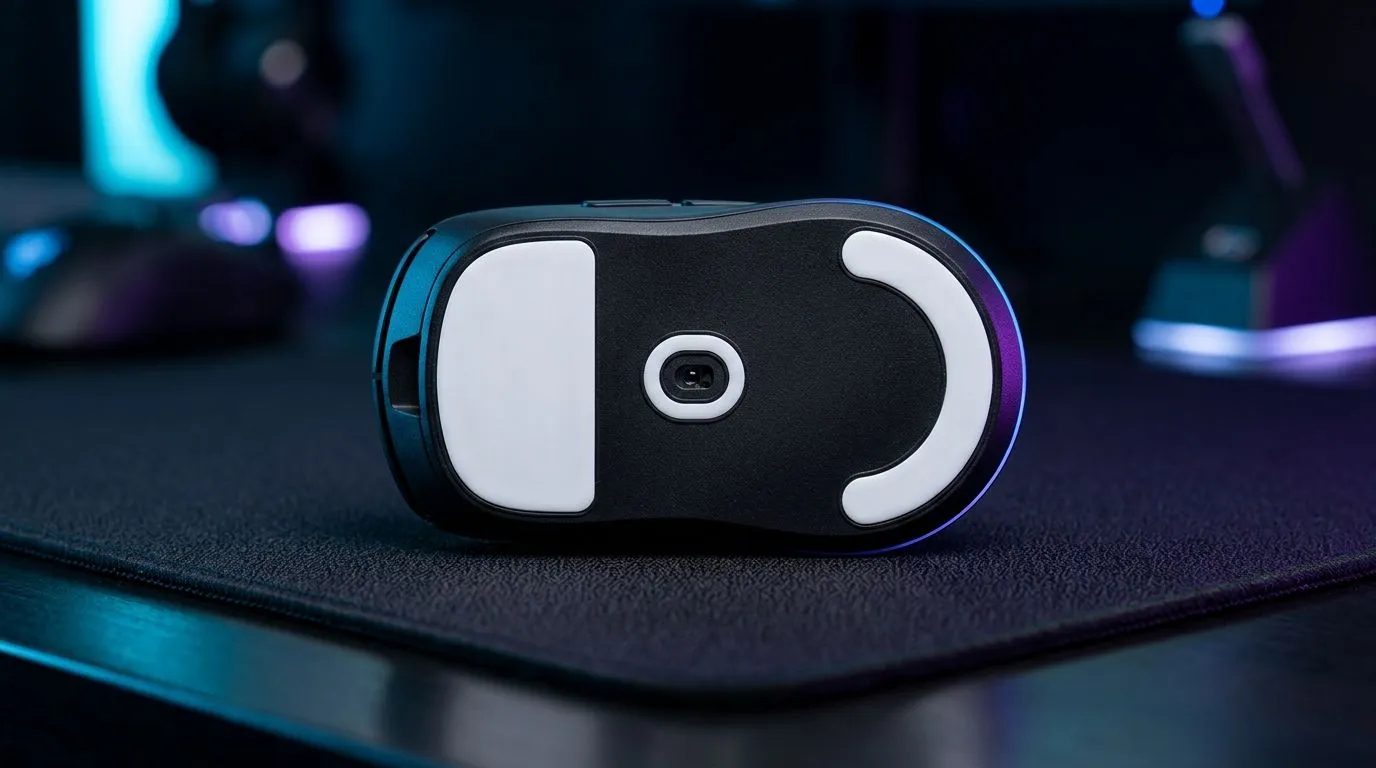
If your aim feels a little “off” lately, the mouse may not be the problem... your skates might be. For South African gamers, a good set of mouse skates for PTFE feet can sharpen glide, improve consistency, and make flicks feel cleaner on everything from budget pads to premium cloth surfaces. Small part. Big feel. And yes, it can change how your rig behaves in a clutch round 🔧
PTFE, also known as polytetrafluoroethylene, is prized because it has a very low coefficient of friction. That means less resistance against your mouse pad, which helps the mouse move smoothly and predictably. In gaming, that smoothness matters. It affects tracking in FPS titles, micro-adjustments in MOBAs, and even everyday productivity.
The real sweet spot is balance. Faster skates can help your mouse glide with less effort, which is useful for low-sensitivity players who sweep across a large pad. More controlled skates can feel slightly slower, but they often make precise corrections easier.
For context, mouse feet wear down over time, especially if you game daily. Once they flatten or collect grime, the glide gets patchy. That’s when you start noticing drag, uneven resistance, or a scratchy feel. Replacing them can restore that original smoothness without buying a whole new mouse.
If you’re browsing upgrades, Evetech’s mouse accessories category is the best place to start. It keeps the comparison simple when you want to improve feel without overspending.
A clean PTFE surface can make cursor movement feel lighter. That’s useful whether you’re gaming, editing, or working through spreadsheets. It also reduces the effort needed for long sessions, which can help your hand feel less fatigued over time.
Skates don’t exist in isolation. Your mouse shape, sensor quality, and pad texture all influence the end result. A high-end mouse with worn feet won’t feel premium for long. Likewise, a great skate set won’t fully fix a rough or dirty pad.
If you’re still shopping for a new device, compare cable drag and weight too. Evetech’s wired mouse range is worth a look if you want consistent response without battery concerns. For players who prefer a freer desk setup, the wireless mouse range gives you another direction to explore.
There’s no universal winner. It depends on your grip, sensitivity, and what “comfortable” means to you after an hour-long session.
You don’t need to replace skates every week. But you should consider it when:
That’s especially true for competitive players who notice tiny changes. A worn skate can quietly affect crosshair placement more than people expect. If you’re hunting for value while you upgrade, keep an eye on Evetech’s best gaming mouse deals. Sometimes the smartest move is replacing the whole mouse when the economics make sense in rand.
If you’ve just installed new PTFE skates, clean your mouse pad first and let the mouse glide for a few minutes before judging it. Dust, skin oils, and residue can make brand-new feet feel worse than they really are. A clean surface gives you a fair test.
The main thing is consistency. You want skates that:
Also, check whether your mouse already uses stock PTFE feet. Many gaming mice do, but the quality and thickness can vary. If you’re replacing them, be careful during removal. Clean the base fully before applying new feet so the adhesive holds properly.
For a broader look at mouse options and shapes, Evetech’s gaming mouse selection is a useful reference point. It helps you compare what’s available before deciding whether to refresh your current mouse or move to a new one.
If your aim feels muddy, don’t rush to blame your settings. Sometimes the fix is physical, not digital. Fresh PTFE skates can restore glide, improve consistency, and make a decent mouse feel properly sorted again.
For South African buyers, that matters. Shipping, budgets, and availability all shape the upgrade path. A small purchase can extend the life of your current gear and improve your daily experience without breaking the bank. And when the time comes to go bigger, you’ll know exactly what “good feel” should be.
Ready to Find Your Perfect Match? The Mac vs Windows debate is complex, but for maximum power, choice, and value in South Africa, Windows is hard to beat. Explore our massive range of laptop specials and find the perfect machine to conquer your world.
Often yes. Larger PTFE feet can reduce micro-hitches and smooth your glide, which may improve tracking speed—especially on consistent glide surfaces.
Not automatically. Control depends on glide balance, stiffness, and your surface. If the skates make the mouse feel too slippery, you may lose micro-corrections.
No. PTFE works best with smooth, consistent pads. Rough or heavily textured surfaces can increase noise, wear, and inconsistent glide.
A stable glide surface helps your sensor “see” consistent motion. Large PTFE feet can amplify differences between fast and controlled pads.
They can. More surface area may change friction feel, affecting how quickly you start and stop during tracking and flicks.
Higher-speed glides can increase pad wear depending on material. If your pad gets fuzzy or develops grooves, it may indicate accelerated wear.
Match skates to your pad type, check skate thickness and stability, and test on your current sensitivity. Small adjustments in aim technique may be needed.
Choose PTFE skates based on your playstyle and pad speed. For precise control, pair with controlled pads; for speed, pair with fast glide surfaces.
Setting Up AIO Liquid 420mm. Tested & verified settings for best FPS and visual quality on SA hardware budgets.
Read more
Intel XTU Download & Setup Guide: Intel CPU. Clear setup instructions with SA-specific considerations, troubleshooting tips & recommended components.
Read more
Cyberpunk 2077 Max Settings on RTX 4090. Tested & verified settings for best FPS and visual quality on SA hardware budgets.
Read more
The Complete Guide to GPU. Everything you need to know with SA pricing, step-by-step instructions & expert recommendations.
Read more
NVCleanstall Download & Setup Guide: NVIDIA. Clear setup instructions with SA-specific considerations, troubleshooting tips & recommended components.
Read more
to Driver Installation for Beginners. Everything you need to know with SA pricing, step-by-step instructions & expert recommendations.
Read more
AMD RX 9050 XT: Rumoured Specs, Price & Release. SA-focused analysis with local pricing data, real-world insights & actionable buying advice.

Can RTX 4080 Super Run AI Workloads for SA Developers Detailed answer with SA data, expert analysis & practical recommendations for local buyers.

Can RTX 4090 Run AI Workloads for SA Developers Detailed answer with SA data, expert analysis & practical recommendations for local buyers.

Top Settings for Intel Arc B580 at Ultrawide 1440p picks evaluated on performance, value & SA availability with current Rand pricing from Evetech.

RTX 4060 CS2 Low Settings at 1080p: FPS Results. Real-world benchmark data, FPS numbers & performance analysis. What SA gamers can actually expect.

Visual Artifacts: Possible GPU Issue Issue #1. Diagnosis steps, proven fixes & when to seek professional help. SA-specific support info included.

Can the RTX 4090 Handle 1440p 144Hz Gaming. Performance testing verdict with real data & practical recommendations for SA buyers.

Top ASUS GPU Under R15000 picks evaluated on performance, value & SA availability with current Rand pricing from Evetech.

GTA 6 Max Settings on RTX 5070. Tested & verified settings for best FPS and visual quality on SA hardware budgets.

Cyberpunk 2077 Max Settings on RTX 5080. Tested & verified settings for best FPS and visual quality on SA hardware budgets.

Starfield Max Settings on RTX 5070 Ti. Tested & verified settings for best FPS and visual quality on SA hardware budgets.

Top RTX 5090 Under R5000 picks evaluated on performance, value & SA availability with current Rand pricing from Evetech.