Juggling your work laptop, gaming PC, and maybe a console on one desk? The constant cable swapping and input switching is a real pain. What if you could flip between your code editor, a high-refresh-rate game, and your PS5 with a single button press? That���s the magic of a multi-input fast switch monitor. It’s the ultimate productivity and gaming upgrade for any South African who demands a seamless, clutter-free setup. ⚡
What is a Multi-Input Fast Switch Monitor?
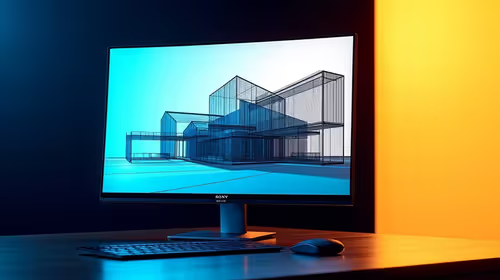
At its core, a multi-input fast switch monitor is a display designed to handle several video sources without the usual hassle. Instead of fumbling behind the screen to change inputs, these monitors feature built-in technology, often a KVM (Keyboard, Video, Mouse) switch, that lets you toggle between connected devices instantly.
Think of it as a central hub for your digital life. You can connect your work laptop via USB-C, your beastly gaming rig via DisplayPort, and your console via HDMI 2.1. The monitor intelligently shares your keyboard, mouse, and other peripherals between all connected devices. This technology is becoming a standard feature across a wide range of PC monitors, making a streamlined setup more accessible than ever. A good multi-input fast switch monitor simplifies your workflow and declutters your desk in one go.
Why Fast Input Switching is a Must-Have
The real benefit isn't just about having multiple ports; it's about the speed and convenience. Imagine this: you’ve just wrapped up a long work-from-home day. Instead of unplugging your laptop and plugging in your PC, you press one button. Your screen instantly switches from spreadsheets to your game launcher, and your keyboard and mouse are ready for action. No lag, no friction… just pure, uninterrupted flow.
This seamless transition is what sets a modern multi-input fast switch monitor apart. For gamers, it means less downtime and more playtime. For professionals, it means a massive productivity boost. Many of today's modern gaming monitors integrate this feature, recognising that a high-performance screen needs to be versatile for both work and play. It’s about optimising every second you spend at your desk. 🚀
Cable Quality Matters!
A fast switch monitor is only as good as its cables. To get the full refresh rate and resolution advertised, use certified DisplayPort 1.4 or Ultra High-Speed HDMI 2.1 cables. Cheap, uncertified cables can cause flickering or prevent features like G-Sync FreeSync from working correctly.
Key Features to Look For
When shopping for a multi-input fast switch monitor, a few key specs make all the difference. Don't just look at the screen size; dive a little deeper.
Built-in KVM Switch
This is the heart of fast input switching. A KVM allows a single keyboard, mouse, and monitor to control multiple computers. Look for monitors with a dedicated KVM button or software that makes switching effortless. It’s the key to a truly unified setup.
Modern Port Selection
Your monitor needs the right connections for your gear.
- USB-C with Power Delivery: A single cable to connect your laptop, transmit video, and charge it simultaneously. A must-have for a clean desk.
- DisplayPort 1.4: Essential for high refresh rates on PC, especially for competitive gaming.
- HDMI 2.1: The standard for PlayStation 5 and Xbox Series X, enabling 4K at 120Hz.
Many high-resolution 4K and 5K monitors come equipped with these ports, making them excellent choices for a powerful multi-device setup. For an even more engaging experience, consider one of the many immersive curved monitors that include these fast-switching capabilities.
Expanding Your Screen Real Estate ✨
A multi-input fast switch monitor can also be the command centre for a larger ecosystem. You can easily connect and switch to other devices like a tablet or even one of the latest versatile portable monitors for an extra screen on the go. To perfect your setup, ensure you have the right ergonomics with quality monitor accessories like adjustable arms or stands, which can make a world of difference during long sessions.
Ready to Unclutter Your Desk?
Stop swapping cables and start switching seamlessly. Explore the best monitor deals in South Africa for performance that leaves lag in the dust.