


AIO Liquid 240mm Setup and Configuration: Complete Tutorial
AIO Liquid 240mm Setup and Configuration. Clear setup instructions with SA-specific considerations, troubleshooting tips & recommended components.
Read more• Multi-platform headsets: compare PC, PlayStation, Xbox, mobile compatibility; • Explain connectors; • Recommend top picks; • Buying tips 🎧🔌. Multi-platform headsets help you choose gear that works across devices and platforms.
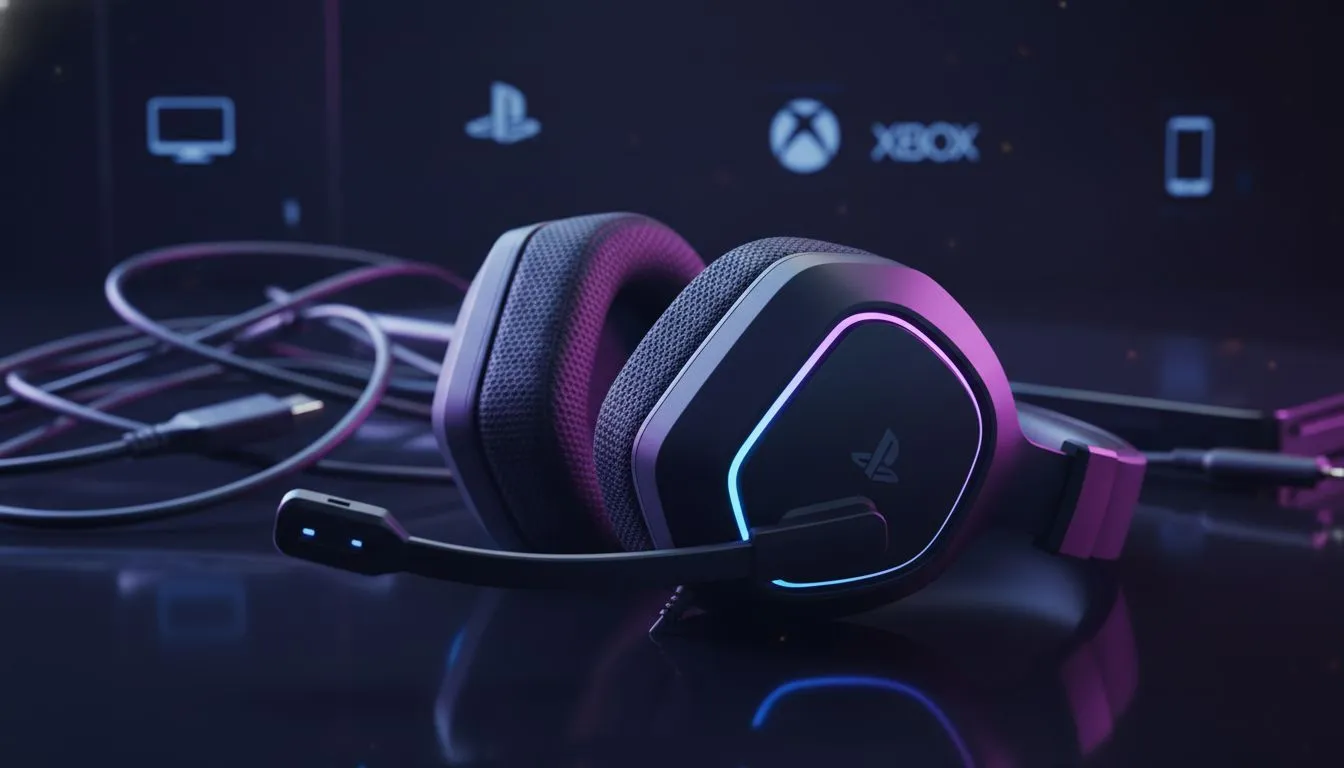
Switching between a late-night PC session and a quick mobile match shouldn't be a hassle. South African gamers often juggle multiple devices. You want one piece of gear to rule them all. Multi-platform headsets are the ultimate solution for versatility... saving you both space and cash. Let's look at what actually works across PC, PlayStation, Xbox, and mobile.
Most headsets use three main ways to connect. You have the classic 3.5mm jack... the modern USB-C... and wireless options like 2.4GHz or Bluetooth. For the best experience on PC and PlayStation, a 2.4GHz USB dongle is king. It offers low latency that Bluetooth simply cannot match. You can find many of these versatile options in our headphone headsets section.
Sony designed the PlayStation 5 to be very friendly with standard USB audio. This means most headsets built for PC work perfectly on PS5. You get features like 3D Audio without needing extra software. If you want high-end performance, the Razer headphones and headsets range offers incredible drivers that shine on both platforms. Spending over R2,000 on a headset feels much better when it works on every device you own. ⚡
Always keep a 3.5mm male-to-male cable in your tech bag. Even if your wireless battery dies during a load shedding bout, most multi-platform headsets will still work passively through the controller jack. It is the ultimate backup for any South African gamer.
Xbox is the tricky one. Microsoft uses a proprietary wireless signal. To get a wireless headset to work on Xbox and PC, it usually needs a specific chip. However... many multi-platform headsets solve this with a 3.5mm cable or specialized dongles. If you want a wireless beast that handles almost everything with ease, the Razer Barracuda X Chroma Wireless Headset Phantom White is a top-tier choice. It uses a SmartSwitch system to toggle between devices instantly. 🚀
Mobile gaming is massive in SA. Whether it is a quick round of Apex Legends Mobile or just listening to music... Bluetooth is essential. The best multi-platform headsets offer "Dual Wireless" connectivity. This lets you stay connected to your PC via 2.4GHz while your phone stays linked via Bluetooth. You will never miss an important call while in the middle of a match again. ✨
Investing in a single, high-quality headset makes sense. You get a consistent sound profile across every game you play. No more adjusting to different EQ settings every time you switch consoles. Pick a pair that fits your lifestyle and enjoy the freedom of truly universal audio.
Ready to Find Your Perfect Match? Why settle for one platform when you can conquer them all? For maximum versatility, choice, and value in South Africa, our multi-platform range is hard to beat. Explore our massive range of headset specials and find the perfect gear to elevate your audio experience.
Many multi-platform headsets work across PC, PlayStation, Xbox and mobile; check the headset compatibility and connection type like 3.5mm, USB-C or wireless dongle.
Use a USB audio interface or a mixer for simultaneous PC and Xbox audio, or choose a headset with native multi-device Bluetooth or dual-link features.
Not always. Wireless compatibility depends on the dongle and console support; look for explicit Xbox compatibility or multi-platform wireless support in specs.
Yes. A 3.5mm TRRS headset typically handles game audio and chat on controllers and mobile, but some consoles route chat via separate settings or apps.
USB headsets usually work on PC and PlayStation; Xbox support varies—check 'USB headset console compatibility' or use optical/3.5mm or a USB audio adapter.
Prioritize confirmed compatibility, connection types (3.5mm, USB-C, wireless dongle), mic quality, and cross-platform features in headset compatibility guides.
Often you can plug a mobile headset into a controller via 3.5mm; for USB-C phones or digital-only consoles, a compatible adapter or dongle may be required.
AIO Liquid 240mm Setup and Configuration. Clear setup instructions with SA-specific considerations, troubleshooting tips & recommended components.
Read more
Setting Up DDR5 64GB Kit. Tested & verified settings for best FPS and visual quality on SA hardware budgets.
Read more
Overwatch 2 Setup Guide Gamers. Clear setup instructions with SA-specific considerations, troubleshooting tips & recommended components.
Read more
R and RStudio on Mac: Data Science Setup Guide. Clear setup instructions with SA-specific considerations, troubleshooting tips & recommended components.
Read more
NVIDIA Broadcast Setup with GPU: Streamer Guide. Clear setup instructions with SA-specific considerations, troubleshooting tips & recommended components.
Read more
Core Ultra 7 265K Temperature Guide: Normal Range. Complete product range with SA pricing, key specs & recommendations for different budgets.
Read more
AMD RX 9050 XT: Rumoured Specs, Price & Release. SA-focused analysis with local pricing data, real-world insights & actionable buying advice.

Can RTX 4080 Super Run AI Workloads for SA Developers Detailed answer with SA data, expert analysis & practical recommendations for local buyers.

Can RTX 4090 Run AI Workloads for SA Developers Detailed answer with SA data, expert analysis & practical recommendations for local buyers.

Top Settings for Intel Arc B580 at Ultrawide 1440p picks evaluated on performance, value & SA availability with current Rand pricing from Evetech.

RTX 4060 CS2 Low Settings at 1080p: FPS Results. Real-world benchmark data, FPS numbers & performance analysis. What SA gamers can actually expect.

Visual Artifacts: Possible GPU Issue Issue #1. Diagnosis steps, proven fixes & when to seek professional help. SA-specific support info included.

Can the RTX 4090 Handle 1440p 144Hz Gaming. Performance testing verdict with real data & practical recommendations for SA buyers.

Top ASUS GPU Under R15000 picks evaluated on performance, value & SA availability with current Rand pricing from Evetech.

GTA 6 Max Settings on RTX 5070. Tested & verified settings for best FPS and visual quality on SA hardware budgets.

Cyberpunk 2077 Max Settings on RTX 5080. Tested & verified settings for best FPS and visual quality on SA hardware budgets.

Starfield Max Settings on RTX 5070 Ti. Tested & verified settings for best FPS and visual quality on SA hardware budgets.

Top RTX 5090 Under R5000 picks evaluated on performance, value & SA availability with current Rand pricing from Evetech.