


Will A Pcie 5.0 Gpu Work With A Pcie 4.0 Motherboard? Compatibility Guide
Will A Pcie 5.0 Gpu Work With A Pcie 4.0. Hand-picked gift ideas at every budget tier. SA pricing & Evetech availability included.
Read moreNeed a network switch for South African homes with many devices? Here’s what to look for—ports, speeds, VLAN, and Wi-Fi integration—so your home network stays fast and stable 🚀📶
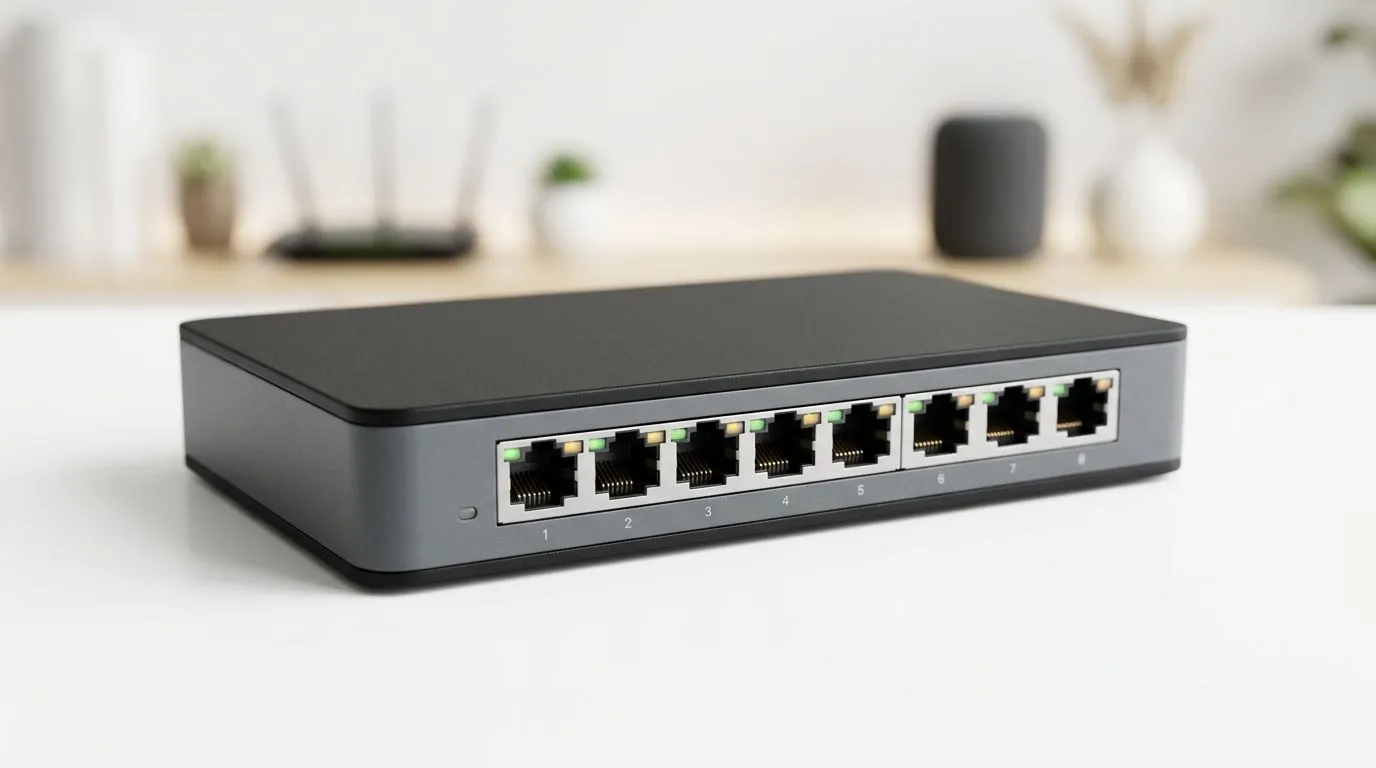
If your Wi-Fi feels fine in the lounge but dies in the study, the real bottleneck may be your network hardware. For South African homes, a good network switch can quietly fix messy cabling, laggy gaming, and awkward streaming setups. It is one of those upgrades you only notice when everything starts working properly… and that is exactly the point. ⚡
A switch connects multiple wired devices through one router. Think PCs, consoles, smart TVs, and NAS units. Unlike Wi-Fi, Ethernet gives you stable latency and fewer dropouts. That matters when the whole household is online at once.
For most homes, the first question is simple: how many devices need cables today, and how many might you add later? If you have one gaming PC, a console, and a TV, an unmanaged switch may be enough. If you want VLANs, traffic control, or easier network management, look at smart or managed options. Evetech’s current switch range is a useful place to compare those choices: browse switches at Evetech.
Port count matters more than people expect. A 5-port model works for a compact setup. An 8-port unit gives breathing room for future upgrades. If you are wiring a full home office or entertainment centre, extra ports save hassle later.
Speed is the next big decision. Gigabit Ethernet is the safe baseline for modern homes. It handles gaming, file transfers, and 4K streaming comfortably. Faster uplinks can help if you move large files between devices, but only buy more speed if your router, cables, and devices can use it.
It is also worth checking power efficiency. A switch runs all day, so low heat and sensible consumption are welcome, especially when loadshedding or backup power is part of daily life. For brand shoppers, Evetech also lists Cudy switch options, which makes comparison easier if you already trust that ecosystem.
Not every home needs advanced features. Still, a few extras can be worth paying for:
If one person is gaming while another streams, Quality of Service can help keep latency-sensitive traffic smooth.
A sturdier case often handles heat better than very cheap plastic units. That is useful in warmer rooms or crowded cupboards.
Power over Ethernet is handy for cameras, access points, and some smart devices. It reduces cable clutter and can simplify installations.
Use your switch for the devices that benefit most from stable wired connections first. Start with the gaming PC, console, and smart TV. Then add cameras or access points if you need them later. This keeps your budget focused on the parts you will feel every day.
Value is not always about the cheapest unit. A slightly better switch can save you from replacing it too soon. If your budget sits near the entry level, Evetech’s filtered listing by price is a practical shortcut: see switches from about R1,153.
That said, match the switch to your actual use. A simple family setup should not pay for enterprise features it will never touch. Likewise, a serious gaming or work-from-home setup should not be held back by a basic device that becomes the weak link.
Before you buy, ask four questions:
Answer those honestly, and the choice becomes much easier. The best switch is the one that fits your home, your internet habits, and your budget... not the one with the fanciest spec sheet. 🚀
Ready to Find Your Perfect Match? The Mac vs Windows debate is complex, but for maximum power, choice, and value in South Africa, Windows is hard to beat. Explore our massive range of laptop specials and find the perfect machine to conquer your world.
Focus on port count, speeds (Gigabit or 2.5GbE), reliable switching, and whether you need managed features like VLAN for device separation.
An unmanaged switch is simple and cheap, while a managed switch gives control (VLAN, QoS) that helps reduce congestion on busy networks.
For most homes, yes. A gigabit switch supports stable streaming and gaming, but 2.5GbE helps if you have fast NAS, multiple wired PCs, or high throughput.
Count current wired devices and add 20–30% extra for growth. Also consider adding ports for smart home hubs, TVs, and consoles.
VLAN support is useful if you want better security and performance—like separating IoT devices from work PCs or gaming devices.
A PoE switch powers compatible devices like IP cameras and access points over Ethernet, reducing extra power adapters and cleaner installation.
A switch improves overall wired stability and helps Wi-Fi by reducing backhaul bottlenecks, especially when many devices connect to the same access point.
Use the right port speeds, avoid oversubscribing uplinks, and consider QoS or VLAN on a managed switch for latency-sensitive gaming and calls.
Will A Pcie 5.0 Gpu Work With A Pcie 4.0. Hand-picked gift ideas at every budget tier. SA pricing & Evetech availability included.
Read more
Streamelements Setup with GPU: Streamer Guide. Clear setup instructions with SA-specific considerations, troubleshooting tips & recommended components.
Read more
Intel Arc B580 Throttling Under Load: Temperature. Everything you need to know with SA pricing, step-by-step instructions & expert recommendations.
Read more
Complete ATX Case Size Guide: Interior Dimensions. Best deals curated with real SA discounts, price history & tips on getting genuine value.

What GPU Do You Need for AI & Machine Learning. Hardware requirements breakdown with recommended specs & SA pricing for each tier.

Top Settings for RTX 4060 at Ultrawide 1440p picks evaluated on performance, value & SA availability with current Rand pricing from Evetech.

Head-to-head comparison of FreeSync vs G-Sync Explained: Which Should Gamers for SA gamers. Performance benchmarks, Rand pricing & which delivers better value.

Every spec on PCIe 5.0 explained in plain English. What matters for gaming and creator work in 2026, what's marketing fluff, and how each number translates to real-world performance.

Every spec on bios explained in plain English. What matters for gaming and creator work in 2026, what's marketing fluff, and how each number translates to real-world performance.

Every spec on gaming setups explained in plain English. What matters for gaming and creator work in 2026, what's marketing fluff, and how each number translates to real-world performance.

Every spec on cooling systems explained in plain English. What matters for gaming and creator work in 2026, what's marketing fluff, and how each number translates to real-world performance.

Every spec on understanding how much vram is needed explained in plain English. What matters for gaming and creator work in 2026, what's marketing fluff, and how each number translates to real-world.

How to pick the right PCIe 5.0 for your build in 2026: the features worth paying for, ZAR value tiers, and the trade-offs between budget, mid-range and flagship picks.

Every spec on gpu explained in plain English. What matters for gaming and creator work in 2026, what's marketing fluff, and how each number translates to real-world performance.

Every spec on gpu explained in plain English. What matters for gaming and creator work in 2026, what's marketing fluff, and how each number translates to real-world performance for SA buyers.