


Glorious Keyboard Switches Explained: Which Switch Is Right for You?
Glorious Keyboard Switches Explained: Which. Plain-English explanation of what it means, why it matters & how it affects your buying decisions in SA.
Read moreNVENC RTX 5070 Ti streaming delivers hardware-accelerated, high-quality encoding for Twitch and YouTube. Learn OBS settings, bitrate, latency fixes, and presets to maximize clarity and FPS. 🎥⚡
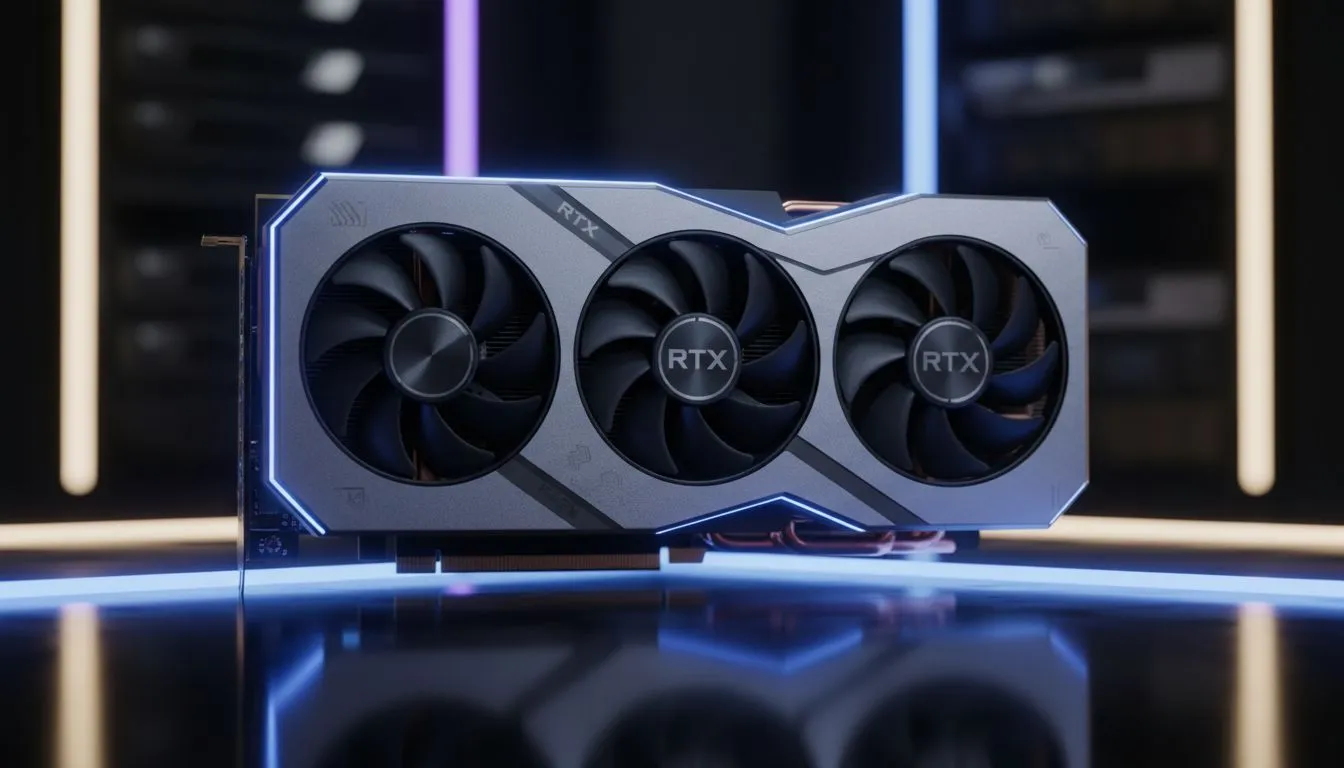
Tired of your stream stuttering just as you land a headshot in Apex Legends? South African creators often struggle with hardware overhead and upload limits. This NVENC RTX 5070 Ti Streaming Guide for Twitch & YouTube shows you how to bypass those hurdles. You can now deliver crisp, high-definition content to your fans. All this happens without needing a secondary streaming PC or a massive budget in ZAR. 🚀
The secret lies in the dedicated hardware encoder known as NVENC. This chip handles the heavy lifting of video compression. It leaves your primary GPU cores free to push maximum frames in your favourite games. When you browse the latest GPU technology at Evetech, the efficiency of the 50-series stands out.
Previous generations were good... but the Blackwell architecture takes it further. You get better image quality at lower bitrates. This is vital for local streamers who might not have access to fibre lines with massive upload speeds.
Twitch still limits most non-partners to a 6000kbps bitrate. This can make fast-paced games look blocky. However, the NVIDIA GeForce range uses advanced algorithms to preserve detail in high-motion scenes.
For YouTube, you can push the boundaries even further. The RTX 5070 Ti supports AV1 encoding. This is the new gold standard for streaming. It offers roughly 40% better efficiency than the older H.264 standard. ⚡
Always run your streaming software like OBS as an Administrator. This simple step tells Windows to prioritise the GPU resources for your broadcast. It prevents the game from 'hogging' the entire card, which stops your stream from dropping frames even during intense battles.
Keeping your card cool is essential for long broadcast sessions. While some might look at Radeon alternatives for pure gaming, NVIDIA remains the king of the streaming ecosystem.
High-end MSI models are particularly popular in South Africa. They feature robust cooling designs that handle our summer heat with ease. A cooler card maintains higher clock speeds... ensuring your stream stays smooth from start to finish. ✨
Ready to Elevate Your Stream? Mastering your broadcast requires the right hardware to back your talent. For the best performance and value in South Africa, upgrading your GPU is the ultimate move. Explore our massive range of NVIDIA graphics cards and find the perfect machine to conquer your world.
NVENC is Nvidia's hardware encoder on the RTX 5070 Ti that offloads video encoding from CPU to GPU for smoother, higher-quality Twitch and YouTube streams.
Use NVENC H.264 or AV1 if available, set bitrate per platform, preset to 'performance' or 'balanced', and enable B-frames for quality. See RTX 5070 Ti OBS NVENC settings.
For 1080p60 aim for 6000 kbps on Twitch; for 1440p or higher choose 9000-12000 kbps depending on upload and Twitch limits.
Yes. NVENC on the 5070 Ti supports stable high-bitrate livestreams to YouTube when paired with proper presets and bitrate settings.
Lower encode preset, reduce B-frames, enable low-latency mode in OBS, and optimize bitrate to cut encoding delay and round-trip latency.
Minimal impact when configured correctly. NVENC offloads encoding to the GPU, preserving CPU cycles and often improving game FPS versus software encode.
Use AV1 if supported for better compression; otherwise H.264 NVENC offers wide compatibility and excellent performance for Twitch and YouTube.
Glorious Keyboard Switches Explained: Which. Plain-English explanation of what it means, why it matters & how it affects your buying decisions in SA.
Read more
Winter Keyboard Buying Guide. Everything you need to know with SA pricing, step-by-step instructions & expert recommendations.
Read more
Keyboard Buying Guide. Everything you need to know with SA pricing, step-by-step instructions & expert recommendations.
Read more
LGBTQ+ Gamers Keyboard Guide: January Edition. Everything you need to know with SA pricing, step-by-step instructions & expert recommendations.
Read more
Keyboard Maintenance Guide Gamers. Everything you need to know with SA pricing, step-by-step instructions & expert recommendations.
Read more
Accessibility Focused Keyboard Guide: January. Everything you need to know with SA pricing, step-by-step instructions & expert recommendations.
Read more
Snapdragon X2 NPU Explained: How 80 TOPS Changes. Plain-English explanation of what it means, why it matters & how it affects your buying decisions in SA.

HBM? High Bandwidth Memory Used in GPUs and AI. Plain-English explanation of what it means, why it matters & how it affects your buying decisions in SA.

How much should you spend on sim racing accessories in South Africa for a realistic setup? We break down budgets by quality tiers, so you buy smart gear and avoid overspending 🎮💸

G-Sync and FreeSync? Variable Refresh Rate. Plain-English explanation of what it means, why it matters & how it affects your buying decisions in SA.

AMD Laptop: Value. SA-focused analysis with local pricing data, real-world insights & actionable buying advice.

How MacBook Neo Handles 30+ Chrome Tabs with Only. SA-focused analysis with local pricing data, real-world insights & actionable buying advice.

Why Apple Put 8GB RAM in MacBook Neo: The A18 Pro. SA-focused analysis with local pricing data, real-world insights & actionable buying advice.

Upgrade your work laptop with a New Motherboard. Step-by-step instructions with SA-specific tips, common pitfalls to avoid & expert recommendations.

MacBook Pro 16-Inch M5 Max: Complete Specs,. Everything you need to know with SA pricing, step-by-step instructions & expert recommendations.

Travelling With a MacBook: Travellers. Everything you need to know with SA pricing, step-by-step instructions & expert recommendations.

Back-to-School Parent Guide: Laptops. Everything you need to know with SA pricing, step-by-step instructions & expert recommendations.

MacBook Air 13-Inch M5: Complete Specs, Features. Everything you need to know with SA pricing, step-by-step instructions & expert recommendations.