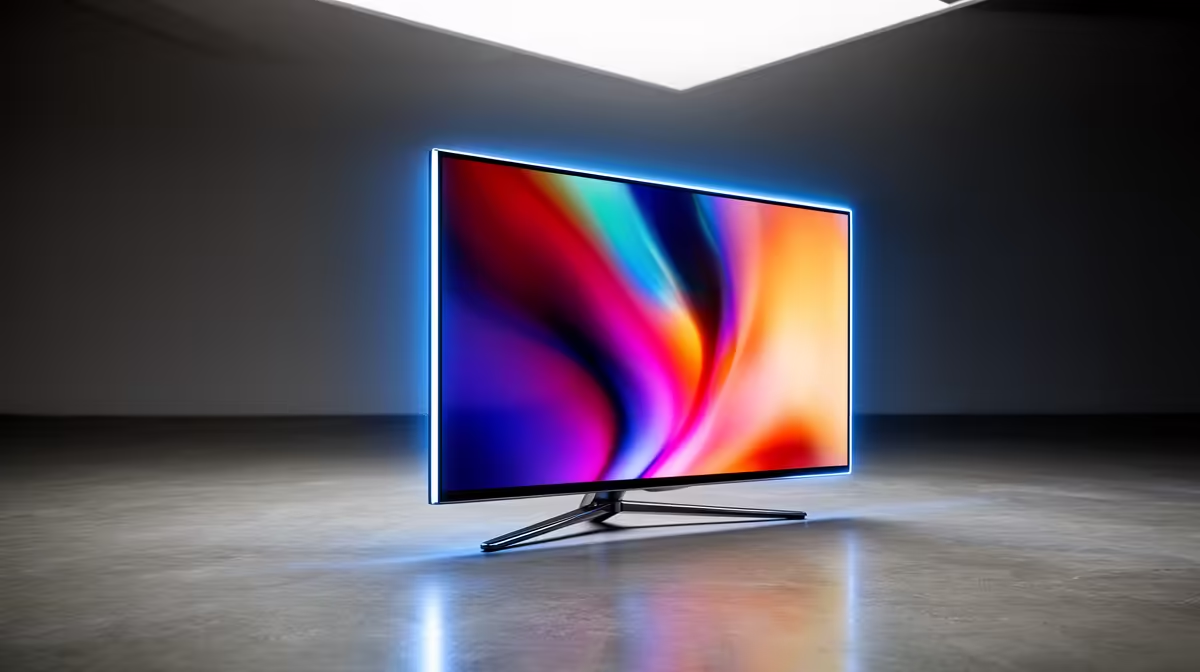
So, you’ve just unboxed a shiny new OLED monitor, or you’re seriously tempted to pull the trigger. The colours are unbelievable, the blacks are deeper than a long-weekend nap, and the response time is electric. But there’s that one little worry scratching at the back of your mind… burn-in.
Don’t stress. Modern OLED monitor maintenance is easier than you think. With a few simple habits, you can keep your screen looking flawless for years. Let's dive in.
Understanding OLED Burn-In (It's Not a Monster)
First, let's clear up the confusion. "Burn-in" refers to permanent image retention, where a faint ghost of a static image (like a taskbar or a game's health bar) remains visible. This happens because the "O" in OLED stands for Organic, and these light-emitting diodes can degrade unevenly if they display the same bright, static image for hundreds of hours.
The key words there are bright, static, and hundreds of hours. For most users, especially gamers who play a variety of titles, it's a minimal risk. Modern gaming monitors also come packed with clever built-in features designed specifically to prevent it.
Your Daily OLED Care Checklist 🛡️
Effective OLED monitor maintenance isn't about constant, stressful work. It's about setting up your system smartly once and then letting it do its thing. Think of it as creating a healthy environment for your pixels to thrive.
Simple Software & Settings Tweaks
These are the easiest and most effective first steps:
- Hide Your Taskbar: In Windows, right-click the taskbar > Taskbar settings > and set it to automatically hide. This is the #1 culprit for burn-in, and this one change makes a huge difference.
- Embrace the Dark: Use a dark mode theme in your OS and apps. A black background means those OLED pixels are literally turned off, saving their lifespan.
- Use a Screensaver: Set a simple, moving screensaver to kick in after a few minutes of inactivity. Avoid static images. A blank screen is perfect.
- Moderate Your Brightness: You don't need your monitor at 100% brightness unless you're mastering HDR content in a sunlit room. For daily use and SDR gaming, a comfortable level (usually below 75%) is kinder to your eyes and the panel.
Let The Monitor Help Itself
Your display is smart. It has built-in tools for its own preservation. These are the two most common:
- Pixel Shifting: A feature that subtly moves your entire screen by a few pixels every few minutes. It's completely unnoticeable to you, but it prevents any single pixel from being constantly lit with the same colour.
- Pixel Refresher/Screen Refresh: This is a maintenance cycle the monitor runs automatically (usually after a few hours of use when you put it in standby) to "clean" the screen and even out pixel wear. Avoid running manual refresh cycles too often, as they can shorten the panel's overall lifespan. Let the monitor run its automatic cycle when it prompts you or during standby.
Pro Tip for Static HUDs ✨
Many modern games offer HUD customisation. Check the settings for options to increase HUD transparency or have elements fade out when not needed. Games like Cyberpunk 2077 and many MMOs have great options for this, significantly reducing the risk of burn-in from static health bars or mini-maps.
Gaming-Specific Tips to Keep Your OLED Pristine
Gamers benefit most from OLED's incredible response times and contrast, but static HUDs are a valid concern. The immersion you get from one of the latest curved gaming monitors with OLED technology is simply next-level, and you want to protect that investment.
The best defence is variety. Don't play the same game with a bright, fixed HUD for 8 hours a day, every day, for months on end. Mix up your playlist! Switching between a fast-paced shooter, an RPG, and a strategy game is not only more fun but also great for your monitor's health. Taking short breaks during long sessions also allows the panel's automatic maintenance features to work their magic.
Ultimately, using your monitor for a mix of gaming, browsing, and watching videos is the ideal usage pattern. The more varied the content, the happier your OLED will be. The visual payoff, especially on high-resolution stunning 4K monitors, is more than worth these minor adjustments.
So, Is an OLED Monitor Right For You?
If your primary use is dynamic—gaming, watching movies, general productivity—then absolutely, yes. The fear of burn-in is often overblown, and the image quality is genuinely in a class of its own.
Who should be cautious? Someone whose PC will display the exact same static window (like a stock ticker or a fixed application interface) at high brightness for 8-12 hours every single day. For everyone else, modern OLEDs are robust, reliable, and beautiful. If your workflow involves a mix of static and dynamic work, a great setup can be your main OLED display paired with a versatile secondary screen, like one of these portable monitors, for toolbars and static windows.
By following these simple OLED monitor maintenance tips, you're not just preventing a problem; you're investing in years of breathtaking visual quality. When you look at the full range of PC monitors available today, OLED stands out for a reason.
Don't let outdated fears hold you back from the best display technology on the market. Armed with this knowledge, you can buy with confidence and enjoy those perfect blacks for a long, long time. Keep an eye on the best monitor deals in South Africa, and you might just find your perfect screen sooner than you think.
Ready for the Ultimate Visual Upgrade?
The vibrant colours and perfect blacks of an OLED are something every gamer deserves to experience. Explore our incredible range of OLED monitors and find the perfect centerpiece for your setup in South Africa.