

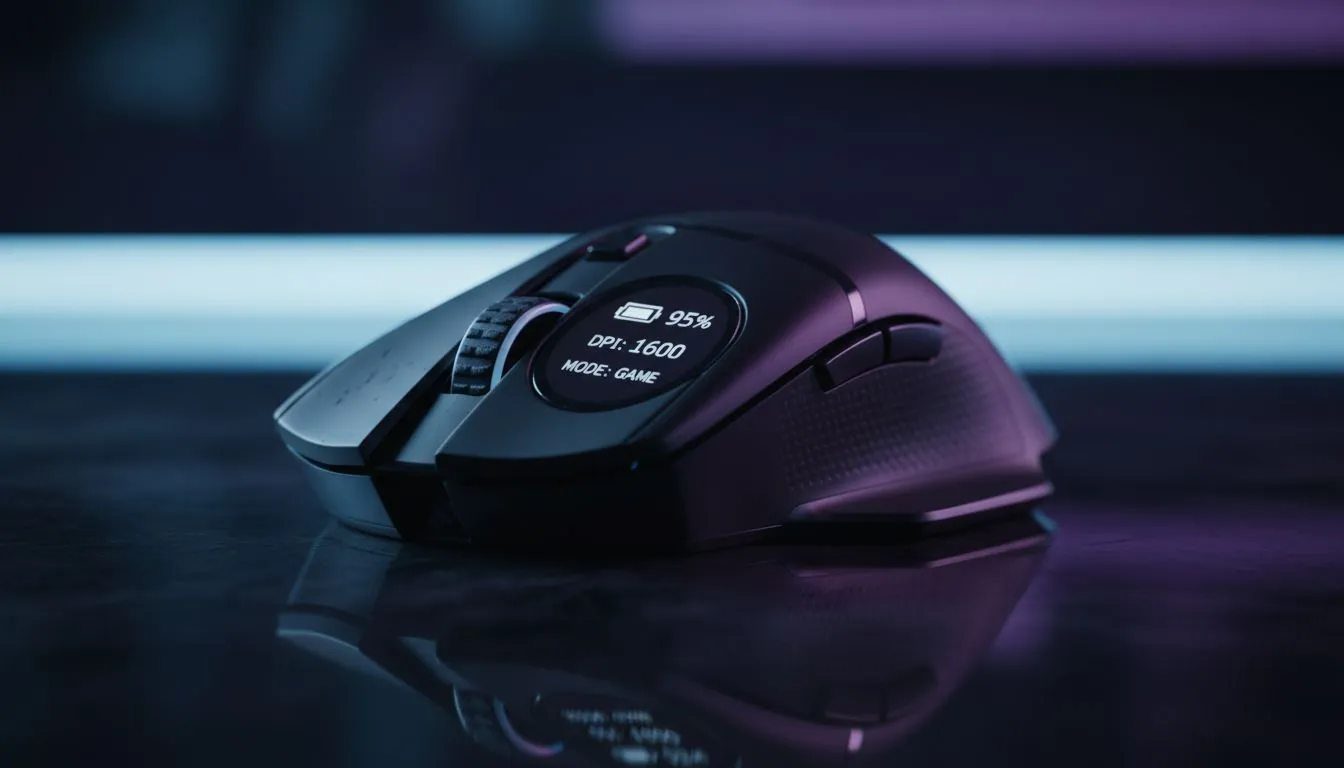
Ever been in a 1v1 clutch moment in Counter-Strike 2 and your cursor just stops? It is the ultimate frustration for any South African gamer. Having an OLED Mouse Display means you never have to guess your hardware status again. These tiny screens provide instant feedback on your Battery, DPI, and Mode without needing to open clunky software... keeping your eyes on the prize while you play.
Monitoring Battery Life and Charging Status
The most practical use for a built-in screen is keeping an eye on your power levels. When you use a high-performance wireless mouse, the last thing you want is a surprise shutdown. An OLED panel shows your exact battery percentage in real-time. Some even display a charging animation when plugged in... ensuring you know exactly when you are ready to go untethered again. No more squinting at a tiny LED that flashes red only when it is too late.
Real-Time DPI and Sensitivity Feedback
Precision is everything in competitive gaming. Most players frequently toggle between different sensitivity stages for sniping or close-quarters combat. A premium gaming mouse with an OLED display will show your current DPI setting numerically. This allows you to verify your sensitivity at a glance before the round starts. You can even fine-tune these settings directly on the mouse hardware... eliminating the need to alt-tab and risk crashing your game.
Sensitivity Pro Tip ⚡
When setting up your OLED display, try to match your DPI profiles to specific colours or icons. It allows for even faster recognition during high-intensity matches, letting you know if you are on your 'Sniper' or 'Entry Fragger' profile in less than a second.
Connection Modes and Profile Management
Modern peripherals often support multiple ways to connect. Whether you are switching between 2.4GHz wireless for gaming or Bluetooth for your work laptop, the screen identifies your current mode instantly. Even if you prefer a traditional wired mouse for the lowest possible latency, the OLED can still show which onboard profile is active. This is perfect for gamers who share their PC or have different setups for MOBA and FPS titles.
Personalisation and Custom Logos
Beyond pure utility, these displays offer a touch of flair to your setup. Many brands allow you to upload custom GIFs or static logos to the screen. While you are browsing the best gaming mouse deals in South Africa, look for models that support high-contrast OLEDs for the best visibility. You can even display your clan tag or your handle to make the gear truly yours. To keep your screen and sensors in top shape, don't forget to check out essential mouse accessories like high-quality cleaning kits or replacement skates.
Ready to Level Up Your Setup? Monitoring your stats shouldn't require tabbing out of the action. For the best tech and the most competitive prices in ZAR, we have you covered. Explore our massive range of gaming mice and find the perfect OLED-equipped companion to dominate your next match.











