


AIO Liquid 240mm Setup and Configuration: Complete Tutorial
AIO Liquid 240mm Setup and Configuration. Clear setup instructions with SA-specific considerations, troubleshooting tips & recommended components.
Read moreChoosing between OLED vs IPS vs VA panels? 💻 We break down contrast, response times, and color accuracy to help you find the perfect laptop display for gaming or professional work. 🚀
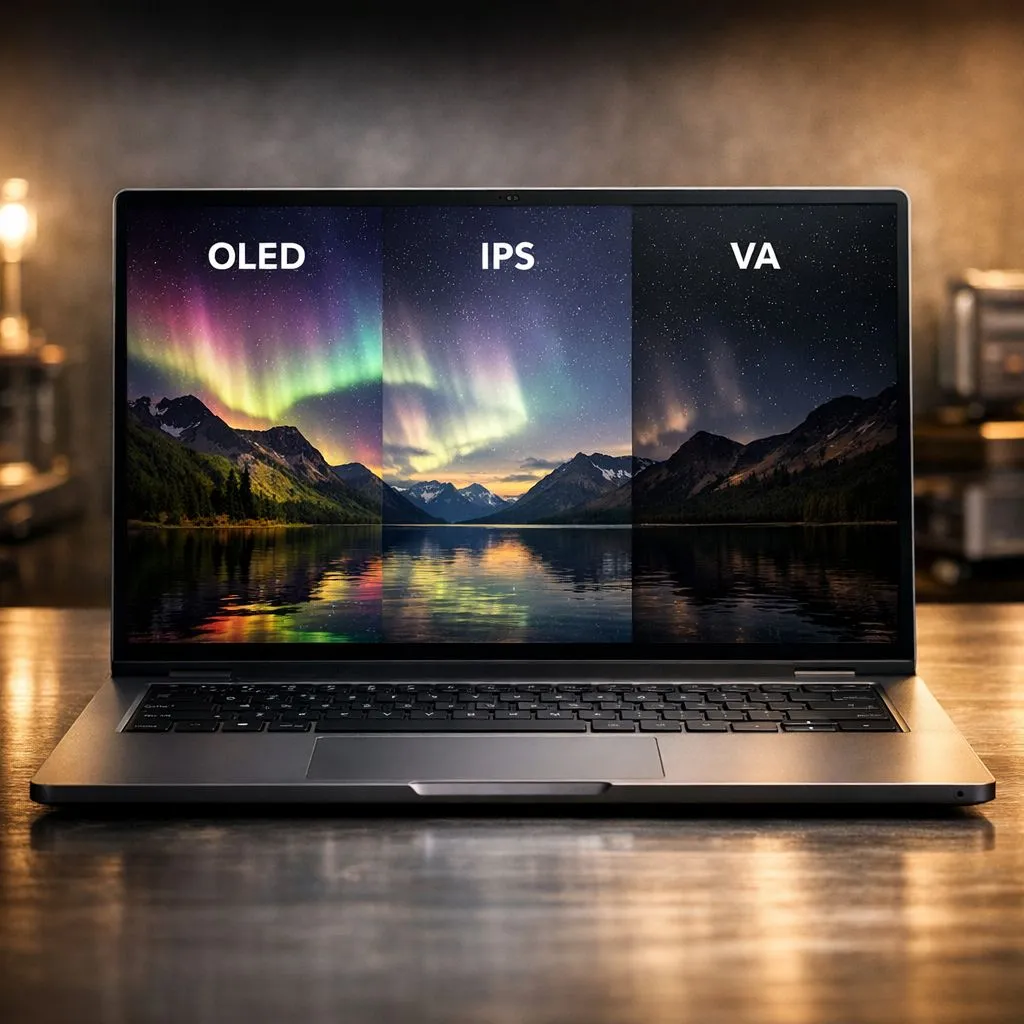
If you’ve ever watched YouTube on your laptop and thought, “Why does this look… off?”, you’re not alone. In South Africa, many gamers and students buy on value, then discover the screen matters as much as the GPU.
So let’s settle it properly. OLED vs IPS vs VA: which laptop display is best for you? We’ll break down contrast, colours, motion, and burn-in risk in plain terms… then point you to laptop deals that match how you actually play and work.
Here’s the short version before the deep dive:
OLED laptops use self-lit pixels, so blacks can be truly black. That means:
What to watch for: If you’re the kind of person who leaves the same UI elements up (think static dashboards, taskbars, or always-on navigation), burn-in risk becomes part of your decision. If your laptop use is mixed and dynamic, OLED can be brilliant.
For gaming, OLED shines in darker scenes. Think night maps, caves, and stealth games where details hide in the shadows.
IPS panels use liquid crystal alignment, and they’re known for:
For competitive play, IPS is often chosen because it behaves predictably. If you’re upgrading from a basic panel, you’ll notice colour and clarity fast.
VA panels typically offer:
The catch can be response behaviour. Some VA panels show “ghosting” in certain transitions. It’s not universal, but it’s the reason you should pay attention to the exact model’s specs (and reviews) if you’re a sweaty shooter player.
Let’s map panel type to how people actually use laptops in SA.
If your library includes horror, atmospheric shooters, or you like streaming in the evening with lights off… OLED tends to deliver the most satisfying contrast. You’ll “feel” the depth in the blacks.
For games where enemies pop against bright backgrounds, IPS’s consistent colour and angle behaviour helps. It’s not that VA or OLED can’t work. It’s just that IPS has fewer surprises.
When you compare laptop displays, don’t just look at the panel type. Check these:
On Windows, use the PowerToys FancyZones utility to create custom snap layouts for your windows. It's a lifesaver for managing multiple apps on an ultrawide monitor, letting you organise your timeline, preview window, and asset folders perfectly for video editing.
Now for the practical part. Use the panel type that matches your routine, then shop smart around your budget.
If you’re building a machine around strong overall performance for study, esports, and everyday use, start by browsing Intel laptops on special: https://www.evetech.co.za/intel-laptops-on-special/l/866. You’ll often find solid configurations where display quality is one of the variables you can compare across similar models.
If you prefer AMD for value, go through Ryzen laptop deals and compare screen options side by side: https://www.evetech.co.za/ryzen-laptop-deals/l/682.
Want a gaming-focused shortlist? Check best gaming laptop deals and then filter your thinking by OLED vs IPS vs VA based on the kinds of games you actually play: https://www.evetech.co.za/best-gaming-laptop-deals/l/1468.
If your budget is tight, don’t panic. Start with gaming laptops under R20k and prioritise what you need most: https://www.evetech.co.za/buy-gaming-laptops-under-r20k/l/1559. At this price point, panel quality varies by model, so your shortlist should focus on refresh rate and brightness where possible.
Finally, if you’re hunting for smooth gameplay with strong graphics options, look at GeForce RTX gaming laptops on special and compare display panels across the RTX models you like: https://www.evetech.co.za/geforce-rtx-gaming-laptops-on-special/l/1633.
If you want a quick rule:
And remember… the “best” laptop display is the one that matches your use pattern. Not the one that wins a forum argument.
Ready to Find Your Perfect Match? The Mac vs Windows debate is complex, but for maximum power, choice, and value in South Africa, Windows is hard to beat. Explore our massive range of laptop specials and find the perfect machine to conquer your world.
OLED offers superior response times and infinite contrast, making it ideal for competitive gaming, whereas IPS is often preferred for balanced color and value.
VA panels provide significantly better contrast ratios than IPS, offering deeper blacks and a great middle-ground for movie watching and general media consumption.
Modern laptops use advanced pixel-shifting and software protection, making permanent OLED burn-in extremely rare during normal, varied usage.
OLED panels generally offer the widest color gamuts and most vibrant accuracy, making them the top choice for professional photo and video editing.
IPS technology offers the best viewing angles and consistent color reproduction, making it the most versatile and cost-effective choice for all-purpose laptops.
OLED leads with nearly instantaneous response times, followed by high-end IPS panels, while VA panels are traditionally the slowest, potentially causing motion blur.
AIO Liquid 240mm Setup and Configuration. Clear setup instructions with SA-specific considerations, troubleshooting tips & recommended components.
Read more
Setting Up DDR5 64GB Kit. Tested & verified settings for best FPS and visual quality on SA hardware budgets.
Read more
Overwatch 2 Setup Guide Gamers. Clear setup instructions with SA-specific considerations, troubleshooting tips & recommended components.
Read more
R and RStudio on Mac: Data Science Setup Guide. Clear setup instructions with SA-specific considerations, troubleshooting tips & recommended components.
Read more
NVIDIA Broadcast Setup with GPU: Streamer Guide. Clear setup instructions with SA-specific considerations, troubleshooting tips & recommended components.
Read more
Core Ultra 7 265K Temperature Guide: Normal Range. Complete product range with SA pricing, key specs & recommendations for different budgets.
Read more
AMD RX 9050 XT: Rumoured Specs, Price & Release. SA-focused analysis with local pricing data, real-world insights & actionable buying advice.

Can RTX 4080 Super Run AI Workloads for SA Developers Detailed answer with SA data, expert analysis & practical recommendations for local buyers.

Can RTX 4090 Run AI Workloads for SA Developers Detailed answer with SA data, expert analysis & practical recommendations for local buyers.

Top Settings for Intel Arc B580 at Ultrawide 1440p picks evaluated on performance, value & SA availability with current Rand pricing from Evetech.

RTX 4060 CS2 Low Settings at 1080p: FPS Results. Real-world benchmark data, FPS numbers & performance analysis. What SA gamers can actually expect.

Visual Artifacts: Possible GPU Issue Issue #1. Diagnosis steps, proven fixes & when to seek professional help. SA-specific support info included.

Can the RTX 4090 Handle 1440p 144Hz Gaming. Performance testing verdict with real data & practical recommendations for SA buyers.

Top ASUS GPU Under R15000 picks evaluated on performance, value & SA availability with current Rand pricing from Evetech.

GTA 6 Max Settings on RTX 5070. Tested & verified settings for best FPS and visual quality on SA hardware budgets.

Cyberpunk 2077 Max Settings on RTX 5080. Tested & verified settings for best FPS and visual quality on SA hardware budgets.

Starfield Max Settings on RTX 5070 Ti. Tested & verified settings for best FPS and visual quality on SA hardware budgets.

Top RTX 5090 Under R5000 picks evaluated on performance, value & SA availability with current Rand pricing from Evetech.