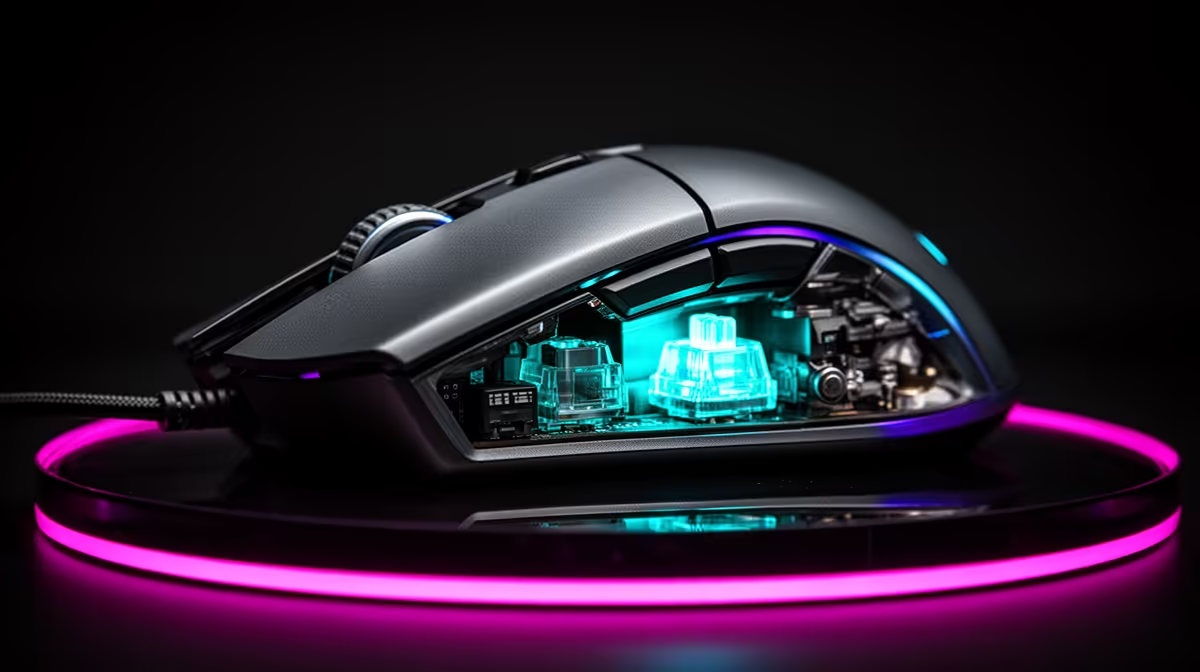
Both switch types still move under your finger; they differ in how the press becomes an electrical signal. The optical vs mechanical mouse switch choice affects click feel, chatter risk, power and serviceability alongside lifespan.
Quick Answer
Optical mouse switches avoid the closing metal contact used to detect a click in a conventional mechanical microswitch, so they sidestep one common source of contact wear and chatter. They are not immune to double input or failure. The optical emitter, receiver, spring, plunger, shell hinge, solder joints and firmware can still fail. Mechanical switches can last for years and offer a wide range of click feel. Compare the exact mouse's warranty, switch generation, measured click latency and shape rather than treating one technology as guaranteed to last longer.
How a mechanical click registers
A mechanical microswitch uses a spring and metal contacts. Pressing the mouse shell moves the plunger until the mechanism changes state and the contacts close.
Those contacts can oxidise, wear or bounce. Firmware applies debounce so one press becomes one event.
The shell button and switch force matter too. A poorly aligned hinge can load the switch unevenly and change feel before the contacts fail.
How an optical click registers
An optical switch uses a moving part to interrupt or expose a light path. The mouse electronics detect that change without closing the same type of electrical contact.
This removes contact oxidation and contact bounce from the sensing point. It does not remove the return spring or every moving piece.
Different generations use different mechanisms. One optical switch result does not cover every brand.
Why mechanical switches chatter
Metal surfaces can bounce during a normal new click and degrade with use. Dust, corrosion, electrical conditions and spring wear can increase unstable transitions.
Firmware debounce can filter mild bounce. A switch that needs an ever-longer filter or misses clicks has become a hardware concern.
Not every double click comes from contacts. A macro, Windows setting, shell bounce or firmware bug can produce a similar symptom.
Why optical switches can still double input
The plunger can move twice, the shell can rebound or firmware can generate duplicate events. A damaged optical path or board can behave erratically.
Optical switches can also feel inconsistent when the housing or spring wears. Contactless detection solves one wear mode, not the complete click assembly.
Test at default settings on another computer before claiming the switch failed.
Treat lifespan ratings as lab claims
Manufacturers often publish a press count. Ask whether it covers the switch component, complete mouse and chosen test force.
Laboratory cycling does not reproduce side pressure, spills, dust, transport and shell damage. A large number is not a warranty term.
Use warranty length, replacement support and owner reports beside the rating. No universal number describes how long a mechanical switch lasts in your hand.
Compare click feel
Mechanical switches offer many force, sound and rebound choices. Some players prefer their crisp tactile break.
Optical switches can feel light, sharp, hollow or damped depending on the mechanism and shell. Early optical designs and current generations can differ.
Try both main buttons, side buttons and repeated taps. A durable technology that causes finger fatigue is the wrong complete mouse.
Compare latency with a method
Optical detection can avoid a long contact-debounce window, which creates an opportunity for low click latency. Firmware still decides processing.
A mechanical mouse can use an efficient debounce algorithm and test well. Compare repeated complete-device measurements from one credible method.
Polling rate is another interval. Do not add a switch rating and USB rate together as a latency result.
Check replaceability
Some mechanical-switch mice use soldered switches, while others have hot-swap sockets. Optical switches can also be replaceable only within an approved family.
Magnet, light path, housing and pin compatibility matter. Do not force a mechanical switch into an optical socket.
Confirm whether opening the mouse affects warranty and whether replacement skates are available.
Diagnose your current double click
Return macros and debounce to defaults. Test fifty clicks in a simple counter and compare another computer.
Update official firmware and inspect the shell for physical rebound. Clean surface dust with power disconnected.
When the fault survives, use warranty or qualified repair. Buying an optical mouse is a replacement decision, not a repair for the old switch.
Complete the input desk despite the queue mismatch
The required retail references for this row point to keyboards rather than mice. Use gaming keyboard deals and the keyboard best-seller range only for the keyboard side of the desk. They do not substantiate a mouse-switch purchase.
Factor in environment and grip
Dust, humidity, spills and side pressure can shorten the life of either design. Keep the mouse covered only when dry and disconnected, clean the shell with the maker's method and keep drinks off the pad.
A fingertip grip can strike the button near its tip, while another hand presses closer to the hinge. Shell design translates that force to the switch. Uneven feel between left and right can come from the plastic path before the sensing technology.
Do not blow liquid cleaner into a click gap. Surface dirt can be brushed away, while an internal spill deserves a support assessment.
Price the repair path
Mechanical microswitches are widely available, but the exact force, size and pin layout still matter. Qualified soldering can restore a good shell when warranty has ended.
Optical replacements can be proprietary to a brand or generation. Some clip into sockets, while others are not intended for user service. Check parts and support before assuming the contactless design is easier to own.
Hot-swap is valuable only when compatible switches remain available. Keep the original parts and calibration instructions.
Test a repaired mouse
Run fifty clicks per button, a drag-and-hold test and fast repeated taps. Check debounce at defaults and verify side buttons.
Then play a full session and watch for shell movement or missed releases. A bench click count can miss a fault that appears under your normal grip.
Record the replacement part and service date. If the same button fails again, that history helps decide between another switch and a complete replacement.
Choose on ownership, not one failure mode
Pick optical when you value avoiding contact chatter and like the specific click. Pick mechanical when its feel, replaceability and measured latency suit you.
Keep the proof of purchase and default profile. A clear warranty case matters more than a lifetime number after a fault appears.
FAQ
Do optical switches last longer?
They avoid electrical contact wear, while the complete mouse still has mechanical and electronic failure points. Compare the exact warranty and design.
Are optical switches immune to double clicks?
No. Shell rebound, firmware, moving parts and electronics can still create duplicate input.
How long do mechanical switches last?
There is no guaranteed user lifespan. Ratings describe selected lab tests, while use, environment and assembly shape the result.
Test the current mouse at defaults, then choose optical or mechanical by complete click feel, measured latency, warranty and repair path.