Quick Answer
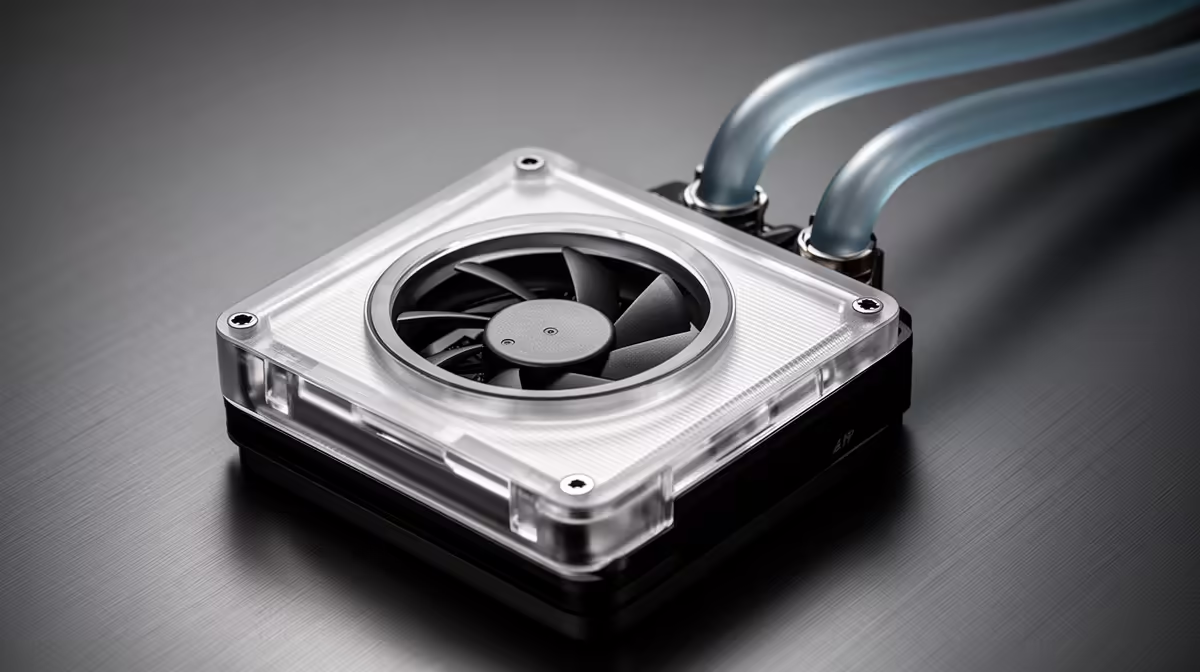
To get the most from an AIO cooler with an embedded VRM fan, position the pump block so the small integrated fan blows directly toward the VRM heatsink fins, set the VRM fan curve to ramp above 50% speed once VRM temperatures exceed 70 degrees Celsius, and ensure the radiator fans are pushing sufficient air through the case to carry that heat away. This arrangement can reduce VRM temperatures by 10 to 20 degrees Celsius on platforms like AM5 and LGA1851 under sustained all-core loads.
Why VRM Cooling Matters on AM5 and LGA1851 🔥
The Ryzen 9 9950X and Intel Core Ultra 9 285K are both power-hungry chips that push VRM stages hard under all-core workloads. A Ryzen 9 9950X running a sustained Cinebench R23 multi-core run can drive VRM temperatures on a mid-range B650E board past 90 degrees Celsius, triggering thermal throttling of the power delivery circuitry rather than the CPU itself. High-end X870E motherboards have better VRM heatsinks, but even these benefit from active airflow. An AIO with an embedded VRM fan, such as models from Corsair's iCUE Elite series, blows a dedicated airstream across the socket area, keeping VRM thermals in the 65 to 80 degree range under loads where passive heatsinks struggle.
Setting the Fan Curve Correctly 🔧
Most embedded VRM fan implementations tie the small fan to a dedicated temperature source, either a VRM sensor read through the motherboard software or the CPU socket temperature. In iCUE, you set this under the pump block's secondary fan curve. A flat 30% speed below 60 degrees for near-silent operation and a ramp to 70 to 80% above 70 degrees covers most use cases. Do not lock the VRM fan to a static 100%, as the noise at full speed is noticeable and unnecessary during gaming where VRM temperatures stay below 75 degrees.
Pump Head Orientation and Hose Routing 🖥️
Embedded VRM fans are positioned relative to a fixed orientation on the pump block. Before finalising radiator mounting, test-fit the pump block and confirm the integrated fan points directly toward the VRM heatsink array on your specific motherboard. AM5 boards generally place the VRM to the left and above the socket; LGA1851 boards vary by manufacturer. Rotating the pump head if the AIO design allows it, or adjusting the radiator mounting side, can correct a misaligned VRM fan direction. Some units include a rotatable pump head as a feature specifically for this alignment purpose. Route coolant hoses with gentle curves rather than sharp bends to maintain flow.
Read VRM Temps in HWiNFO64 ⚡
HWiNFO64 is a free monitoring tool that exposes VRM sensor data most manufacturers hide in basic utilities. Run it alongside your AIO software to confirm VRM temperatures are genuinely dropping with the embedded fan active before finalising your fan curve settings.
FAQ
Does the embedded VRM fan replace the need for good case airflow?
No. The embedded fan moves heat away from the VRM heatsink into the case air volume. That air still needs to exit the case via exhaust fans or a top-mounted radiator. Poor case airflow will cause the displaced VRM heat to recirculate and reduce the benefit of the embedded fan.
Which socket types benefit most from VRM fan cooling?
AM5 and LGA1851 show the biggest gains because modern high-core-count CPUs draw substantially more VRM current than mid-range chips. Budget and mainstream CPUs like the Ryzen 5 9600X produce less VRM heat, making the embedded fan less critical on those platforms.
Is there a noise penalty for using the embedded VRM fan?
At moderate speeds the small fan adds minimal noise. At 80% speed or above it produces a higher-pitched sound noticeable in quiet rooms. A temperature-based curve keeps noise proportional to actual workload.
Running a high-end CPU and worried about VRM heat?
Browse Evetech's selection of advanced AIO coolers, including models with embedded VRM fans built to handle Ryzen 9000 and Intel Core Ultra platforms.