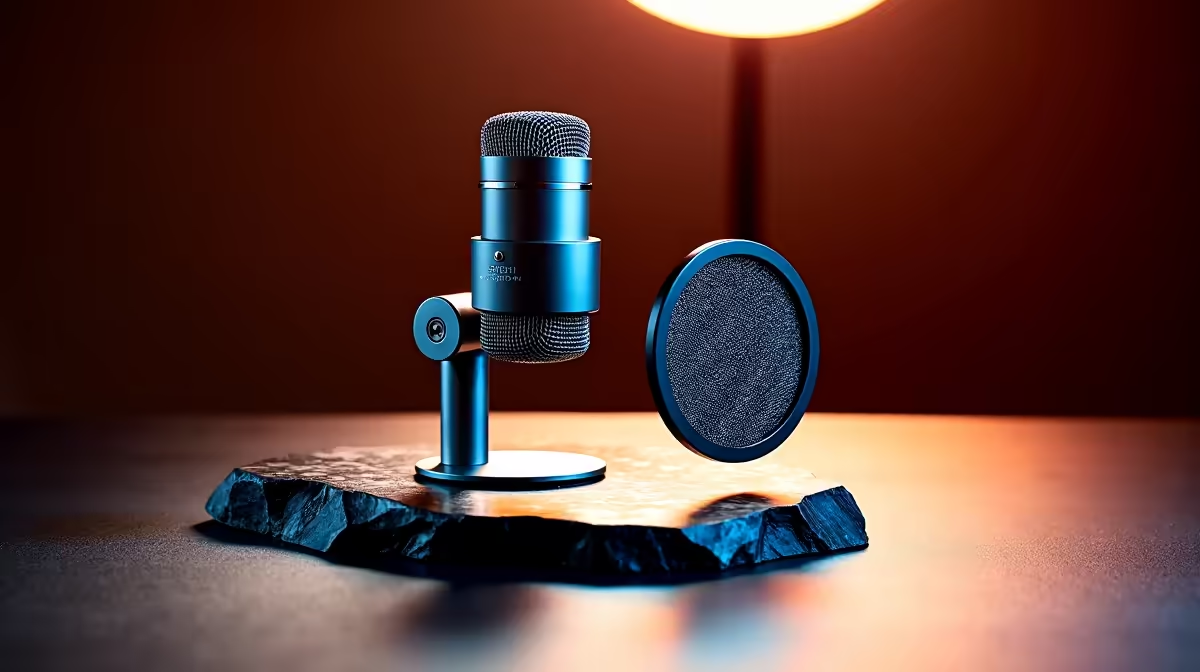
Two small accessories sit on almost every serious microphone, and beginners often grab the wrong one first. A pop filter and a shock mount look like a matched pair, but they fix completely different problems: one tames the air your mouth pushes out, the other stops the desk from leaking into your recording. Knowing which problem you actually have tells you which one to buy first.
Quick Answer
A pop filter stops the air burst from plosive sounds like P and B from thudding into the capsule, while a shock mount suspends the mic so desk knocks, keyboard taps, and footsteps do not travel up the stand into your audio. Buy the shock mount first if you type or knock the desk while recording; buy the pop filter first if your main issue is popping on hard consonants.
Two Different Problems, Two Different Tools
The confusion comes from the fact that both accessories attach near the mic and both improve a recording, so people assume they do similar jobs. They do not. Plosives are an acoustic problem: when you say a hard P, your lips release a small burst of air that slams the diaphragm and produces a low, distorting thump. Desk and stand noise is a mechanical problem: any physical contact with the surface sends a low-frequency rumble, called structure-borne noise, straight through the stand and into the capsule.
Because the causes are different, the cures are different. A screen of fabric cannot stop vibration travelling through metal, and a suspension cradle cannot stop a puff of air hitting the front of the mic. You need the right tool for the fault you are hearing.
What A Pop Filter Does
A pop filter is a thin screen, usually nylon mesh or thin metal, placed between your mouth and the microphone. It breaks up and scatters the fast burst of air from plosives so the diaphragm receives the sound without the thump. The result is a clean recording of words like "podcast" and "power" instead of a distorted spike on every hard consonant.
It has a quiet second job too. The screen keeps moisture from your breath off the capsule. Condenser diaphragms are delicate, and repeated exposure to breath moisture can reduce their sensitivity over time, so a pop filter protects the mic as well as the audio. If popping is the main thing wrecking your takes, this is the accessory that fixes it.
What A Shock Mount Does
A shock mount is an elastic cradle that suspends the microphone inside a frame using bands or rubber suspensions. That suspension absorbs vibration before it can reach the capsule. When your keyboard clatters, your hand bumps the desk, or someone walks past, the energy travels into the stand as a low rumble, and the shock mount is what intercepts it so it never shows up in the recording.
This matters most for anyone whose mic shares a desk with a keyboard and mouse, which is nearly every streamer, podcaster, and home worker. If your recordings carry a dull thump every time you type, the shock mount is the fix, not the pop filter.
So Which Comes First?
Match the accessory to the noise you actually hear. If your recordings pop and spit on hard consonants, start with the pop filter. If they carry desk rumble, keyboard thuds, or footstep noise, start with the shock mount. For most people who record at a desk while typing, the shock mount earns its place first, because typing noise is constant and impossible to edit out cleanly, whereas you can partly manage plosives by angling the mic off to the side of your mouth.
Eventually most setups benefit from both, plus a decent pair of monitoring headphones so you can hear problems as they happen rather than after the take. The headphones and headsets range at Evetech covers the monitoring side, and the top-selling headsets at Evetech shows which closed-back options local creators are reaching for.
What Type of Mic Mount Do You Have?
The shock mount question also depends on your microphone's mount. Some desktop stands and boom arms come with a basic clip or threaded adapter that transmits vibration directly into the body of the mic. If your mic came with a standalone clip-style holder, almost any aftermarket shock mount in the correct diameter will be a meaningful upgrade.
Some mics, including several popular USB condensers, ship with their own integrated shock mount built into the yoke or stand. In those cases the mounting system may already handle most desk vibration adequately, and a pop filter becomes the more pressing addition.
If your mic is a cardioid condenser on a boom arm over a keyboard, the order is nearly always shock mount first, pop filter second. The shock mount stops a constant irritant that editing cannot fix, while the pop filter can wait until you have refined your mic position and room setup. Once you know where you want the capsule to sit permanently, adding the pop filter takes seconds and makes the final detail difference to your plosive handling.
Frequently Asked Questions
Do I need both a pop filter and a shock mount?
Most studio and desk setups benefit from both because they solve separate problems. If budget forces a choice, buy the one that matches your worst issue first: pop filter for plosive popping, shock mount for desk and keyboard rumble.
Which one should I buy first if I type while recording?
The shock mount. Keyboard taps and desk knocks create low-frequency rumble that travels up the stand into the mic, and that noise is very hard to remove in editing. The shock mount stops it at the source.
Can a pop filter stop desk vibration?
No. A pop filter is a fabric or mesh screen that only addresses air bursts from plosives. Vibration travels through the stand as structure-borne noise, which a screen cannot block. That is the shock mount's job.
Does a pop filter protect the microphone itself?
Yes, partly. Besides stopping plosives, it keeps breath moisture off the capsule. Condenser diaphragms are sensitive, and repeated moisture exposure can reduce their sensitivity over time, so the filter extends the mic's life.
Will angling the mic remove plosives without a pop filter?
Angling the mic slightly off to the side of your mouth reduces plosives noticeably, but it rarely removes them entirely. A pop filter combined with that off-axis angle gives the cleanest result.
Good monitoring is how you catch popping and rumble before they ruin a take. Browse the headphones and headsets range at Evetech to pair your mic with a set that lets you hear exactly what you are recording.