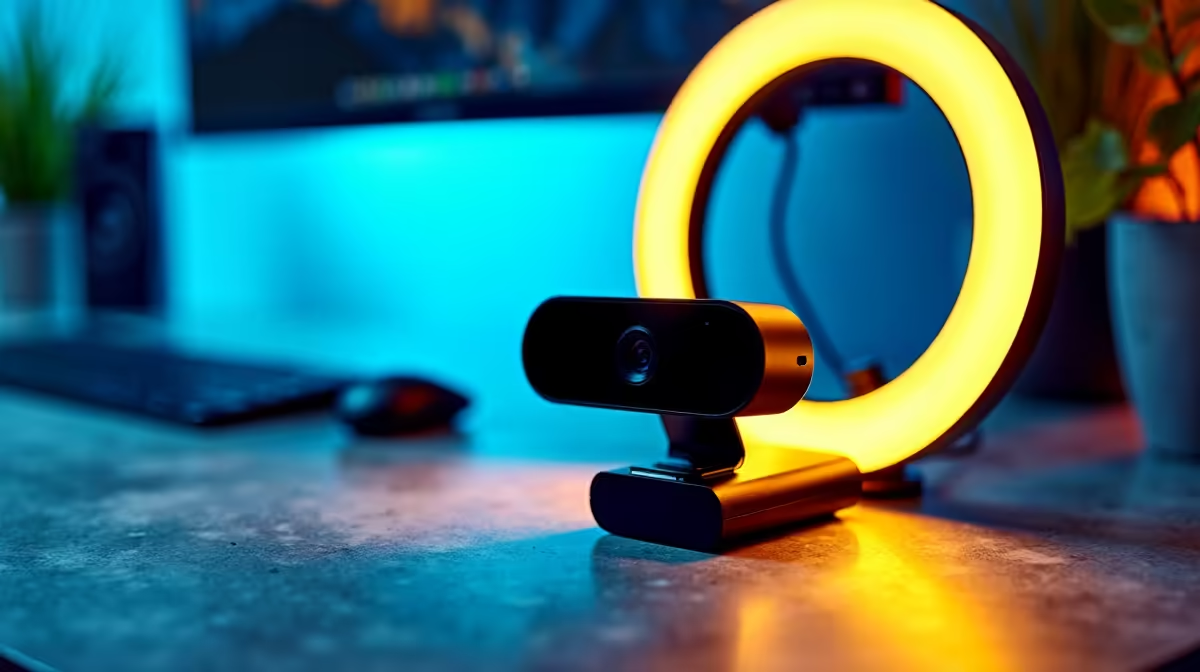
Most streaming image problems are not hardware problems. The webcam is sharp enough, the light is bright enough, and yet the shot still looks flat, or washed out, or vaguely off in a way that is hard to name. The fix is almost always a positioning problem. Getting optimum streaming composition right means understanding where the webcam and the key light need to sit relative to each other and to your face, and then actually moving them there.
Quick Answer
Mount the webcam at eye level, centred on your seated position. Place the key light at a 45 degree angle to one side and slightly above eye level. At those two positions the face is lit with soft directional shadow and the lens looks straight at you, which together produce the clean composed shot most setups are missing.
📺 Webcam Placement: Centred, Eye Level, Stable
The lens height sets the geometry of everything else. A camera below chin height looks up through your jaw, which wide-angle optics exaggerate into a distorted, bottom-heavy face. A camera above your forehead angling down flattens the face and makes the top of the skull too prominent. The neutral position is the lens at the exact level of your seated eyes, pointed straight at your face.
For most desk and chair combinations, seated eye level sits at roughly 1.1m above the floor. A 1/4 inch desk stand extended to bring the lens about 300 to 350mm above the desk surface usually hits that mark. Verify it by opening the camera preview while sitting in your normal recording posture, not leaning forward or back. The eyes should fall on the upper third of the frame, about one third down from the top.
Centre the webcam directly in front of your face. An offset camera creates the impression you are looking away from the viewer, which reads as inattentive on stream. On a wide monitor with the camera to one side, look at the screen where the camera sits, not at your own image.
A stable mount matters here. A camera that shifts between sessions means re-framing every broadcast. A weighted column stand with a lockable head holds the lens at the marked height consistently.
The upper third of the frame is where the eyes belong. Eyes centred leave empty space above the head that reads as accidental framing. Adjusting the camera so the eyes land one third down from the top makes the shot look deliberate. It is a couple of centimetres on the stand, but the visual difference on stream is significant.
🔆 Key Light Placement: The 45 Degree Rule
A key light placed directly in front of your face and at the same height creates flat, shadow-free illumination. This looks clinical rather than dimensional, and it tends to wash out the natural texture of skin under bright conditions. Moving the light to a 45 degree angle to one side, and raising it slightly above eye level, introduces directional shadow that gives the face shape without looking dramatically lit.
The geometry is simple. Imagine a clock face centred on your head. The camera sits at 12 o'clock directly in front. The key light sits at either 10 o'clock or 2 o'clock, roughly 45 degrees off the camera axis, and elevated about 30 to 45cm above your eye line. This creates a short shadow on the side of the nose furthest from the light, which reads on camera as natural and dimensional rather than flat.
The distance from your face to the light affects intensity. A soft LED panel at 60 to 80cm gives diffuse, even coverage. Closer than 40cm and the falloff is steep; one side of the face is significantly brighter than the other. Further than a metre and the light loses the controlled directionality the 45 degree angle is supposed to deliver.
What Happens on the Shadow Side
The side of the face away from the key light will be darker. In a standard desk setup, a bright monitor facing you acts as a natural fill light, bouncing a softer version of its light back onto the shadow side. This often requires no additional equipment, especially if the monitor is large and the screen is bright.
If the shadow side looks too dark, a white card or sheet of paper placed just off-camera on the shadow side reflects the key light back at the face. This is a cheap and effective fill that requires no second light source.
Pro Tip ⚡
Match your key light colour temperature to the dominant light in your room. South African coastal rooms often have warm afternoon sun coming in from the west. A light set to a neutral 5000 to 5500K reads clean when the room is lit by window light; set it warmer at 4000K for evening streams when the ambient light shifts.
🎯 Mounting Both for Repeatability
The practical goal beyond a good first shot is a setup that looks the same every session without re-dialling from scratch. Both the webcam and the key light need to land at the same position each time, which means stable mounts with lockable heads.
A 1/4 inch column stand for the webcam with a fixed lock at the calibrated height handles the camera side. For the light, a separate desk stand or floor stand with a ball head is preferable because it lets you adjust the angle of the light face independently of the camera position. If both are on the same stand via dual arms, moving one risks disturbing the other; separate bases eliminate that coupling.
Mark the positions after the first session where the framing and lighting are right. Note the column height and the light angle. A piece of low-tack tape on the desk surface marking where each stand foot sits means the geometry is repeatable from the moment you sit down. On smaller desks, a clamp-mount for the light attached to the monitor arm or desk edge keeps the surface clear while holding both pieces in the correct triangle.
Frequently Asked Questions
Where should the key light sit relative to the webcam?
At a 45 degree horizontal angle from the camera, raised 30 to 45cm above seated eye level. That position produces directional shadow that gives the face shape. Directly in front at the same height creates flat illumination; the off-axis position looks dimensional and much closer to professional studio lighting.
How do I place my eyes correctly in the frame?
Eyes should fall roughly one third down from the top edge of the frame. Sit in your normal position, open the camera preview, and adjust the stand height until that framing is correct. The face and shoulders fill the frame naturally at that position.
Can one light replace a full three-point lighting setup?
For streaming, yes. A single key light at 45 degrees handles most of the work, and a bright monitor provides soft fill on the shadow side at no extra cost. A rim light adds polish but is optional. Start with one well-positioned key light and check whether the monitor fill is enough before adding hardware.
Why should the light and camera be on separate stands?
Independent stands let you adjust one without disturbing the other. On a dual-arm stand, tilting the light arm can shift the webcam through the shared base. Separate stands allow fine-tuning each position independently, which makes calibration cleaner.
What colour temperature should the key light be set to?
A neutral 4500 to 5600K suits most SA skin tones without an orange or blue cast. Warmer light below 4000K can clash with cool window light. Cooler light above 6000K looks clinical. Start at 5000K and adjust from there based on what the preview shows.
Is the rule of thirds useful when framing a face-cam stream?
Yes. Eyes on the upper third line rather than centred focuses the viewer immediately on the face and makes the framing look intentional. It is a small stand height adjustment that produces a noticeably more professional result.
Ready to build a properly composed streaming setup?
Browse the webcam stand and lighting range to find the desk mounts that keep your camera and key light locked in position session after session.