


AIO Liquid 240mm Setup and Configuration: Complete Tutorial
AIO Liquid 240mm Setup and Configuration. Clear setup instructions with SA-specific considerations, troubleshooting tips & recommended components.
Read morePower bank digital display decoded: learn what numbers, bars, icons and temperatures mean, how to estimate remaining mAh, and troubleshoot display errors. ⚡📱
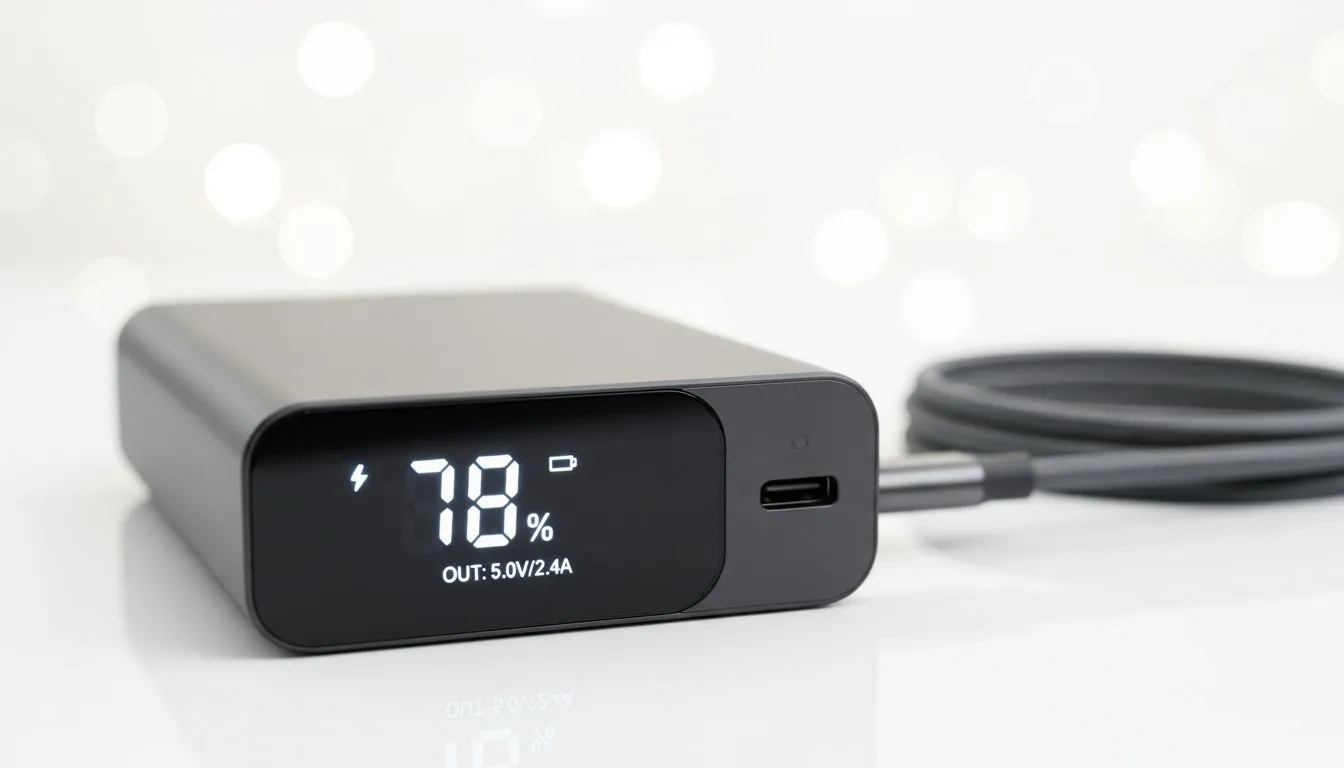
Ever stared at four blinking dots on your charger and wondered if you have ten minutes or two hours of juice left? In South Africa... where load shedding schedules dictate our lives... knowing your exact battery level is vital. A power bank digital display removes the guesswork entirely. It provides a precise readout so you can plan your next gaming session or remote work block with total confidence ⚡.
Most older portable chargers use a simple four-light system. Each dot represents roughly 25 percent of the capacity. However... these indicators are often inaccurate. The first light might last for hours while the last one vanishes in minutes. When you buy power banks from modern ranges, you get a numerical percentage. This allows you to manage your uptime down to the single digits.
Reading your display goes beyond just the percentage. Many high-end units show specific icons that tell you how the device is behaving.
If you are looking for reliable hardware with clear screens... Promate power banks are excellent choices for local users who value build quality.
To keep your digital display accurate, perform a full cycle once a month. Discharge the power bank until it hits zero percent and turns off. Then... charge it back to 100 percent without interruption. This recalibrates the internal sensor to ensure the number on the screen matches the actual chemical energy left in the cells.
You do not need to spend a fortune to get clear visibility on your power levels. There are plenty of entry-level power banks under R500 that include basic LCD screens. These are perfect for keeping a smartphone alive during a two-hour blackout 🔧.
If you need to power a laptop or multiple tablets... you might want to look at more robust units. Investing in power banks under R1200 usually gets you higher capacities and faster charging speeds. These models often feature backlit displays that are easy to read in the dark when the lights go out.
The screen on your power bank is a window into its health. If the percentage jumps from 20 percent to zero suddenly... it might be a sign of cell degradation. Always keep your power bank in a cool... dry place to protect the sensitive electronics behind the display. Avoid leaving it in a hot car in the South African sun... as heat is the primary enemy of lithium-ion batteries and LCD panels alike 🚀.
Ready to Find Your Perfect Match? Don't let a dead battery catch you off guard during the next stage of load shedding. Whether you need a compact pocket charger or a high-capacity beast... we have the right tech for you. Explore our massive range of power banks and stay powered up no matter what.
The percentage estimates remaining charge based on measured capacity; accuracy varies by cell calibration and load. Check 'power bank battery percentage display accuracy' tips.
Rapid drops occur under heavy load or poor calibration. Bars show coarse levels; numbers show finer percentage. Reduce load to see steadier readings.
Plug or lightning shows charging/fast-charge; a thermometer flags high temperature. These 'power bank charge indicator symbols' signal state and safety warnings.
Displayed mAh is estimated from cell voltage and conversion efficiency; expect 5–15% variance from real capacity, especially on cheaper units.
Some power banks reset after a full charge-discharge cycle or via a reset button. Follow the maker's steps to recalibrate the 'power bank digital display'.
Wattage indicates current power transfer (V x A). Use it to understand charging speed and whether connected devices draw expected power.
Stop using the power bank, disconnect devices, and let it cool. Refer to the manual or warranty support for 'digital power bank troubleshooting'.
AIO Liquid 240mm Setup and Configuration. Clear setup instructions with SA-specific considerations, troubleshooting tips & recommended components.
Read more
Setting Up DDR5 64GB Kit. Tested & verified settings for best FPS and visual quality on SA hardware budgets.
Read more
Overwatch 2 Setup Guide Gamers. Clear setup instructions with SA-specific considerations, troubleshooting tips & recommended components.
Read more
R and RStudio on Mac: Data Science Setup Guide. Clear setup instructions with SA-specific considerations, troubleshooting tips & recommended components.
Read more
NVIDIA Broadcast Setup with GPU: Streamer Guide. Clear setup instructions with SA-specific considerations, troubleshooting tips & recommended components.
Read more
Core Ultra 7 265K Temperature Guide: Normal Range. Complete product range with SA pricing, key specs & recommendations for different budgets.
Read more
AMD RX 9050 XT: Rumoured Specs, Price & Release. SA-focused analysis with local pricing data, real-world insights & actionable buying advice.

Can RTX 4080 Super Run AI Workloads for SA Developers Detailed answer with SA data, expert analysis & practical recommendations for local buyers.

Can RTX 4090 Run AI Workloads for SA Developers Detailed answer with SA data, expert analysis & practical recommendations for local buyers.

Top Settings for Intel Arc B580 at Ultrawide 1440p picks evaluated on performance, value & SA availability with current Rand pricing from Evetech.

RTX 4060 CS2 Low Settings at 1080p: FPS Results. Real-world benchmark data, FPS numbers & performance analysis. What SA gamers can actually expect.

Visual Artifacts: Possible GPU Issue Issue #1. Diagnosis steps, proven fixes & when to seek professional help. SA-specific support info included.

Can the RTX 4090 Handle 1440p 144Hz Gaming. Performance testing verdict with real data & practical recommendations for SA buyers.

Top ASUS GPU Under R15000 picks evaluated on performance, value & SA availability with current Rand pricing from Evetech.

GTA 6 Max Settings on RTX 5070. Tested & verified settings for best FPS and visual quality on SA hardware budgets.

Cyberpunk 2077 Max Settings on RTX 5080. Tested & verified settings for best FPS and visual quality on SA hardware budgets.

Starfield Max Settings on RTX 5070 Ti. Tested & verified settings for best FPS and visual quality on SA hardware budgets.

Top RTX 5090 Under R5000 picks evaluated on performance, value & SA availability with current Rand pricing from Evetech.