


Complete Gaming Setup Guide for the SA Esports Athlete in SA 2026
Complete Gaming Setup Guide for the Esports. Clear setup instructions with SA-specific considerations, troubleshooting tips & recommended components.
Read morePrinter Terminology Guide. Everything you need to know with SA pricing, step-by-step instructions & expert recommendations.
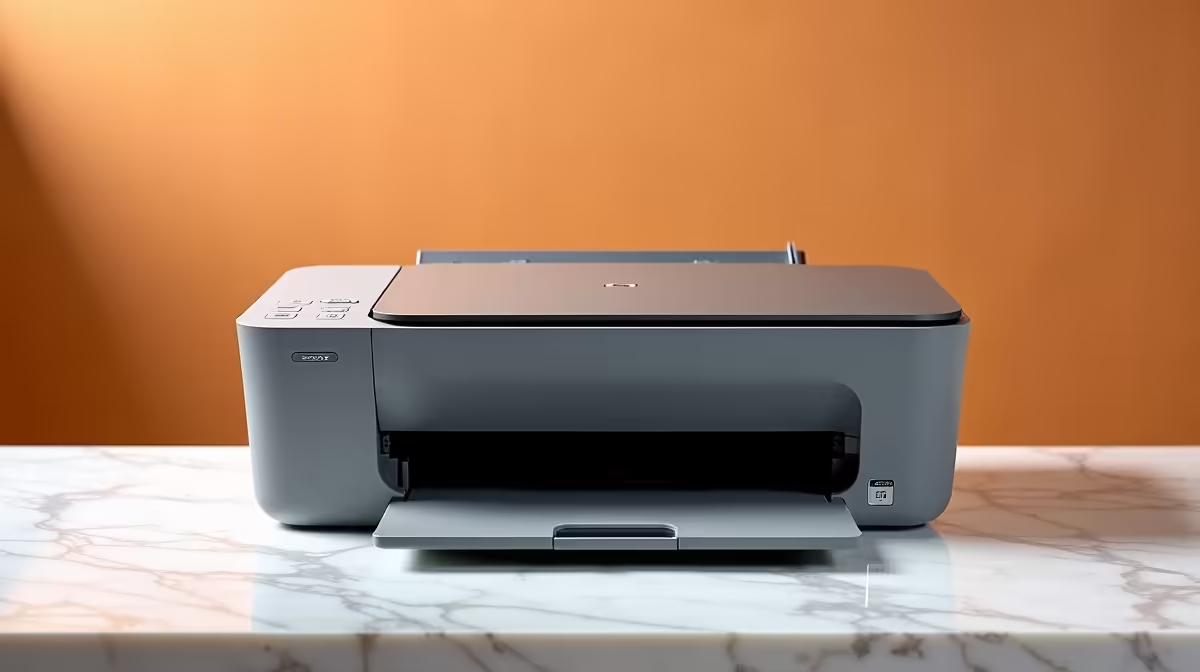
A printer terminology guide for South Africa covers all the essential terms from DPI and PPM to toner yield and duty cycle, helping you choose and maintain the right printer for home, student, or business use in the local market.
Understanding printer specs is essential before buying, because South African pricing varies widely based on what those numbers actually mean for your use case. DPI stands for dots per inch and measures print resolution. For standard text documents and university assignments, 600 DPI is more than sufficient. Photo printing benefits from 1200 DPI or higher. Higher DPI does not always mean better general print quality - a well-calibrated 600 DPI laser printer will produce crisper text than a poorly-configured 4800 DPI inkjet printing at low quality settings.
PPM (pages per minute) is the speed rating printed on the box. Be aware that manufacturers test PPM under ideal conditions - draft quality, simple text documents, no warm-up time counted. Real-world output is typically 60 to 70 percent of the rated speed for mixed documents. A printer rated at 30 PPM laser will realistically produce around 18 to 22 PPM in a typical home or small office workflow. For most South African students and home users printing occasional documents, anything above 15 real-world PPM is sufficient.
Duty cycle is the maximum number of pages a printer is rated to handle per month without risking damage. A home inkjet may have a monthly duty cycle of 1,000 pages while a business laser might be rated for 50,000 pages per month. Exceeding the duty cycle consistently shortens the life of your printer significantly. Match the duty cycle to your expected monthly print volume with a comfortable margin.
The distinction between inkjet and laser technology is fundamental. Inkjet printers spray liquid ink onto paper through microscopic nozzles. They produce excellent photo quality and are typically cheaper to buy upfront, but ink cartridges deplete faster and cost more per page. Laser printers use toner - a fine powder fused to paper using heat. Toner cartridges last much longer, and cost per page for laser printing is significantly lower for high-volume text printing.
Page yield is the number of pages a cartridge is rated to print before needing replacement, tested at 5% coverage (a typical text-heavy document). In South Africa, toner yield matters enormously because import costs and rand-dollar exchange rates make consumables expensive. A high-yield toner cartridge costs more upfront but drops the cost-per-page significantly. Always calculate cost per page, not just cartridge price, when comparing printers for long-term value.
OEM versus compatible cartridges is a debate South African buyers face constantly. OEM (Original Equipment Manufacturer) cartridges are made by the printer brand and guaranteed to match the printer's specifications. Compatible or remanufactured cartridges are third-party alternatives that cost less but vary in quality. For critical documents and professional printing, OEM is safer. For bulk general printing where some variation in quality is acceptable, high-quality compatible cartridges can reduce running costs meaningfully.
Printers in 2026 connect via USB, Ethernet, Wi-Fi, Wi-Fi Direct, Bluetooth, and increasingly NFC tap-to-print. Wi-Fi Direct allows you to print directly from a phone or laptop without both devices being on the same network - useful in shared student accommodation where network access may be restricted. AirPrint and Mopria are wireless printing standards supported by iOS and Android respectively, allowing phone printing without installing drivers.
PCL and PostScript are printer languages - the code the computer sends to the printer describing what to print. PCL (Printer Command Language) is the standard developed by HP and supported by almost all laser printers. PostScript is preferred in professional design environments and supported by higher-end printers. For student and home use, PCL is perfectly adequate. Understanding these terms helps when buying a business printer in South Africa where IT departments may specify one language over the other.
Load shedding is a practical consideration unique to the South African market. Laser printers have a fuser unit that heats up to bond toner to paper - this takes power and produces heat. During loadshedding recovery when the power comes back on, allowing a laser printer to warm up fully before printing prevents paper jams and fuser damage. Inkjets, having no fuser, are less sensitive to power interruptions but should still be shut down cleanly rather than losing power mid-print to prevent clogged nozzles.
A: Automatic duplex printing means the printer can print on both sides of a page without you manually flipping the paper. It is absolutely worth having for South African users because it halves your paper consumption, and paper prices have risen substantially. For students printing lecture notes or assignments, duplex printing pays for itself quickly in saved reams.
A: The terms are interchangeable in the South African retail market. Both refer to a device that combines printing, scanning, copying, and often faxing into one unit. Multifunction is the more technically precise term used in business contexts, while all-in-one is the consumer-friendly label used in most SA retail listings.
A: For printing, USB 2.0 and USB 3.0 make no practical difference because data transfer for print jobs is small and slow enough that even USB 1.1 is rarely a bottleneck. The USB port on your printer is used for direct connection and occasionally for plugging in a flash drive to print documents without a computer. USB speed ratings on printers are largely a non-factor in real-world use.
Also at Evetech: Graphics Card Deals | Evetech Best Sellers
Ready to Find Your Perfect Match? Shop at Evetech
Printer Terminology Guide for South Afri available at Evetech.co.za with local warranty and fast delivery.
Printer Terminology Guide for South Afri - check Evetech for latest stock and SA pricing.
Depends on your use case. Printer Terminology Guide for offers good value at current Rand pricing.
Complete Gaming Setup Guide for the Esports. Clear setup instructions with SA-specific considerations, troubleshooting tips & recommended components.
Read more
AIO Liquid 360mm Installation Guide for Your PC. Clear setup instructions with SA-specific considerations, troubleshooting tips & recommended components.
Read more
MacBook Display Colour Looks Wrong? Calibration. Everything you need to know with SA pricing, step-by-step instructions & expert recommendations.
Read more
Git on Mac: Complete Setup Guide for Beginners. Clear setup instructions with SA-specific considerations, troubleshooting tips & recommended components.
Read more
Ryzen 9 9900X Thermal Paste Dry: Reapplication. Everything you need to know with SA pricing, step-by-step instructions & expert recommendations.
Read more
Tech Setup Guide for MUT Res Students. Clear setup instructions with SA-specific considerations, troubleshooting tips & recommended components.
Read more
AMD RX 9050 XT: Rumoured Specs, Price & Release. SA-focused analysis with local pricing data, real-world insights & actionable buying advice.

Can RTX 4080 Super Run AI Workloads for SA Developers Detailed answer with SA data, expert analysis & practical recommendations for local buyers.

Can RTX 4090 Run AI Workloads for SA Developers Detailed answer with SA data, expert analysis & practical recommendations for local buyers.

Top Settings for Intel Arc B580 at Ultrawide 1440p picks evaluated on performance, value & SA availability with current Rand pricing from Evetech.

RTX 4060 CS2 Low Settings at 1080p: FPS Results. Real-world benchmark data, FPS numbers & performance analysis. What SA gamers can actually expect.

Visual Artifacts: Possible GPU Issue Issue #1. Diagnosis steps, proven fixes & when to seek professional help. SA-specific support info included.

Can the RTX 4090 Handle 1440p 144Hz Gaming. Performance testing verdict with real data & practical recommendations for SA buyers.

Top ASUS GPU Under R15000 picks evaluated on performance, value & SA availability with current Rand pricing from Evetech.

GTA 6 Max Settings on RTX 5070. Tested & verified settings for best FPS and visual quality on SA hardware budgets.

Cyberpunk 2077 Max Settings on RTX 5080. Tested & verified settings for best FPS and visual quality on SA hardware budgets.

Starfield Max Settings on RTX 5070 Ti. Tested & verified settings for best FPS and visual quality on SA hardware budgets.

Top RTX 5090 Under R5000 picks evaluated on performance, value & SA availability with current Rand pricing from Evetech.