


Complete Gaming Setup Guide for the SA Esports Athlete in SA 2026
Complete Gaming Setup Guide for the Esports. Clear setup instructions with SA-specific considerations, troubleshooting tips & recommended components.
Read moreRyzen 9 9900X Thermal Paste Dry: Reapplication. Everything you need to know with SA pricing, step-by-step instructions & expert recommendations.
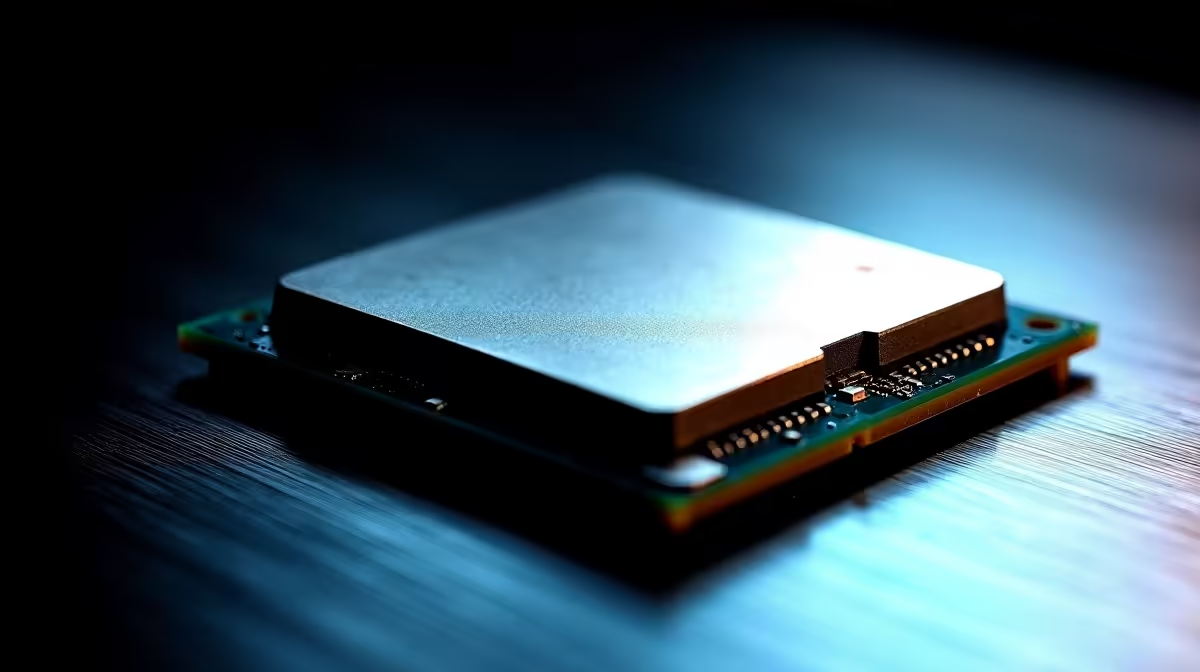
If your Ryzen 9 9900X is running hotter than expected or you are seeing thermal throttling, dried thermal paste is a likely cause. Reapplying fresh thermal compound takes under 15 minutes and can drop CPU temperatures by 5–15°C, restoring full performance.
The AMD Ryzen 9 9900X is a high-performance desktop processor, and keeping it cool is essential to maintaining the sustained clock speeds it is capable of. Thermal paste degrades over time - typically becoming less effective after two to four years under regular use, or sooner in systems that experience frequent heat cycles. If you are noticing that your CPU temperatures have crept upward, that your system is throttling under load, or that your cooler sounds like it is working harder than before, dried thermal paste is one of the first things to investigate. Here is how to reapply it safely and correctly.
The most obvious indicator is elevated CPU temperatures. If your Ryzen 9 9900X is hitting temperatures in the high 80s or low 90s°C under moderate workloads - well above what it managed when the system was new - thermal paste degradation is a strong candidate. You may also notice thermal throttling, where the processor reduces its clock speed to protect itself from heat, resulting in stuttering during rendering or gaming. Monitoring software such as HWiNFO64 or Ryzen Master will show you real-time temperatures and allow you to compare current readings against what is normal for your specific cooler and ambient conditions.
Gather your materials before starting. You need a quality thermal compound - high-performance options are widely available at electronics retailers in South Africa. You need isopropyl alcohol at 90% concentration or higher, along with lint-free cloths or coffee filters for cleaning. A screwdriver matching your cooler''s mounting hardware is essential. Make sure your work surface is clean and static-free. Power down your PC completely, unplug it from the wall, and hold the power button for five seconds to discharge any residual electricity before opening the case.
Remove your cooler by loosening its mounting screws in a cross pattern to avoid warping the CPU die. Lift the cooler straight up - if it feels stuck, twist gently rather than pulling hard. Clean the old paste from both the CPU integrated heat spreader and the cooler base plate using isopropyl alcohol and a lint-free cloth. Work in small circular motions and change cloths when they become discoloured. Allow both surfaces to dry completely - this takes two to three minutes. Apply fresh thermal paste: a pea-sized dot (roughly 3–4 mm) in the centre of the CPU heat spreader is the standard method for Ryzen desktop processors. Reattach the cooler using the same cross-pattern tightening sequence, applying even pressure to ensure a uniform paste spread. Reconnect the cooler fan header, reassemble your PC, and power it on. Monitor temperatures for 10–15 minutes under load to confirm improvement.
Q: How often should I reapply thermal paste on a Ryzen 9 9900X? A: Every two to three years is a reasonable schedule for most users, or any time temperatures climb noticeably above their baseline. High-frequency heat cycling in heavily used workstations may accelerate paste degradation.
Q: Can I use any thermal paste on the Ryzen 9 9900X? A: Yes - the Ryzen 9 9900X works with any quality thermal compound, whether silicone-based, carbon-based, or metal-based (non-electrically conductive varieties are safest for beginners). Check the specifications of the paste you choose for its rated thermal conductivity.
Q: What if reapplying thermal paste does not fix the high temperatures? A: If temperatures remain high after a fresh paste application, investigate other causes: check that all cooler mounting points are seated evenly, verify that your case airflow is adequate, and confirm that your cooler is rated for the Ryzen 9 9900X''s TDP. A cooler that is undersized for the processor will struggle regardless of paste quality.
Ready to Find Your Perfect Match? Shop cooling solutions and PC components at Evetech.
Ryzen 9 9900X Thermal Paste Dry: Reappli available at Evetech.co.za with local warranty and fast delivery.
Ryzen 9 9900X Thermal Paste Dry: Reappli - check Evetech for latest stock and SA pricing.
Depends on your use case. Ryzen 9 9900X Thermal Paste Dr offers good value at current Rand pricing.
Complete Gaming Setup Guide for the Esports. Clear setup instructions with SA-specific considerations, troubleshooting tips & recommended components.
Read more
AIO Liquid 360mm Installation Guide for Your PC. Clear setup instructions with SA-specific considerations, troubleshooting tips & recommended components.
Read more
MacBook Display Colour Looks Wrong? Calibration. Everything you need to know with SA pricing, step-by-step instructions & expert recommendations.
Read more
Printer Terminology Guide. Everything you need to know with SA pricing, step-by-step instructions & expert recommendations.
Read more
Git on Mac: Complete Setup Guide for Beginners. Clear setup instructions with SA-specific considerations, troubleshooting tips & recommended components.
Read more
Tech Setup Guide for MUT Res Students. Clear setup instructions with SA-specific considerations, troubleshooting tips & recommended components.
Read more
AMD RX 9050 XT: Rumoured Specs, Price & Release. SA-focused analysis with local pricing data, real-world insights & actionable buying advice.

Can RTX 4080 Super Run AI Workloads for SA Developers Detailed answer with SA data, expert analysis & practical recommendations for local buyers.

Can RTX 4090 Run AI Workloads for SA Developers Detailed answer with SA data, expert analysis & practical recommendations for local buyers.

Top Settings for Intel Arc B580 at Ultrawide 1440p picks evaluated on performance, value & SA availability with current Rand pricing from Evetech.

RTX 4060 CS2 Low Settings at 1080p: FPS Results. Real-world benchmark data, FPS numbers & performance analysis. What SA gamers can actually expect.

Visual Artifacts: Possible GPU Issue Issue #1. Diagnosis steps, proven fixes & when to seek professional help. SA-specific support info included.

Can the RTX 4090 Handle 1440p 144Hz Gaming. Performance testing verdict with real data & practical recommendations for SA buyers.

Top ASUS GPU Under R15000 picks evaluated on performance, value & SA availability with current Rand pricing from Evetech.

GTA 6 Max Settings on RTX 5070. Tested & verified settings for best FPS and visual quality on SA hardware budgets.

Cyberpunk 2077 Max Settings on RTX 5080. Tested & verified settings for best FPS and visual quality on SA hardware budgets.

Starfield Max Settings on RTX 5070 Ti. Tested & verified settings for best FPS and visual quality on SA hardware budgets.

Top RTX 5090 Under R5000 picks evaluated on performance, value & SA availability with current Rand pricing from Evetech.