

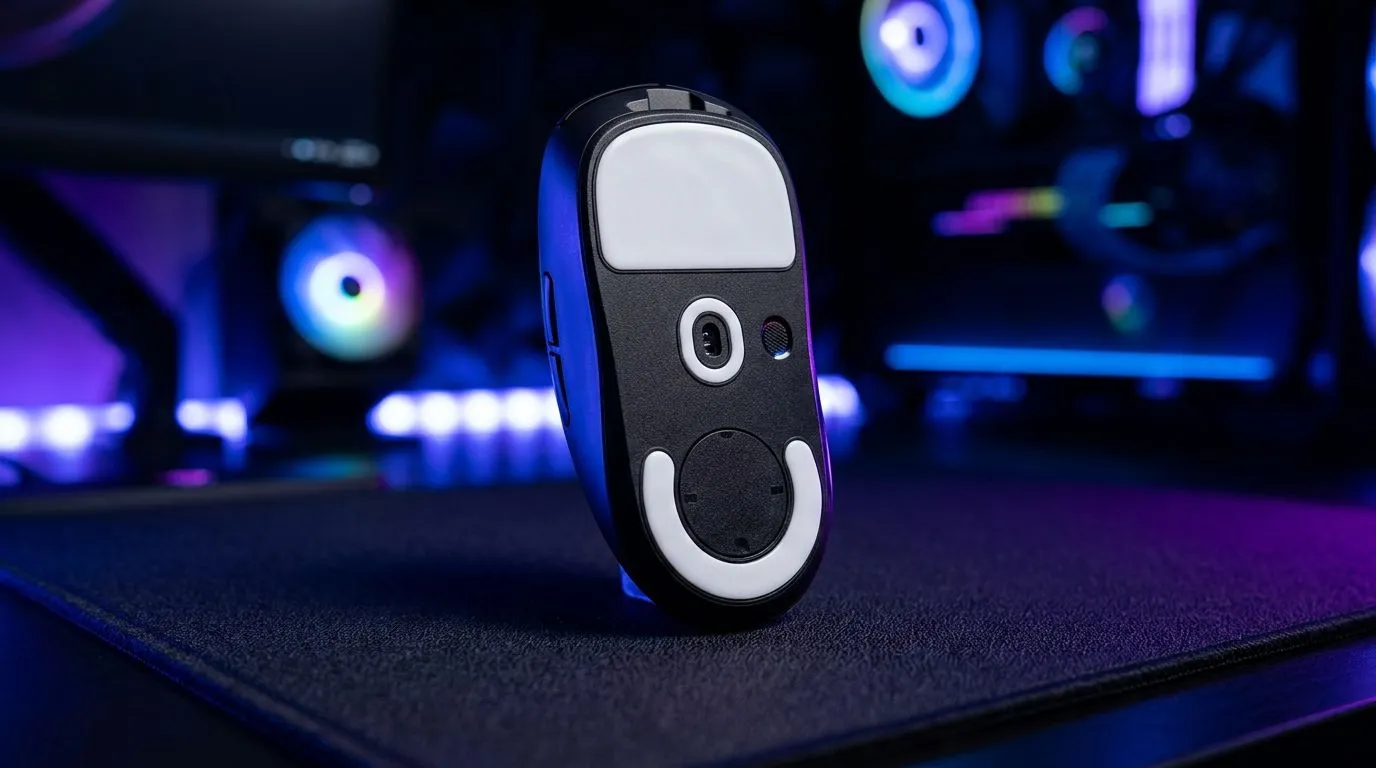
PTFE Mouse Feet Improve Glide Speed and Accuracy: Why Your Sensor Feels “Off” Sometimes
If your aim suddenly feels wobbly, your tracking might still be fine… but your glide may not be. In South Africa, where desk temps swing and mousepads get slick with everyday use, small upgrades matter. PTFE mouse feet are a simple, budget-friendly fix that can restore smooth motion and help your micro-adjustments land where you intended. 🚀
These thin skates reduce friction between your mouse and the surface. Less drag can mean better consistency, especially during fast flicks and tight counter-strafes in Apex Legends, CS2, and Valorant. ✨
PTFE Mouse Feet Improve Glide Speed and Accuracy: What Changes Under the Hood?
PTFE (polytetrafluoroethylene) is known for low friction. When worn feet develop grooves or uneven edges, the mouse can catch slightly on the pad. That “catch” shows up as inconsistent stopping distance and tiny aim errors.
A quick note on expectations: PTFE feet don’t increase sensor DPI or “unlock” hidden performance. What they do is make your mouse movement more predictable. That’s why players often feel a difference immediately after replacing feet.
Compatibility check before you buy
Different mice use different shapes and sizes. The safe move is to choose feet that match your model and review install notes. If you’re unsure what fits, browse the accessories section first, then confirm your mouse model. 🔧
Shop mouse accessories and replacement options here
PTFE Mouse Feet Improve Glide Speed and Accuracy: Installation Tips That Prevent Wobble
Replacing skates is usually straightforward, but the “prep” step decides whether you get smooth glide or weird lift. Here’s the best way to do it.
Quick Install Pro Tip 🔧
On a clean surface, warm the old skates slightly with a hairdryer, then peel slowly. Clean the base with isopropyl alcohol, let it fully dry, and apply new PTFE feet with firm pressure along the edges. Press for 30 seconds to seal the adhesive, then wait 10 to 15 minutes before heavy use.
Prevent the most common mistakes
- Don’t rush cleaning. Dust under the skates creates bumps.
- Don’t over-trim. If the feet are pre-cut, trust the shape.
- Break-in gently. New feet can feel “grabby” for a short while on rough pads. Use normal movement for a few sessions.
If you’re also updating your whole setup, consider whether your mouse connection type suits your play style. Wired can feel instant and consistent, while wireless offers freedom. Either way, clean glide helps muscle memory.
Browse wired gaming mice Compare wireless gaming mice
PTFE Mouse Feet Improve Glide Speed and Accuracy: Pairing with the Right Mouse Setup
PTFE feet work best when your mouse is stable. If your current mouse already feels good but your aim has “drifted,” replacement skates can be the quickest path back.
Deal-minded approach for South African buyers
Instead of buying randomly, match your plan to your budget. If you’re due for both a mouse and smoother glide, look for bundle deals and current specials. ⚡
Check gaming mouse deals in ZAR Explore gaming mouse components and compatible gear
PTFE Mouse Feet Improve Glide Speed and Accuracy: Final Thoughts
Smooth movement isn’t about chasing hype. It’s about consistency… and consistency is what makes your aim feel reliable. If your feet are scratched, uneven, or simply old, PTFE mouse feet can bring back that predictable glide.
Take 10 minutes, check fit for your mouse model, install carefully, and test on your usual pad. Then you can focus on your game again. 🚀
Ready to Find Your Perfect Match? The Mac vs Windows debate is complex, but for maximum power, choice, and value in South Africa, Windows is hard to beat. Explore our massive range of laptop specials and find the perfect machine to conquer your world.











