

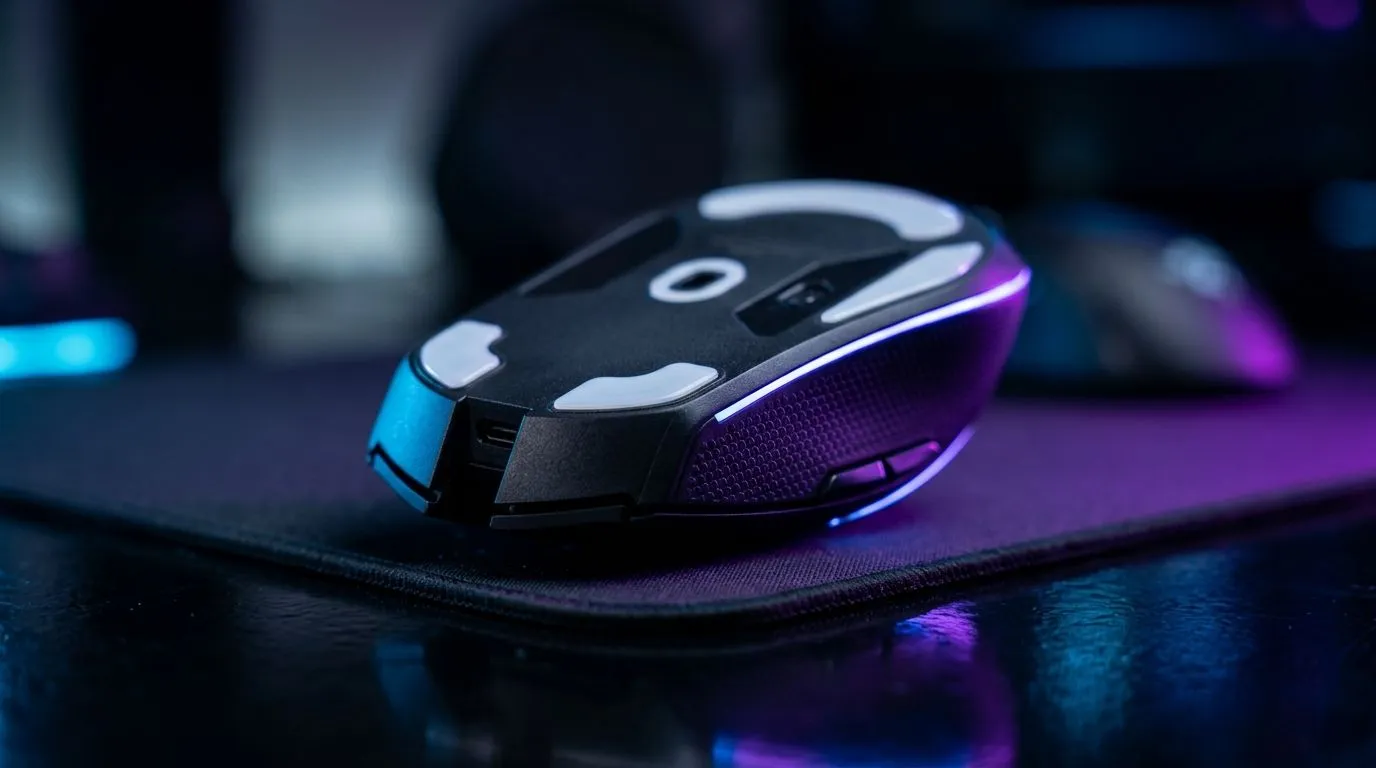
title: "PTFE Mouse Feet Improve Glide Speed and Precision?"
South African gamers and desk tinkerers… you’ve probably felt it. One mouse glides like it’s on rails, the next drags like the sensor is bored. If you’ve been chasing smoother movement for FPS aim, faster flicks for MOBAs, or just better micro-control, PTFE mouse feet are often the first upgrade people talk about. But do they genuinely help, and are they worth the cash in ZAR? Let’s break it down properly. 👇
PTFE Mouse Feet and Why They Matter for Glide Speed ✨
PTFE (often sold as “Teflon” style skates) is a low-friction material. In plain terms: it reduces how much your mouse resists sliding across your mousepad. That can translate into:
- Easier glide during long tracking
- More consistent feel during low-latency aim adjustments
- Less “stiction” where movement starts and stops
Precision improves because your control depends on repeatable motion. If the feet drag or catch, your micro-corrections get uneven. PTFE helps by staying slippery and stable when applied correctly.
What actually changes on your desk?
Not the sensor… the sensor just reads motion. What changes is the force needed to move the mouse. Less friction means fewer “dead zones” in your hand. That’s why many players swear it feels snappier, especially when you’re doing tight crosshair placement.
PTFE vs Other Feet: What to Consider in Real Use 🔧
PTFE skates generally offer a smooth glide, but performance also depends on:
- Mousepad surface condition (dust builds up)
- Skate thickness and alignment
- Replacement timing (worn edges can catch)
If you’re buying replacements, check whether your mouse uses standard-sized skates or model-specific cuts. Buying the wrong set can cause uneven lift and worse control.
Want to browse options first? Start with these Evetech pages for mouse accessories and gear that match your setup:
- Mouse accessories and replacement skates
- If you’re also upgrading hardware alongside feet, compare wired options here: wired gaming mice
Installation Tips for Better Precision (and Fewer Regrets) ⚡
Even good PTFE feet can feel terrible if installation is messy. Clean your mouse feet area thoroughly before applying new skates. Press firmly and evenly. Then test in short bursts before jumping into ranked matches.
Install Like a Pro Tip ⚡
On a fresh skate install, clean your mouse bottom with a dry microfiber cloth first, then apply gentle pressure for 30 to 60 seconds across each skate. After that, glide in a slow circle for 2 to 3 minutes before doing fast flicks. This helps the adhesive bond properly and reduces early uneven movement.
Also consider replacing old skates in one go, not “whichever one looks worst”. Consistency matters for both glide speed and precision.
Wireless vs Wired feel (yes, it can matter)
While PTFE affects friction, your overall experience depends on latency and how the mouse movement feels at the surface. If you’re shopping for a new mouse with a fresh glide feel, use Evetech’s guides:
- Wireless gaming mice
- If you’re chasing value in ZAR, check best gaming mouse deals
Choosing the Right Feet for Your Mouse Model 🚀
If you game competitively, you’ll want feet designed for your specific mouse shape and screwless cutouts. Evetech stocks a range of gaming mouse options and components, which makes it easier to match parts correctly. Browse:
Precision is a chain. PTFE skates strengthen the “feel” link, so your aim adjustments land where you intend. Do the install carefully, keep your mousepad clean, and you’ll likely notice a smoother, more controlled glide.
Ready to Find Your Perfect Match? The Mac vs Windows debate is complex, but for maximum power, choice, and value in South Africa, Windows is hard to beat. Explore our massive range of laptop specials and find the perfect machine to conquer your world.











