


Christmas GPU Buying Guide for SA 2026
Christmas GPU Buying Guide. Hand-picked gift ideas at every budget tier. SA pricing & Evetech availability included.
Read morePWM fans use pulse width modulation to precisely control RPM, lowering CPU temps and noise. Learn how PWM fans boost cooling performance and how to choose and tune them 🔧❄️
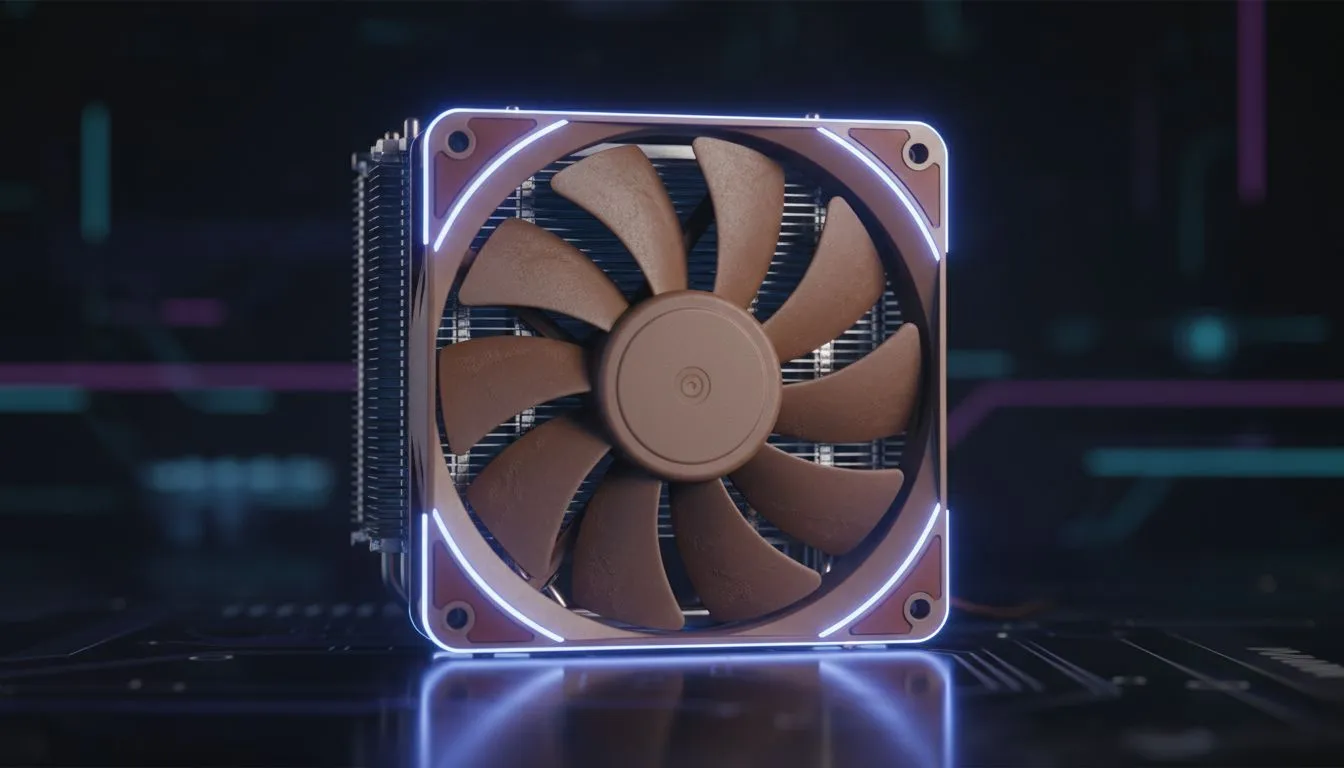
You’re deep into a clutch moment in Apex Legends, the final ring is closing... and your PC suddenly sounds like a jet taking off from OR Tambo. That roaring noise is your CPU fan working overtime, desperately trying to keep your processor from melting. What if there was a smarter, quieter way? There is, and it’s all about PWM fans, a crucial element for modern CPU cooling.
This guide explains PWM fans in simple terms, showing why they are essential for any serious South African gamer or PC builder.
PWM stands for Pulse Width Modulation. It sounds complicated, but the concept is surprisingly simple. Instead of controlling a fan’s speed by changing the voltage (the old-school way), a PWM fan receives a special signal that rapidly switches the power on and off.
Think of it like a light dimmer. A non-PWM fan is either on or off. A basic voltage-controlled fan can be dimmed, but it might flicker or cut out at low power. A PWM fan, however, is like a sophisticated digital dimmer that can deliver precise power levels, allowing for a massive range of speeds... from whisper-quiet to full blast.
The easiest way to spot one? PWM fans use a 4-pin connector, while older DC (Direct Current) fans use a 3-pin connector. That fourth pin is the key—it carries the PWM signal that gives you intelligent control.
For years, DC fans were the standard. They get the job done, but their control method is a bit clumsy. To slow a DC fan, your motherboard lowers the voltage. The problem? Below a certain voltage, the fan motor just doesn't have enough juice to spin, so it stops completely. This gives them a limited speed range.
PWM fans solve this. Because they always receive a full 12V and are just switched on and off very quickly, they can spin at much lower RPMs (Revolutions Per Minute) without stalling. This precision is what makes them superior for high-performance builds. Almost every modern air cooler worth its salt now uses PWM technology for this very reason.
So, why does this technical detail matter for your gaming rig? The benefits of using PWM fans for CPU cooling are huge.
The biggest win is acoustics. Your PC doesn't need to be screaming along at full speed when you're just browsing the web or watching YouTube. PWM fans can slow down to almost silent levels during light tasks, only ramping up when your CPU temperature rises during a heavy gaming session. Brands like Deepcool have built their reputation on powerful yet quiet cooling solutions that take full advantage of PWM.
When the action heats up, you need your fans to respond instantly and powerfully. PWM allows your motherboard to create a "fan curve"—a custom profile that aggressively increases fan speed as your CPU gets hotter. This prevents thermal throttling, where your CPU intentionally slows down to avoid overheating, which means you maintain higher, more stable frame rates in your games. It's a simple upgrade that directly protects your performance.
A fan motor that runs at 100% speed 24/7 will wear out much faster than one that intelligently adjusts its speed based on need. By running slower most of the time, PWM fans not only save a tiny bit of power but also reduce mechanical wear and tear, meaning your investment lasts longer. Even great value options from brands like EINAREX are built to last thanks to this smarter technology.
Your PC’s BIOS UEFI menu has a section (often called 'Hardware Monitor' or 'Fan Control') where you can customise the fan curve for your CPU cooler. You can set it to a 'Silent' preset or create a custom curve that keeps things quiet until the CPU hits 60°C, then ramps up aggressively. It’s a free way to optimise your PC’s noise and performance!
When you're looking at a new CPU cooler, checking for a PWM fan is a must. It's the standard for any performance-oriented product today. Whether you're looking at a compact cooler or a massive dual-tower heatsink, the presence of a 4-pin PWM fan tells you it’s designed for dynamic, intelligent control. Most quality tower coolers rely on one or two 120mm fans to do the heavy lifting, and ensuring they are PWM-controlled is your ticket to a cool, quiet, and powerful machine. ❄️
The bottom line? Don't overlook your fans. A great CPU cooler with PWM control is one of the most impactful upgrades you can make, giving you a quieter and faster PC for years to come.
Ready to Silence Your Rig? A powerful CPU deserves powerful, intelligent cooling. Upgrading to a modern cooler with PWM fans is one of the best investments for performance and peace of mind. Browse our wide range of high-performance CPU coolers and find the perfect match to keep your rig cool and quiet.
PWM fans use pulse width modulation to vary speed by changing the duty cycle on the 4-pin signal, letting the motherboard precisely control RPM for better cooling.
PWM fans offer finer speed control and lower idle noise than voltage-controlled fans, so PWM is usually better for dynamic CPU cooling.
Yes. A 4-pin PWM fan will spin on a 3-pin header but loses PWM control and runs at voltage-based speeds.
Open BIOS fan settings, select PWM mode, and map temperature to RPM to create a fan curve that balances cooling and noise.
Yes—PWM fans let you fine-tune cooling and reduce noise under load, helping sustain CPU performance while keeping acoustics down.
Choose PWM fans with high static pressure, reliable bearings, and good PWM response; see reviews for best PWM fans for CPU coolers.
Adjust the PWM fan RPM curve to lower idle speeds and raise ramp thresholds, and add anti-vibration mounts for quieter operation.
Christmas GPU Buying Guide. Hand-picked gift ideas at every budget tier. SA pricing & Evetech availability included.
Read more
Minecraft Max Settings on RTX 4080. Tested & verified settings for best FPS and visual quality on SA hardware budgets.
Read more
GPU Cooling: Complete Guide. Everything you need to know with SA pricing, step-by-step instructions & expert recommendations.
Read more
Starfield Max Settings on RTX 4090. Tested & verified settings for best FPS and visual quality on SA hardware budgets.
Read more
Starfield Max Settings on RTX 4080. Tested & verified settings for best FPS and visual quality on SA hardware budgets.
Read more
GPU Driver Installation. Everything you need to know with SA pricing, step-by-step instructions & expert recommendations.
Read more
Snapdragon X2 NPU Explained: How 80 TOPS Changes. Plain-English explanation of what it means, why it matters & how it affects your buying decisions in SA.

HBM? High Bandwidth Memory Used in GPUs and AI. Plain-English explanation of what it means, why it matters & how it affects your buying decisions in SA.

How much should you spend on sim racing accessories in South Africa for a realistic setup? We break down budgets by quality tiers, so you buy smart gear and avoid overspending 🎮💸

G-Sync and FreeSync? Variable Refresh Rate. Plain-English explanation of what it means, why it matters & how it affects your buying decisions in SA.

AMD Laptop: Value. SA-focused analysis with local pricing data, real-world insights & actionable buying advice.

How MacBook Neo Handles 30+ Chrome Tabs with Only. SA-focused analysis with local pricing data, real-world insights & actionable buying advice.

Why Apple Put 8GB RAM in MacBook Neo: The A18 Pro. SA-focused analysis with local pricing data, real-world insights & actionable buying advice.

Upgrade your work laptop with a New Motherboard. Step-by-step instructions with SA-specific tips, common pitfalls to avoid & expert recommendations.

Glorious Keyboard Switches Explained: Which. Plain-English explanation of what it means, why it matters & how it affects your buying decisions in SA.

Winter Keyboard Buying Guide. Everything you need to know with SA pricing, step-by-step instructions & expert recommendations.

Keyboard Buying Guide. Everything you need to know with SA pricing, step-by-step instructions & expert recommendations.

LGBTQ+ Gamers Keyboard Guide: January Edition. Everything you need to know with SA pricing, step-by-step instructions & expert recommendations.