


Complete Guide: Setting Up AIO Liquid 420mm
Setting Up AIO Liquid 420mm. Tested & verified settings for best FPS and visual quality on SA hardware budgets.
Read moreIs the NVIDIA Quadro RTX 6000 worth it for Blender creators in South Africa? 🎥🏆 Discover performance benchmarks, render speed comparisons, and cost-effectiveness analysis against top-tier gaming GPUs. Uncover which GPU delivers optimal value for 3D artists and studios on a budget.
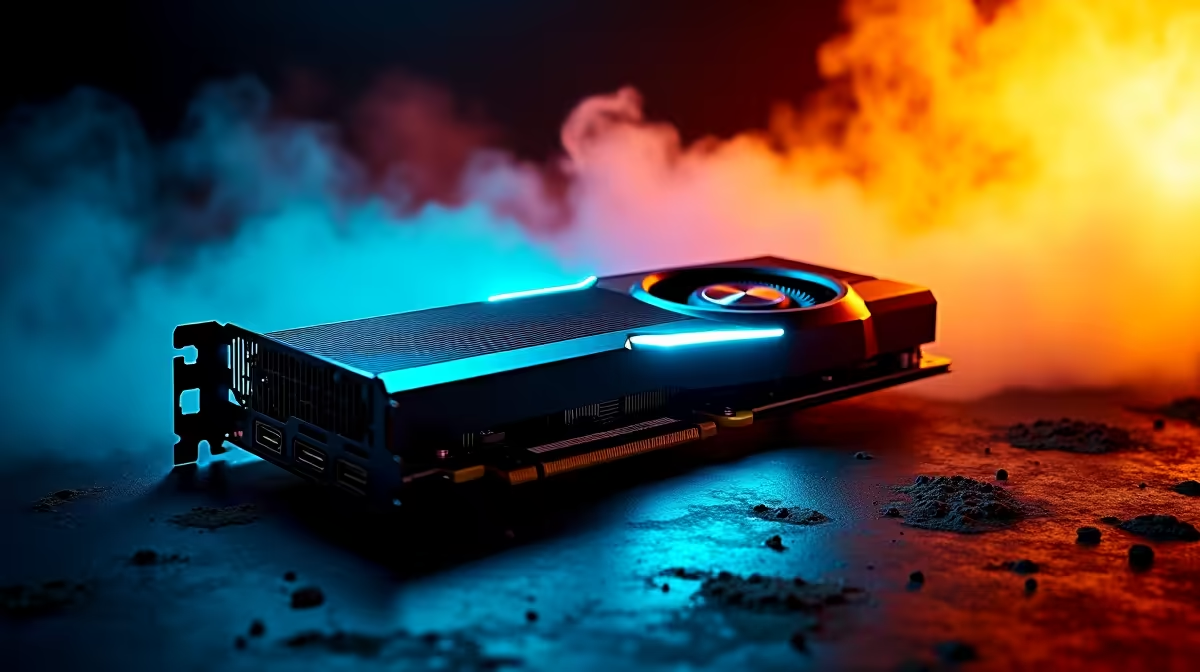
So, you're deep in a Blender project, your viewport is starting to lag, and the render time is making you consider a second coffee run. You face a classic South African creator’s dilemma: do you invest a serious chunk of change in a professional NVIDIA Quadro RTX 6000, or can a high-end gaming GPU give you the power you need for a fraction of the price? Let's settle the Quadro RTX 6000 vs gaming GPUs debate.
At first glance, it's all about the silicon. But the biggest distinction between a Quadro and a GeForce or Radeon card isn't just the hardware… it's the drivers and the VRAM.
Think of drivers as the translator between your GPU and Blender. Gaming GPU drivers are optimised for one thing: maximum frames per second in the latest titles. Professional drivers, like those for the NVIDIA Quadro workstation cards, are built for stability and accuracy in creative apps. This means fewer crashes and more predictable performance when you're manipulating millions of polygons in Blender’s viewport. 🔧
Then there’s VRAM (video memory). The Quadro RTX 6000 packs a massive 48GB of ECC (Error-Correcting Code) memory. This is crucial for enormous, complex architectural visualisations or VFX scenes where a single memory error could corrupt a multi-hour render. Your typical gaming card offers plenty of VRAM, but without the error-correction safety net.
This is where it gets interesting for creators in SA. When we talk performance, we need to split it into two key areas: viewport interaction and final rendering.
For pure viewport smoothness, especially with wireframes and complex geometry, the Quadro’s specialised drivers often pull ahead. If your daily work involves sculpting high-poly characters or navigating intricate mechanical models, the stability of a Quadro can be a massive quality-of-life improvement. You're paying for a smooth, uninterrupted workflow.
No matter your GPU, you can boost viewport speed in Blender by enabling 'Simplify' in the Scene Properties. This can reduce mesh density and disable heavy modifiers just for the viewport, giving you a much smoother experience without affecting the final render.
Here’s the plot twist. For raw rendering speed in Cycles, top-tier NVIDIA GeForce graphics cards like the RTX 4090 often outperform the Quadro RTX 6000. Why? Higher clock speeds and a design philosophy focused on raw computational throughput. You get incredible rendering power for a significantly lower price in ZAR.
Similarly, high-end AMD Radeon graphics cards offer fantastic price-to-performance in rasterisation, making them strong contenders for Eevee-based workflows. Even newer players like Intel Arc graphics cards are becoming viable options for creators on a budget, thanks to their dedicated AV1 encoding and ray-tracing cores.
Let's talk rands and sense. A Quadro RTX 6000 is a monumental investment, often costing three to four times more than a flagship gaming GPU. So, who is it really for?
Ultimately, the Quadro RTX 6000 vs gaming GPUs for Blender decision in SA comes down to your specific workflow and budget. Don't just look at the price tag; analyse where you lose the most time. Is it a laggy viewport or slow final renders? Your answer lies there.
Ready to Render Your Next Masterpiece? Whether you need rock-solid stability or the fastest render speeds for your budget, the right GPU is waiting. Explore our full range of NVIDIA and AMD graphics cards to find the perfect engine for your creativity.
Yes, the Quadro RTX 6000 offers superior stability and precision for professional Blender workflows over consumer GPUs.
While some gaming GPUs match Quadro performance, they lack ECC memory and ISV certifications critical for professional use.
For performance: Quadro RTX 6000. For cost-effective alternatives, explore high-tier gaming GPUs with good compute power.
For studios requiring maximum precision and reliability in Blender, the Quadro 6000's investment pays off through enhanced productivity.
Quadro cards show better sustained performance in multi-threaded rendering workloads over standard gaming GPUs.
Absolutely! Mid-to-high tier gaming GPUs like RTX 4080 deliver impressive Blender performance at significantly lower costs.
Quadro GPUs offer ECC memory, advanced driver certifications, and optimized pipelines essential for professional 3D modeling and animation.
Setting Up AIO Liquid 420mm. Tested & verified settings for best FPS and visual quality on SA hardware budgets.
Read more
Intel XTU Download & Setup Guide: Intel CPU. Clear setup instructions with SA-specific considerations, troubleshooting tips & recommended components.
Read more
Cyberpunk 2077 Max Settings on RTX 4090. Tested & verified settings for best FPS and visual quality on SA hardware budgets.
Read more
The Complete Guide to GPU. Everything you need to know with SA pricing, step-by-step instructions & expert recommendations.
Read more
NVCleanstall Download & Setup Guide: NVIDIA. Clear setup instructions with SA-specific considerations, troubleshooting tips & recommended components.
Read more
to Driver Installation for Beginners. Everything you need to know with SA pricing, step-by-step instructions & expert recommendations.
Read more
AMD RX 9050 XT: Rumoured Specs, Price & Release. SA-focused analysis with local pricing data, real-world insights & actionable buying advice.

Can RTX 4080 Super Run AI Workloads for SA Developers Detailed answer with SA data, expert analysis & practical recommendations for local buyers.

Can RTX 4090 Run AI Workloads for SA Developers Detailed answer with SA data, expert analysis & practical recommendations for local buyers.

Top Settings for Intel Arc B580 at Ultrawide 1440p picks evaluated on performance, value & SA availability with current Rand pricing from Evetech.

RTX 4060 CS2 Low Settings at 1080p: FPS Results. Real-world benchmark data, FPS numbers & performance analysis. What SA gamers can actually expect.

Visual Artifacts: Possible GPU Issue Issue #1. Diagnosis steps, proven fixes & when to seek professional help. SA-specific support info included.

Can the RTX 4090 Handle 1440p 144Hz Gaming. Performance testing verdict with real data & practical recommendations for SA buyers.

Top ASUS GPU Under R15000 picks evaluated on performance, value & SA availability with current Rand pricing from Evetech.

GTA 6 Max Settings on RTX 5070. Tested & verified settings for best FPS and visual quality on SA hardware budgets.

Cyberpunk 2077 Max Settings on RTX 5080. Tested & verified settings for best FPS and visual quality on SA hardware budgets.

Starfield Max Settings on RTX 5070 Ti. Tested & verified settings for best FPS and visual quality on SA hardware budgets.

Top RTX 5090 Under R5000 picks evaluated on performance, value & SA availability with current Rand pricing from Evetech.