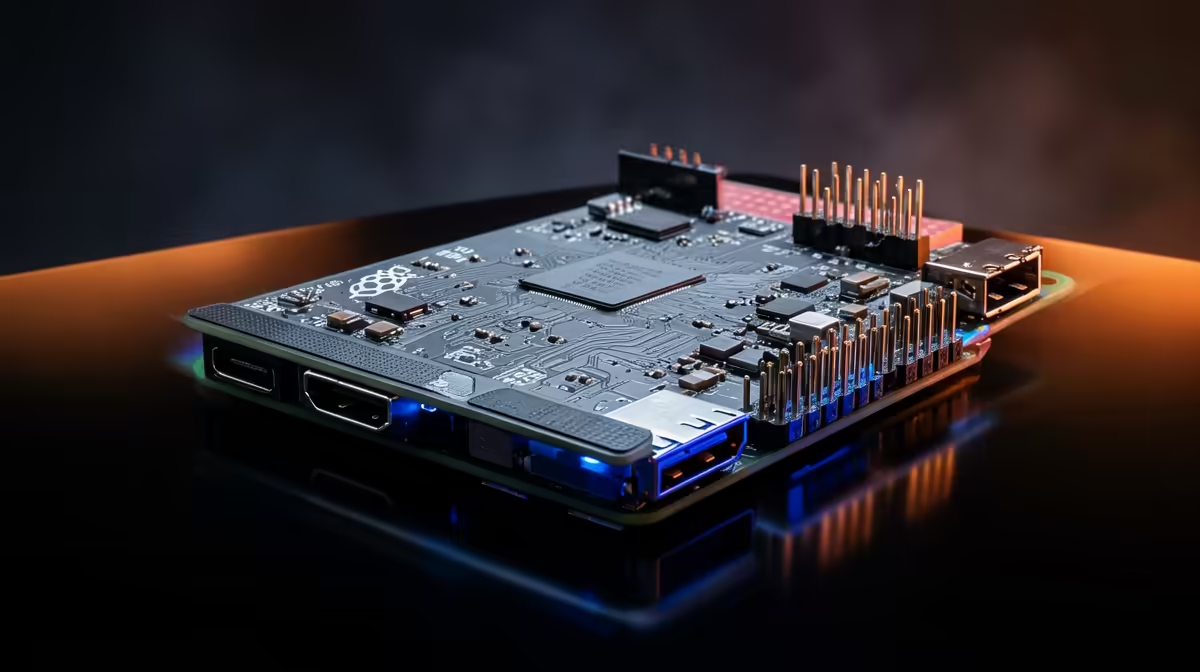
Plenty of Raspberry Pi 4 boards are still humming away on shelves and in projects, which raises a fair question for anyone planning a build this year: does the Raspberry Pi 5 justify replacing a Pi 4 that already works? The short version is that the Pi 5 is not a modest bump but a genuine generational leap, with a faster processor, quicker memory, and a native high-speed storage slot the Pi 4 simply never had.
Quick Answer
Yes, the Pi 5 is the clear upgrade for most uses in 2026. Its Broadcom BCM2712 chip runs quad-core Cortex-A76 cores at 2.4GHz against the Pi 4's BCM2711 with Cortex-A72 cores at 1.5GHz, delivering roughly 2 to 3 times the CPU performance. It also adds a PCIe interface for NVMe storage that the Pi 4 lacks entirely, transforming responsiveness.
The processor jump is the headline
The core of the upgrade is the silicon. The Pi 4 used the BCM2711 with quad Cortex-A72 cores at 1.5GHz, which was capable but is now several years old. The Pi 5 moves to the BCM2712 with quad Cortex-A76 cores at 2.4GHz, a newer architecture running faster. The architecture change matters as much as the clock speed, because the A76 cores do significantly more work per cycle than the older A72.
Put together, that yields roughly 2 to 3 times the CPU performance in real terms. Benchmarks bear it out: single-threaded tasks finish around 50 percent faster, and multi-threaded workloads show even larger gains, with the Pi 5 completing some stress tests roughly 75 to 80 percent quicker. For anything CPU-bound, the difference is not subtle.
Storage is where it really changes how the board feels
Raw CPU numbers are one thing, but the upgrade that changes day-to-day use the most is storage. The Pi 4 booted and ran from a microSD card, which is slow and the usual bottleneck on the platform. The Pi 5 introduces a PCIe interface, which lets you attach an NVMe SSD through a suitable adapter and reach storage speeds well beyond 800MB/s, a different league from any microSD card.
That single change transforms how responsive the board feels. Boot times shorten, applications launch faster, and anything that reads and writes a lot of data stops waiting on the card. For a Pi used as a small desktop, a server, or a media machine, NVMe storage is arguably the most noticeable improvement of the whole generation, because slow storage is what made the Pi 4 feel sluggish even when its CPU had headroom to spare.
Faster memory backs it up
The improvements are not limited to the headline parts. The Pi 5 runs LPDDR4X memory at 4267 MT/s against the Pi 4's LPDDR4 at 3200 MT/s, so data moves to and from the processor faster too. On their own these gains are incremental, but stacked on top of the CPU and storage upgrades they help the Pi 5 feel consistently quicker across general use rather than only in benchmarks.
Connectivity and the smaller upgrades
The generational jump shows up in the surrounding hardware too, not just the headline chip. The Pi 5 brings faster connectivity and refinements that add up in real use: quicker peripheral handling, an improved interface for displays and cameras, and the general result of a board that does not bottleneck itself the way the Pi 4 sometimes did. Individually these are minor, but together they remove small frustrations that the older board carried.
There is also the practical matter of a dedicated power button and a real-time clock header on the Pi 5, conveniences the Pi 4 lacked. None of these are reasons to upgrade on their own, but they make the Pi 5 a more polished board to live with day to day, especially for projects that get powered on and off regularly or need to keep accurate time without a network connection.
Who the upgrade is for
For compute-heavy projects, the Pi 5 is an easy recommendation. If you are running containers, doing any kind of processing, compiling code, or pushing the board hard, the 2 to 3 times CPU gain directly shortens how long things take. Desktop use is similarly improved, with the Pi 5 handling a browser and everyday apps far more comfortably than the Pi 4 ever did.
Media and server roles benefit just as much, mostly through the storage. A Pi 5 with an NVMe drive as a small home server, a media box, or a self-hosted services machine is a genuinely pleasant experience, where the same role on a Pi 4 always carried the microSD penalty. You can see the compact and single-board systems Evetech stocks when planning a build, and the computing gear local buyers reach for most covers the storage and cooling that get the best out of a Pi 5.
When the Pi 4 is still fine
Honesty matters here, because not every project needs the newer board. If you have a Pi 4 already doing a light, fixed job, a simple sensor logger, a basic network task, a low-demand always-on service, there is no urgency to replace it. It still does that work, and the upgrade buys you nothing you will notice. The Pi 5 also draws more power and runs hotter under load, so it genuinely benefits from active cooling, which the Pi 4 could often go without.
The decision comes down to whether your project is held back by the Pi 4's limits. If the CPU or the microSD storage is your bottleneck, the Pi 5 removes both and the upgrade is well worth it. If the Pi 4 has headroom for what you ask of it, keep using it and put the Pi 5 in your next, more demanding build.
Frequently Asked Questions
How much faster is the Pi 5 than the Pi 4?
Roughly 2 to 3 times the CPU performance overall. Single-threaded tasks run about 50 percent faster and multi-threaded workloads gain even more, with some stress tests completing around 75 to 80 percent quicker. The newer Cortex-A76 cores at 2.4GHz drive the gap.
Can the Pi 5 boot from an NVMe SSD?
Yes. The Pi 5 adds a PCIe interface that, with a suitable adapter, lets you connect an NVMe SSD reaching speeds well over 800MB/s. This is the biggest day-to-day improvement, since the Pi 4 was limited to slower microSD storage with no high-speed option.
Does the Pi 5 need active cooling?
It benefits from it. The Pi 5 is more powerful and runs hotter under sustained load than the Pi 4, so an active cooler or a fan-equipped case keeps it running at full speed. The Pi 4 could often manage without, but for the Pi 5 cooling is recommended for demanding work.
Should I replace a working Pi 4 with a Pi 5?
Only if the Pi 4 is holding your project back. For light, fixed jobs the Pi 4 remains perfectly capable and there is no need to upgrade. If your CPU or microSD storage is the bottleneck, the Pi 5 removes both limits and the upgrade is clearly worthwhile.
Is the Pi 5 worth it for desktop use?
Yes. The faster CPU and the option of NVMe storage make the Pi 5 noticeably more comfortable as a small desktop, handling a browser and everyday applications far better than the Pi 4. The improvement in responsiveness is one of the most obvious benefits of the generation.
For new builds and any project the Pi 4 was holding back, the Pi 5 is the clear pick in 2026. Browse the mini PC and single-board range at Evetech and pair a Pi 5 with NVMe storage and cooling to get the full benefit of the upgrade.