



PCIe 5.0 vs PCIe 4.0 for Video editing in 4k in SA
PCIe 5.0 vs PCIe 4.0 for video editing in 4k is mainly about fit, features, compatibility, cost, and upgrade path, not one automatic winner. SA buyers should match the choice to the setup.
Read moreReal-time audio monitoring specs for on-the-go recording cover the headphone jack, latency, level meters, and the LCD that shows peaks live. These specs tell you whether a kit catches problems live or leaves you guessing till playback. 🎧
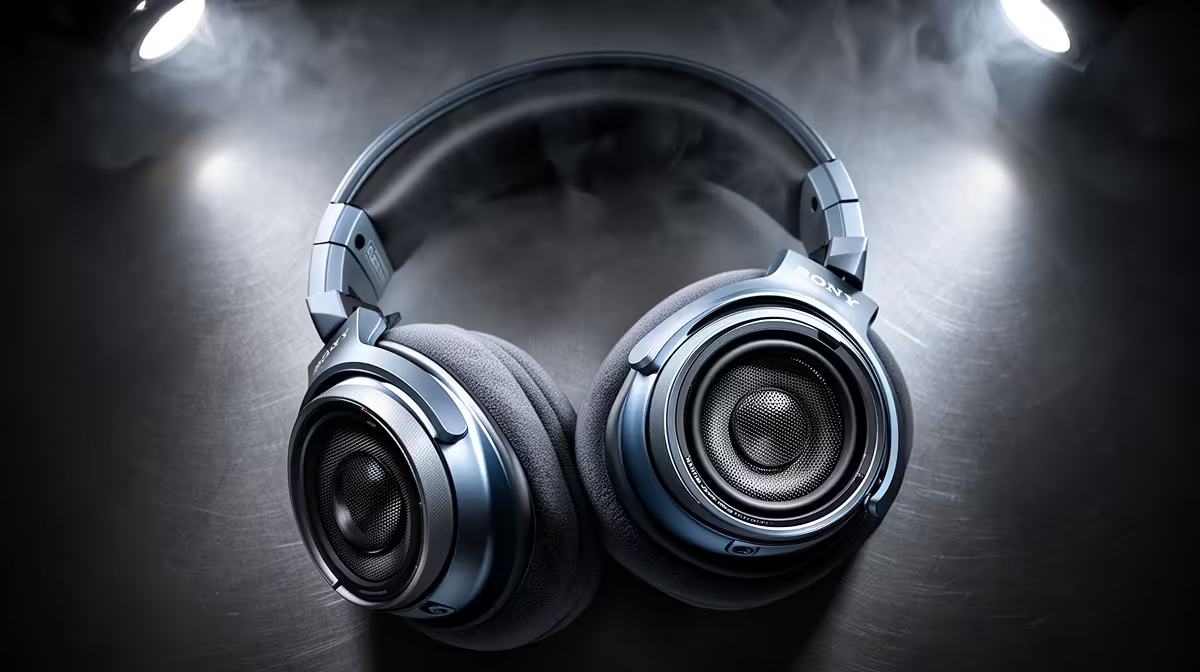
A wireless mic kit with excellent range and clean capture can still ruin a shoot if the person behind the camera has no idea what is happening to the audio in real time. Real-time audio monitoring specs are the set of hardware features, headphone output, level display, latency figure, and signal indicators, that tell you the recording is clean while it is happening rather than after you have packed up and driven home. Understanding what each specification actually means is the difference between catching a problem on location and discovering it during the edit.
Real-time monitoring quality comes down to four specs: latency under 20ms so headphone audio stays in sync with speech, a 3.5mm headphone output on the receiver, a live level meter to catch peaks before they clip, and a link-strength indicator to warn you before dropouts occur. All four matter on a moving outdoor shoot.
Latency is the gap between the moment sound enters the transmitter capsule and the moment it exits the receiver's headphone jack. At low figures, roughly 5ms to 15ms, that delay is imperceptible. Monitoring audio through the headphones feels synchronised with the speaker's mouth movement and with the ambient sound reaching your ears naturally. You can assess tone, level, and clarity without any cognitive disruption.
Once latency climbs above approximately 30ms to 40ms, the monitoring experience starts to feel wrong. You hear a slight echo of yourself or your subject, which is distracting enough on a calm desk setup and genuinely confusing on a moving shoot where you are also tracking framing and background noise simultaneously. Above 60ms, most people find headphone monitoring more trouble than benefit.
Many creators monitor through a phone recording app rather than through a hardware headphone output. App-level audio passes through A/D conversion, the phone's audio pipeline, and app buffering, a chain that routinely adds 80ms to 150ms of delay. A dedicated headphone jack on the receiver bypasses all of that, connecting the electronics directly to the output and keeping latency below 20ms on a quality kit.
The level meter on a receiver's LCD shows the instantaneous amplitude of the incoming audio signal as a bar graph. Most implementations show the signal as a column that rises and falls with your subject's voice. The target zone for a well-gained signal sits at roughly two-thirds of the meter height, which typically corresponds to somewhere between minus 12dB and minus 6dB below full scale.
The reason this matters outdoors is that acoustic environments change unpredictably. A subject speaking at a consistent level indoors can suddenly raise their voice when a truck passes or when they move into an open area and instinctively project more. The level meter shows that spike happening in real time, giving you a few seconds to trim the transmitter gain before the peaks start clipping into distortion.
Most receivers add a separate clip indicator above or beside the bar graph, typically a red LED or a flashing display element, that lights when the signal exceeds the maximum clean level. If you see that indicator firing, the gain on the transmitter needs to come down by 3dB to 6dB. Gain adjustments of that magnitude are quick to make but the damage from even a few seconds of clipping is permanent in the recording and cannot be corrected in post.
A link-strength indicator, usually represented as a bar graph matching the familiar mobile signal icon, shows how reliably the receiver is reading the transmitter's RF signal. At full bars the link is solid and audio dropout risk is minimal. As the bars decrease, you are approaching the edge of the system's effective range or encountering interference that is degrading the RF path.
The practical value of this indicator is that it gives you a warning before a dropout rather than after one. If you see the link indicator drop to one or two bars while your subject is 80 metres away, you have a short window to either move the receiver closer, reposition its antenna for a better angle, or call the subject back. Waiting until the audio crackles means the take may already be lost.
On shoots in Cape Town or Durban where ocean breeze carries salt and the environment creates multipath reflection off walls and vehicles, link-strength fluctuations are common even at modest distances. Monitoring that indicator continuously is the habit that separates reliable field recording from occasional dropped takes.
The headphone amplifier output level, measured in milliwatts or expressed as a maximum volume in dB, determines whether the monitor audio is loud enough to hear accurately over ambient noise on location. A receiver with a weak headphone amp, common on ultra-compact kits, produces monitor audio that is audible in a quiet studio but effectively inaudible against 60dB of street traffic or crowd noise.
The practical test is straightforward: at the receiver's maximum headphone output volume, can you reliably hear the difference between a well-placed lapel and a slightly drifted one? If the ambient environment drowns the monitor output before you reach that judgement, the spec is insufficient for outdoor work. Kits with a headphone output rated at 15mW or higher tend to hold adequate monitoring volume in most South African outdoor production environments.
On a run-and-gun shoot in Joburg or Cape Town where you cannot always wear headphones, set the LCD meter's peak-hold function if the receiver supports it. Peak-hold freezes the highest level reached for two to three seconds, so a glance between camera adjustments tells you whether the audio peaked cleanly or flirted with the clip threshold while you were not watching.
Below about 20ms the delay is imperceptible and monitoring feels synchronised. Most quality wireless kits achieve between 5ms and 15ms through the hardware headphone output. The issues start above 30ms to 40ms, where the echo sensation during speech becomes noticeable, and above 60ms most operators find monitoring unhelpful rather than informative.
Apps route audio through multiple software layers including buffers and processing pipelines, adding 80ms to 150ms of latency in many cases. The receiver's hardware output connects the audio electronics directly to the jack, skipping that software chain. The result is latency in the single-digit to low-double-digit millisecond range, which feels instantaneous during a shoot.
The bar should move actively with your subject's voice and peak at roughly two-thirds of the meter's full height, corresponding to approximately minus 12dB to minus 6dB on a calibrated display. A signal consistently pinned at the top means gain is too high and clipping is likely. A signal that barely registers in the bottom third means gain is too low and the noise floor will be prominent in the recording.
Indirectly. A kit capturing at 48kHz and 24-bit provides more headroom, so peaks that would clip at 16-bit have clean room above them at 24-bit. During monitoring that translates to a more forgiving gain structure, which is practical when your subject's volume is hard to predict.
Act before the audio crackles rather than after. Move the receiver antenna to an unobstructed position at chest height or higher, reduce the distance between transmitter and receiver if the shoot allows it, or check whether the transmitter is buried under clothing that is blocking its antenna. A single bar on the link indicator leaves you a small buffer before dropout, but it is a narrow margin on a moving subject.
Ready to monitor your audio with confidence on every shoot? Browse the wireless microphone range built for field recording, and choose a kit whose live monitoring specs match the outdoor environments you actually work in.
Below about 20ms the delay is imperceptible and monitoring feels synchronised. Most quality wireless kits achieve between 5ms and 15ms through the hardware headphone output. The issues start above 30ms to 40ms, where the echo sensation during speech becomes noticeable, and above 60ms most operators find monitoring unhelpful rather than informative.
Apps route audio through multiple software layers including buffers and processing pipelines, adding 80ms to 150ms of latency in many cases. The receiver's hardware output connects the audio electronics directly to the jack, skipping that software chain. The result is latency in the single-digit to low-double-digit millisecond range, which feels instantaneous during a shoot.
The bar should move actively with your subject's voice and peak at roughly two-thirds of the meter's full height, corresponding to approximately minus 12dB to minus 6dB on a calibrated display. A signal consistently pinned at the top means gain is too high and clipping is likely. A signal that barely registers in the bottom third means gain is too low and the noise floor will be prominent in the recording.
Indirectly. A kit capturing at 48kHz and 24-bit provides more headroom, so peaks that would clip at 16-bit have clean room above them at 24-bit. During monitoring that translates to a more forgiving gain structure, which is practical when your subject's volume is hard to predict.
Act before the audio crackles rather than after. Move the receiver antenna to an unobstructed position at chest height or higher, reduce the distance between transmitter and receiver if the shoot allows it, or check whether the transmitter is buried under clothing that is blocking its antenna. A single bar on the link indicator leaves you a small buffer before dropout, but it is a narrow margin on a moving subject.
PCIe 5.0 vs PCIe 4.0 for video editing in 4k is mainly about fit, features, compatibility, cost, and upgrade path, not one automatic winner. SA buyers should match the choice to the setup.
Read more
Wi-Fi 7 vs Wi-Fi 6e for competitive esports comes down to router support, latency goals, device compatibility, and coverage. SA buyers should match the choice to the real network setup.
Read more
ATX 3.1 vs ATX 3.0 for mMO and live-service games buyers - what changes is mostly about compatibility, budget, upgrade path, and setup fit. SA buyers should check device support and real needs before expecting a clear win from either option.
Read more
LGA 1851 vs LGA 1700 can affect Twitch and YouTube streaming when gaming and encoding share CPU resources. For SA creators, the real-world difference depends on encoder choice, memory support, motherboard cost, thermals, and upgrade plans.
Read more
X870E vs X670E for aaa single-player gaming is mainly about fit, features, compatibility, cost, and upgrade path, not one automatic winner. SA buyers should match the choice to the setup.
Read more
Hall Effect switches vs Mechanical switches for mMO and live-service games is mostly about compatibility, budget, upgrade path, and setup fit. SA buyers should check device support and real needs before expecting a clear win from either option.
Read more
A fake 113GB GTA VI ISO reportedly used empty padding around a small malware payload. SA gamers should delete unofficial builds, keep Windows security active and wait for official channels.

Wi-Fi 6E vs Wi-Fi 6 matters for 4K video editing when files move across a network. The real-world difference between Wi-Fi 6E and Wi-Fi 6 for video editing in 4K depends on NAS access, cloud uploads, router range, and SA creator workflows.

The difference between PCIe 5.0 and PCIe 4.0 for SA gamers is mostly bandwidth headroom. Compare GPU slot needs, NVMe speed, motherboard support, and upgrade timing before paying extra for a newer platform.

Gaming PC stuck pixel checks in South Africa should confirm the monitor fault first. Use colour tests, screenshot comparison, cable swaps, display menu checks, and clear photos before deciding on support.

Shokz OpenFit Air 2 earbuds weigh 7.2g each and use a redesigned dual-driver open-ear layout. SA buyers should choose them for comfort and awareness, not maximum isolation.

AMD's current driver now lists a Radeon RX 9050 4GB, while product coverage details a narrowed memory system. SA buyers should weigh the low VRAM ceiling against current local Radeon options.

Samsung Display has demonstrated a 16-inch 2.5K OLED laptop panel running at 300Hz. SA buyers should wait for a named notebook, full panel specifications and a local price before planning an upgrade.

Microsoft says some Windows 11 game crashes after recent updates are linked to RGB-related drivers. Affected SA gamers should confirm the update and driver before using the published registry workaround.

RTX 5090 on a 650W PSU is a tight pairing with very limited headroom. For SA gaming PCs, focus on total system draw, PSU quality, connector support, CPU choice, and avoid OC plans unless the full build is carefully power-limited.
PCIe 5.0 vs PCIe 4.0 for video editing in 4k is mainly about fit, features, compatibility, cost, and upgrade path, not one automatic winner. SA buyers should match the choice to the setup.

850W PSU safety for RTX 5090 is plausible with a quality unit and balanced parts. In SA, confirm connector support, CPU power draw, case airflow, PSU age, and spare capacity before building around 850W.
Wi-Fi 7 vs Wi-Fi 6e for competitive esports comes down to router support, latency goals, device compatibility, and coverage. SA buyers should match the choice to the real network setup.