


AIO Liquid 240mm Setup and Configuration: Complete Tutorial
AIO Liquid 240mm Setup and Configuration. Clear setup instructions with SA-specific considerations, troubleshooting tips & recommended components.
Read moreHow to reuse old components with Evetech upgrade kits. Save cash and reduce tech waste. 💻⚡ Discover sustainable PC building solutions now.
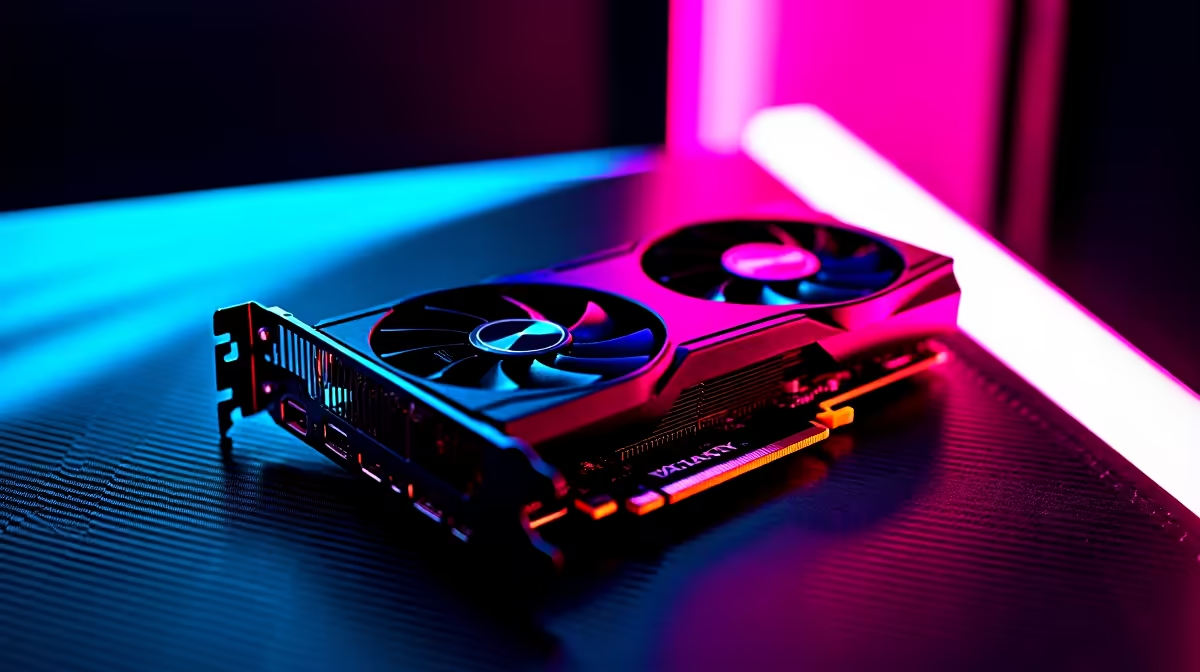
That old gaming rig in the corner… it’s not just collecting dust, it’s a goldmine of potential savings. Staring at a shiny new PC upgrade kit is exciting, but what about the perfectly good hardware you’re leaving behind? In South Africa, where every rand counts, learning how to repurpose old PC components is more than just a smart move—it’s a pro-gamer strategy. This guide will show you which parts to salvage and which to retire. 🚀
Before you toss everything, let's look at the low-hanging fruit. Certain parts from your old build can slot into a new system with minimal fuss, saving you a chunk of cash that’s better spent on performance. The key is to know what to look for.
Your old drives are the easiest and most obvious components to reuse. While you’ll want a lightning-fast NVMe SSD for your new operating system and favourite games, that trusty 1TB HDD or 500GB SSD is perfect for mass storage. Use it for your media library, documents, or that massive Steam backlog you swear you'll get to one day. It's a simple way to add capacity, and many of our pre-built PC deals have extra bays just waiting to be filled.
A high-quality PSU can outlast several builds. If your old power supply is from a reputable brand (like Corsair, Seasonic, or Cooler Master), has a good efficiency rating (80+ Bronze or better), and provides more than enough wattage for your new components, why replace it? Just check its age—PSUs degrade over time. A reliable PSU is especially crucial for high-performance rigs, so if you're building one of our PCs above R20k, double-check your old PSU's specs.
Your PC case is more than just a box; it's the home for your components. If you still love its look and it offers decent airflow, you can absolutely repurpose this old PC component. Make sure it can fit your new motherboard's form factor (ATX, Micro-ATX, etc.) and your new, probably massive, graphics card. Reusing a case is one of the best ways to keep costs down on one of our excellent budget gaming PCs.
When you repurpose an old storage drive, always perform a full format before installing it in your new PC. This wipes all old data, including residual OS files, preventing potential conflicts and driver issues. A clean drive is a happy drive!
These components can be reused, but it requires a bit more thought. Compatibility is king here, and making the wrong choice could bottleneck your shiny new hardware.
Still rocking a decent GTX 1070 or RX 580? While it won't be breaking any 4K records, it can serve as an excellent stop-gap until you're ready for a major GPU upgrade. This allows you to invest in a powerful CPU and motherboard now and hunt for a graphics card deal later. Whether you're eyeing the latest from our NVIDIA GeForce gaming PCs or are a fan of Team Red's offerings in our AMD Radeon gaming PCs, your old card can keep you in the game.
This is a big one. If your old system used DDR4 RAM and your new motherboard also supports it, you could save hundreds of rands by transferring it over. However, the latest platforms are built around DDR5, which offers a significant performance leap. Sticking with DDR4 could limit your CPU's potential, so weigh your options carefully before passing on our future-proof DDR5 gaming PCs.
Some parts are best left in the past. Trying to repurpose these old PC components for your new upgrade kit will likely cause more headaches than it's worth and cripple your new system’s performance.
These two are the heart of your PC and are almost always upgraded as a pair. A new CPU generation requires a new motherboard chipset and socket. This is the core of your upgrade, so it’s where your budget should be focused. Don't let an old foundation hold back your new machine's potential. Check out the latest Intel PC deals or see what the competition is up to with our AMD Ryzen PC deals to get started.
While case fans are generally easy to reuse, CPU coolers can be tricky due to changing socket sizes between generations. An old cooler might not have the mounting bracket for a new AM5 or LGA 1700 socket. Given how critical cooling is for performance, especially in demanding workstation PCs, investing in a new, compatible cooler is a wise decision. ✨
By smartly choosing which parts to bring forward, you can build a powerful new rig without emptying your wallet. This strategy of blending old and new is perfect for getting maximum performance for your money, especially if you're aiming for one of the powerful PCs under R20k where every component choice matters.
Ready to Build a Smarter Rig? Mix, match, and maximise your budget by combining salvaged parts with brand-new power. Find the perfect core for your next build in our collection of the best gaming PC deals in South Africa and get the performance you deserve.
Use working RAM, SSDs, PSUs, or cooling systems with compatible kits.
Match sockets & slots with current kit specs on Evetech guides.
Only if socket matches new motherboard – otherwise, upgrade CPU.
Yes if they meet current gaming/software demands & fit the case.
Test parts, update firmware, and follow anti-static practices.
Evetech warranties only cover sold products; reused parts are user liability.
Only if they match in speed, voltage, and have the same form factor.
AIO Liquid 240mm Setup and Configuration. Clear setup instructions with SA-specific considerations, troubleshooting tips & recommended components.
Read more
Setting Up DDR5 64GB Kit. Tested & verified settings for best FPS and visual quality on SA hardware budgets.
Read more
Overwatch 2 Setup Guide Gamers. Clear setup instructions with SA-specific considerations, troubleshooting tips & recommended components.
Read more
R and RStudio on Mac: Data Science Setup Guide. Clear setup instructions with SA-specific considerations, troubleshooting tips & recommended components.
Read more
NVIDIA Broadcast Setup with GPU: Streamer Guide. Clear setup instructions with SA-specific considerations, troubleshooting tips & recommended components.
Read more
Core Ultra 7 265K Temperature Guide: Normal Range. Complete product range with SA pricing, key specs & recommendations for different budgets.
Read more
AMD RX 9050 XT: Rumoured Specs, Price & Release. SA-focused analysis with local pricing data, real-world insights & actionable buying advice.

Can RTX 4080 Super Run AI Workloads for SA Developers Detailed answer with SA data, expert analysis & practical recommendations for local buyers.

Can RTX 4090 Run AI Workloads for SA Developers Detailed answer with SA data, expert analysis & practical recommendations for local buyers.

Top Settings for Intel Arc B580 at Ultrawide 1440p picks evaluated on performance, value & SA availability with current Rand pricing from Evetech.

RTX 4060 CS2 Low Settings at 1080p: FPS Results. Real-world benchmark data, FPS numbers & performance analysis. What SA gamers can actually expect.

Visual Artifacts: Possible GPU Issue Issue #1. Diagnosis steps, proven fixes & when to seek professional help. SA-specific support info included.

Can the RTX 4090 Handle 1440p 144Hz Gaming. Performance testing verdict with real data & practical recommendations for SA buyers.

Top ASUS GPU Under R15000 picks evaluated on performance, value & SA availability with current Rand pricing from Evetech.

GTA 6 Max Settings on RTX 5070. Tested & verified settings for best FPS and visual quality on SA hardware budgets.

Cyberpunk 2077 Max Settings on RTX 5080. Tested & verified settings for best FPS and visual quality on SA hardware budgets.

Starfield Max Settings on RTX 5070 Ti. Tested & verified settings for best FPS and visual quality on SA hardware budgets.

Top RTX 5090 Under R5000 picks evaluated on performance, value & SA availability with current Rand pricing from Evetech.