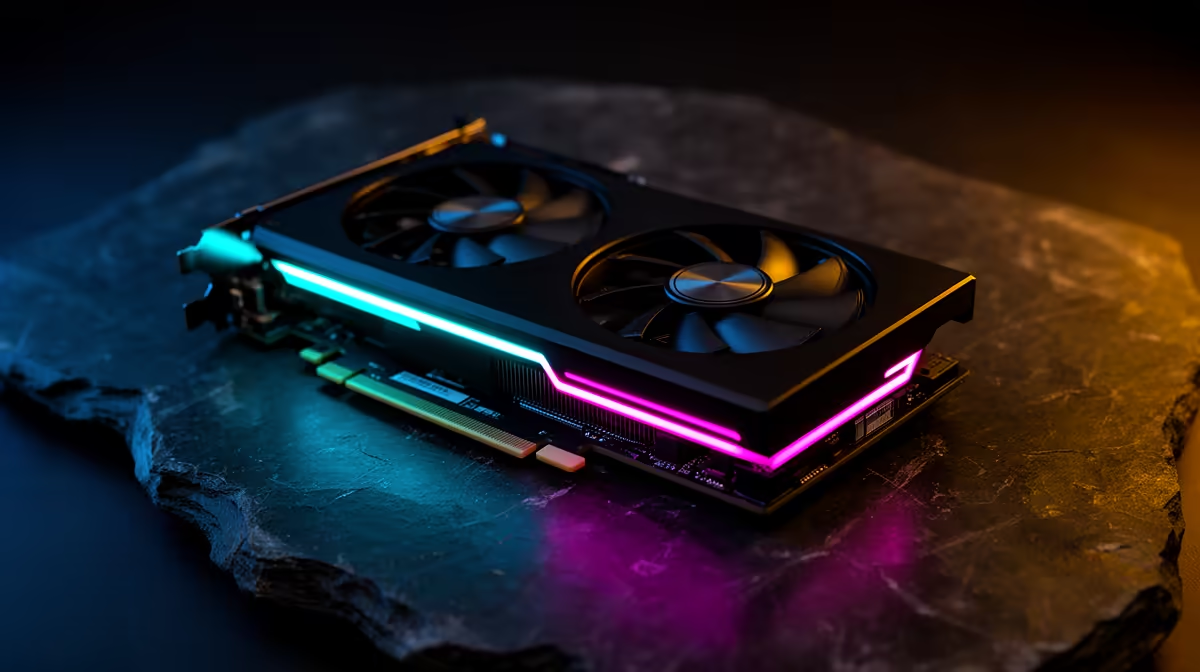
For anyone who wants to run a serious open-source model on their own machine, the RTX 5090 is the card that changes what is possible at home. Its 32GB of GDDR7 VRAM is the first consumer-card capacity that can hold a heavily quantised 70B-class model on a single GPU, and its memory bandwidth is what turns that capacity into usable speed rather than a slideshow. The headline question, though, deserves an honest answer rather than a marketing one, because the fit is real but it is tight.
Quick Answer
The RTX 5090's 32GB VRAM can host a quantised 70B-class model on one card, but only at lower quantisation. A 70B model at Q4 typically needs around 35 to 40GB and will not fit, while a Q3-class quant lands near 30GB and fits with little headroom. Expect roughly 40 to 50 tokens per second on a 70B model that fits. It is the only consumer GPU that runs 70B-class models locally without offloading to the CPU.
Why 32GB is the threshold that matters
Local inference reads the entire model from VRAM once per generated token, so the model has to physically fit in memory to run at full speed. The moment it does not, the overflow spills onto system RAM across the PCIe link, and those layers run an order of magnitude slower. That is why VRAM capacity, not raw compute, decides which model class a card can serve.
70B-class models have been the wall for consumer hardware because they need far more memory than a 16GB or 24GB card holds. The 5090's 32GB is the first consumer capacity to clear that wall, which is exactly why it is the card people reach for when 70B is the goal and the RTX 5080's 16GB tops out at 27B-class.
The honest VRAM maths on 70B
This is where careful expectations matter. A 70B model's VRAM appetite depends heavily on how aggressively it is quantised, and not every 70B quant fits in 32GB.
Q4 often does not fit
A 70B model at Q4, the common quality-versus-size balance point, can run to roughly 35 to 40GB once you include context and KV cache. That exceeds 32GB, so a Q4 70B will not sit entirely on a single 5090. Anyone promising "70B at Q4 on one card" is glossing over the numbers.
Q3 fits, with little to spare
Step down to a Q3-class quantisation and a 70B model drops to around 30GB, which fits in 32GB with roughly a gigabyte of headroom. That is enough to run, but it leaves little room for a long context window, so you trade some context length for the larger model. For many use cases that is a worthwhile trade, and it is the realistic way to run 70B on one 5090.
Bandwidth is what makes it usable
Capacity gets the model loaded; bandwidth determines the speed. The 5090 pairs its 32GB with roughly 1,792 GB/s of memory bandwidth, around 77 percent more than the previous generation's flagship. Because inference is bandwidth-bound, that jump translates fairly directly into faster token generation, which is why a 70B model that fits actually feels usable rather than painfully slow.
What it is like to run in practice
A 70B-class model that fits in 32GB generates at roughly 40 to 50 tokens per second, comfortably faster than reading speed and fine for interactive work. The constraint to plan around is context: at Q3 with the model already near the 32GB ceiling, the KV cache for a long conversation competes for the same memory, so very long contexts can push you back into offloading. Keep prompts disciplined, or accept a shorter window, and the experience stays smooth.
For developers, the practical appeal is running a genuinely large model entirely offline, with no per-token cloud cost and no data leaving the machine. If your work lives at 70B, this is the consumer card that makes it feasible, and you can see where it sits against full prebuilt systems in the best-selling PCs lineup.
The rest of the system has to keep up
A 5090 is demanding enough that the surrounding build matters more than usual. The card draws a lot of power, so a generously rated power supply with the correct connector is not optional, and skimping there causes instability that looks like a software fault but is really the rail sagging under load. Cooling deserves the same respect: sustained inference keeps the GPU under continuous load for far longer than a gaming session, so a case with real airflow keeps clocks and reliability where they should be.
System RAM and storage round it out. You want enough system memory to comfortably load and convert model files before they reach the GPU, and a fast solid-state drive so loading a 30GB-plus model file does not become its own bottleneck every time you switch models. None of this changes the VRAM maths, but a 5090 starved of power, airflow, or fast storage will not deliver the speeds its memory bandwidth promises.
Single 5090 versus two smaller cards
A reasonable question is whether two cheaper cards beat one 5090 for local AI, and for 70B the answer is usually no. Splitting a single model across two GPUs adds communication overhead and complexity, and a model that needs to span both cards rarely runs as cleanly as one that fits on a single card's VRAM. The 5090's appeal is precisely that 32GB lets a 70B-class model live on one GPU without that split. Multi-card setups make more sense when you want to run several separate models at once, or serve multiple users, rather than to fit one big model. For a single developer wanting one large model locally, one 5090 is the simpler and usually faster path.
Who should buy a 5090 for local LLMs
The 5090 is for the developer or researcher whose work genuinely needs 70B-class models locally, or who wants huge headroom for 27B-and-smaller models at high quantisation with long context. If your real workloads top out at 27B, a 16GB or 24GB card delivers most of the practical benefit for far less. But if 70B at home is the goal, the 5090 is currently the only single-card consumer answer, and a clear-eyed view of the Q3-versus-Q4 maths is what keeps your expectations matched to the hardware.
Frequently Asked Questions
Can the RTX 5090 really run a 70B model on one card?
Yes, but at lower quantisation. A Q3-class 70B model fits in 32GB with little headroom and runs locally without CPU offloading. A 70B model at Q4 generally needs 35 to 40GB and will not fit on a single card.
What token speed does a 70B model reach on a 5090?
Around 40 to 50 tokens per second for a 70B model that fits in VRAM, which is faster than reading speed and fine for interactive use. The high memory bandwidth is what delivers that rate.
Why does the 5090 beat older cards for local AI?
Mostly its 32GB capacity and roughly 1,792 GB/s of bandwidth. Capacity lets it hold a 70B-class model on one card, and the bandwidth jump over the previous generation translates almost directly into faster tokens, since inference is bandwidth-bound.
How much context can I run alongside a 70B model?
Not a huge amount. With a Q3 70B model already near the 32GB ceiling, the KV cache for long context competes for the same memory. Keep contexts moderate, or accept a shorter window, to avoid spilling into slow offloading.
Is the 5090 overkill if I only run smaller models?
For 27B-and-below work a 16GB or 24GB card gives most of the benefit at lower cost. The 5090 earns its place when you genuinely need 70B locally or want generous headroom for large context on smaller models.
If running a 70B-class model on your own machine is the goal, the RTX 5090's 32GB makes it possible on a single card, with realistic expectations around quantisation. Browse current RTX 5090 cards and ready-to-run AI PCs at Evetech and build a local AI rig sized for the models you want.