Quick Answer
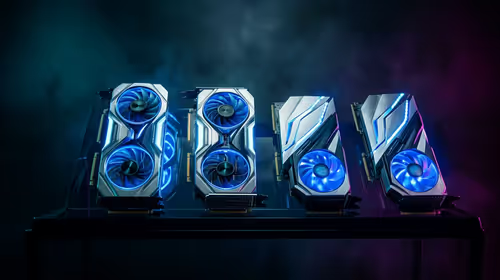
In Dragon Age the Veilguard, an RTX 5090-class card is the faster 4K and ray-tracing choice, while an RX 9070 XT-class card is the more value-focused 1440p option. Expect the RTX tier to win when upscaling, heavy effects, or 4K textures are enabled. SA buyers should compare a broad R20,000-R35,000 GPU tier against premium R45,000-plus builds before paying for unused frames.
Expected FPS By Resolution
At 1080p, the RTX 5090 tier is usually waiting on the CPU, frame cap, or game engine. At 1440p it starts to make more sense for high-refresh play, and at 4K it earns its price through visual settings and minimum fps. For Dragon Age the Veilguard, use 100-150 fps at 1440p with tuned settings as a practical target rather than a guaranteed live benchmark.
Settings That Change The Result
Ray tracing, upscaling quality, texture packs, and background capture software can move results more than one small GPU step. A Ryzen 7 7800X3D, Core i7-14700F, 32GB DDR5, and a 1TB NVMe SSD are sensible anchors for a premium Evetech build. If your monitor is only 1080p 75Hz, a cheaper GPU tier may feel identical in real play.
SA Buying Angle
The right spend depends on the monitor already on the desk. A 1440p 165Hz screen justifies a stronger card sooner than a basic 1080p panel, while 4K gaming needs both GPU power and stable cooling. Use broad categories: midrange cards can serve many R18,000-R30,000 builds, while flagship towers can move far higher once the GPU, CPU, and PSU scale together.
FAQ
Is the RTX 5090 overkill for Dragon Age the Veilguard?
At 1080p, yes for many players. It becomes more useful at 1440p high refresh, 4K, heavy visual settings, or when you want the PC to last across several demanding releases.
What CPU should I pair with this GPU?
Use a modern 8-core gaming CPU where possible. A Ryzen 7 7800X3D or strong Core i7-class chip helps protect minimum fps so the GPU is not left waiting.
Should SA buyers choose this over a cheaper card?
Choose it only when your monitor and game list can use the extra performance. If you mostly play capped or lightweight games, spend less on the GPU and put budget into a better monitor, SSD, or quieter case.
Practical Check
Before buying for Dragon Age the Veilguard, check your monitor refresh rate and whether the game has a frame cap; that single check can save thousands of rand on unused GPU power.