Quick Answer
Poor PC airflow is almost always caused by one of three fixable problems: fans oriented in the wrong direction, cable bundles blocking intake or exhaust paths, or inadequate fan count for the case volume. Diagnosing which applies to your build takes five minutes with a temperature monitoring tool, and the fix usually costs nothing or under R500.
Diagnosing Your Airflow Problem First 🔧
Before moving anything, run a GPU and CPU stress test simultaneously for 15 minutes and record peak temperatures with HWiNFO64 or MSI Afterburner. If GPU temperatures exceed 85 degrees Celsius and CPU exceeds 80 degrees Celsius under load, airflow is a contributing factor.
Cable Routing as an Airflow Obstacle 💨
Cable bundles running across the case interior disrupt the direct airflow path from front intake fans to the GPU and CPU. A thick 24-pin ATX cable draped across the motherboard tray, or a pair of GPU power cables snaking diagonally across the PSU shroud gap, creates a physical barrier that fans must push air around rather than through. The solution is systematic: route all cables behind the motherboard tray and through the case-side grommets, then bundle them with Velcro ties away from the main airflow corridor.
Optimising Fan Layout for Better Thermal Results 🖥️
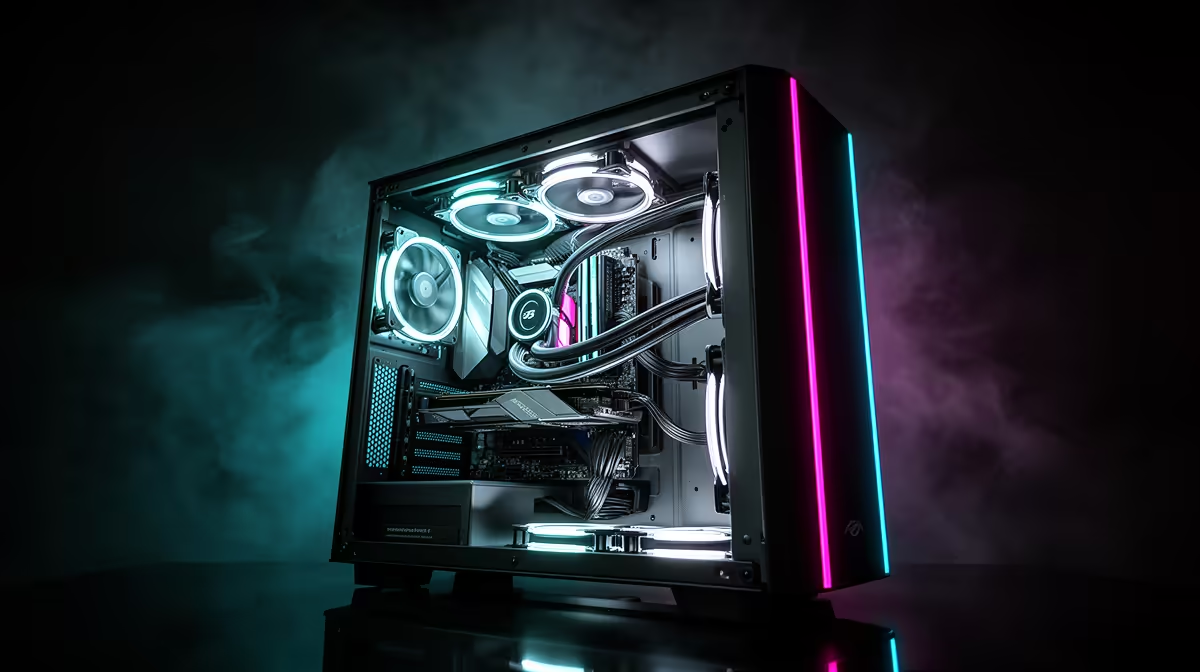
Once cable routing is addressed, the fan layout itself may still be limiting performance. The most effective generic layout for a mid-tower ATX case is two 120mm or 140mm fans at the front as intake (positioned at the front mesh where they pull directly over the GPU), one at the rear as exhaust, and one at the top as exhaust. If you only have two fans total, one front intake and one rear exhaust is the minimum viable layout. Adding a third fan almost always delivers the most benefit per unit cost of any single upgrade, and 120mm ARGB case fans are available at Evetech from around R150 to R400. If the case supports a 360mm AIO and the cooler is currently air-based, switching to an AIO front-mounted radiator provides cooling for the CPU while also acting as a large intake surface, improving both CPU and case temperatures simultaneously.
Check Your Filters After Diagnosis ⚡
Dust-clogged front intake filters are one of the leading causes of degraded airflow in builds that initially ran well. A filter blocked to 50% of its open area can reduce intake airflow by a similar proportion. Remove and wash the front filter under running water, let it dry fully, and re-run your temperature test before spending any money on additional fans. Cleaning takes five minutes and costs nothing.
FAQ
How much do extra case fans improve temperatures in a gaming build?
Adding one additional intake fan to a two-fan setup typically reduces GPU temperatures by 3 to 8 degrees Celsius at sustained load. The improvement is larger when the current fan count is insufficient for the case volume and component heat output. Adding more than four fans to a standard mid-tower ATX case offers diminishing returns beyond the fifth fan.
Does a positive or negative pressure airflow setup keep a PC cleaner?
Positive pressure, where intake fan airflow volume exceeds exhaust volume, keeps a build cleaner by forcing air out through filtered vents rather than drawing dusty air in through unfiltered case seams. In South African homes where fine dust is common, especially in drier inland regions, positive pressure is the preferred setup. Negative pressure setups draw dust in through every gap and require more frequent cleaning.
Can better cable management alone significantly improve temperatures?
In badly cabled builds, yes. A case where thick cable bundles obstruct the front-to-back airflow corridor can see GPU temperature improvements of 3 to 7 degrees Celsius from cable management alone, with no additional fans or hardware changes. This is the first fix to attempt because it costs only time.
Time to fix your PC's airflow properly?
Browse case fans, fan controllers, and cable management accessories at Evetech to sort out your build's thermal performance without guesswork.