Quick Answer
For streaming in South Africa, a dedicated sound card improves audio quality by removing the interference caused by integrated motherboard audio, delivering cleaner microphone input, lower noise floor, and better headphone output. The right sound card for your streaming setup depends on whether you need basic audio improvement, professional-grade input control, or multi-source mixing for complex stream setups.
Why South African Streamers Need Better Audio
Integrated motherboard audio has improved significantly over the past decade, but it shares its PCB space with power delivery components, GPU signals, and other electromagnetic sources of interference. The result is audible hiss, electrical noise, and inconsistent microphone gain that makes streams sound amateur even when the visual production quality is high. South African streamers on platforms like Twitch and YouTube face the same audio quality expectations as international creators, and poor audio is one of the fastest ways to lose viewers regardless of content quality.
A dedicated sound card, whether an internal PCIe card or an external USB audio interface, isolates your audio processing from the motherboard's electrical environment. The analog-to-digital converters on dedicated audio hardware are purpose-built for low noise floor performance, which translates directly to cleaner microphone recordings and a more professional-sounding stream.
Your internet connection depends on your ISP's infrastructure stability. This makes a stable local audio recording setup important for capturing VODs and highlights even when going live is disrupted.
Internal PCIe Sound Cards for Streaming Builds
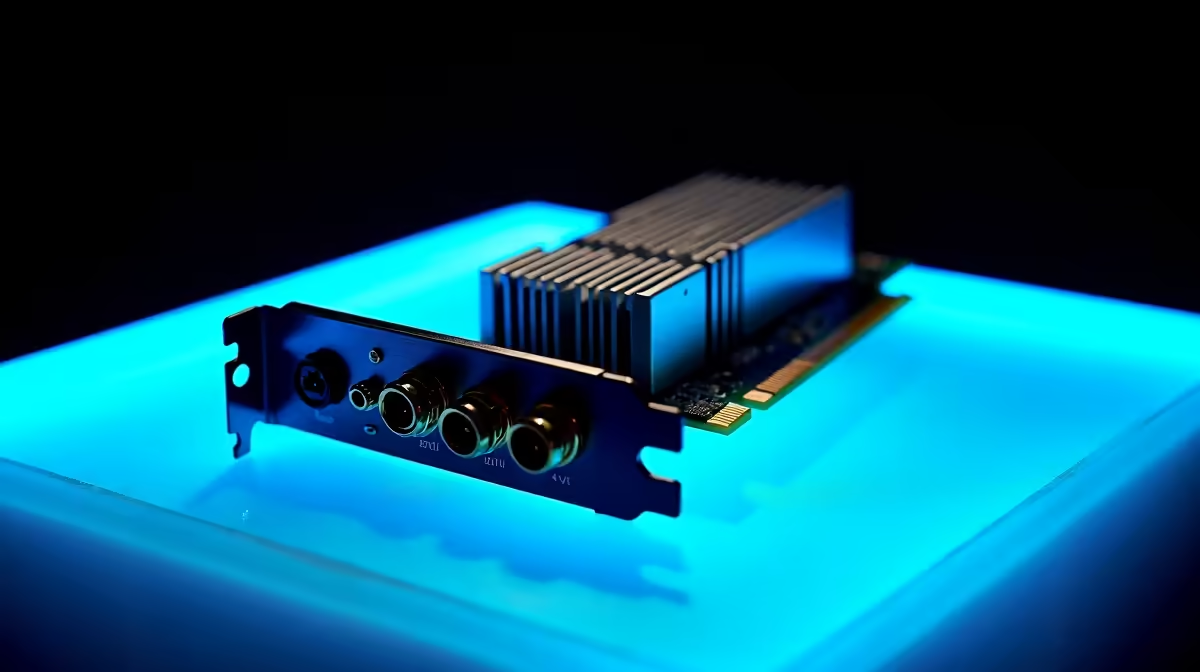
For streamers with a desktop build who want to improve audio without buying a full external interface, internal PCIe sound cards from Creative Labs and ASUS are the primary options available in South Africa. The Creative Sound Blaster AE-5 Plus and the ASUS Xonar AE offer signal-to-noise ratios above 110dB, dedicated headphone amplifier stages, and software mixing control. These cards plug into a PCIe x1 slot and are recognized as audio devices by Windows and streaming software like OBS.
Internal cards are ideal for streamers who use a condenser microphone connected via XLR to a separate preamp or mixer, feeding the processed audio into the sound card's line input. They also excel for streamers who use high-impedance headphones that benefit from the onboard headphone amplifier, providing a clearer monitoring signal than integrated audio can deliver.
Pricing for quality internal PCIe sound cards in SA starts around R1,200 and reaches R3,000 for the higher-end Creative and ASUS options.
External USB Audio Interfaces for SA Streamers
For most South African streamers, an external USB audio interface is the more flexible and practical choice over an internal PCIe card. Interfaces like the Focusrite Scarlett Solo, Scarlett 2i2, and the PreSonus AudioBox USB 96 provide XLR preamps with phantom power for condenser microphones, direct monitoring, and driver-stable ASIO performance across Windows. They connect via USB and are fully portable, making them useful for streamers who also record content away from their main desktop setup.
The Focusrite Scarlett Solo in particular has become a standard recommendation for South African streamers entering content creation seriously. Its single XLR input with 48V phantom power handles professional condenser microphones directly, delivering clean signal gain that transforms stream audio quality. It retails in SA in the R1,500 to R2,000 range and represents exceptional value given the audio improvement it delivers over any integrated or PCIe card solution.
For streamers running complex multi-source setups with two microphones, instrument inputs, and multiple output channels, the Scarlett 2i2 or Focusrite Scarlett 4i4 provide the routing flexibility needed without moving to a full mixer.
Software Integration and OBS Setup
Once your sound card or audio interface is connected, configuring it in OBS Studio is straightforward. In OBS Settings, Audio, set your Desktop Audio and Microphone/Auxiliary Audio to the specific device rather than the Windows default. This ensures OBS captures from your dedicated audio hardware rather than potentially reverting to integrated audio during a driver update or Windows audio session reset.
For Windows streamers, installing ASIO4ALL alongside OBS ASIO plugin allows low-latency monitoring through your sound card without the 20 to 40ms delay introduced by Windows audio processing. NVIDIA Broadcast or Voicemeeter Potato can be layered on top of your sound card input for noise suppression, EQ, and virtual cable routing if you need to send different audio feeds to OBS and Discord simultaneously.
Students at universities like UCT, Wits, UP, or UJ who stream from residence rooms often deal with thin walls and background noise. A sound card with onboard noise suppression or the software equivalent in NVIDIA Broadcast dramatically reduces ambient noise pickup from corridor conversations, neighboring music, and HVAC systems, improving stream professionalism without soundproofing the room.
Frequently Asked Questions
Do I need a sound card if I already have a USB microphone for streaming?
A USB microphone has its own built-in audio interface and does not require a separate sound card for basic streaming. However, if you want to upgrade to an XLR microphone, use phantom power for a condenser mic, or improve headphone monitoring quality, a dedicated sound card or USB audio interface becomes necessary.
Can a sound card reduce background noise in my stream?
A quality sound card with a low noise floor reduces electrical interference noise introduced by your motherboard. To reduce environmental background noise such as fans, keyboard clicks, or ambient room sound, you need software noise suppression like NVIDIA Broadcast, RTX Voice, or Krisp combined with your audio hardware.
Is an internal PCIe sound card or an external USB interface better for streaming?
For most streamers, an external USB audio interface is more versatile because it works on desktop and laptop, includes XLR inputs for professional microphones, and can be relocated easily. Internal PCIe cards offer slightly lower latency and a fixed installation, which suits desktop-only streaming setups that do not use XLR microphones.
What sample rate should I use for streaming audio in SA?
Set your audio interface and OBS to 48000 Hz for streaming. This matches the sample rate used by most streaming platforms and video editing software. Using a mismatched sample rate between your hardware and OBS can cause subtle audio pitch drift or resampling artifacts over long streams.