


RTX 4060 Ti Throttling Under Load: SA Temperature Guide
RTX 4060 Ti Throttling Under Load: Temperature. Everything you need to know with SA pricing, step-by-step instructions & expert recommendations.
Read moreA streaming RGB gaming case should look great on camera and build easy. Here are the key features for airflow, cable control, and lighting—so your setup shines. 🎥✨
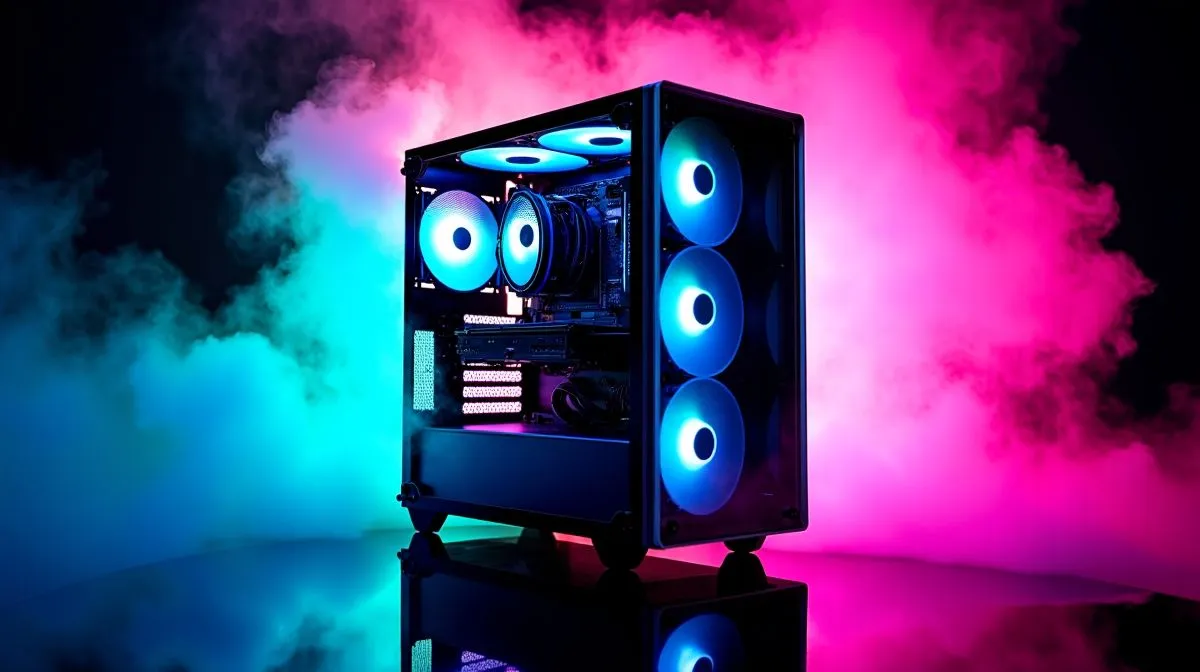
South African streamers: want a showcase‑ready PC that looks as good on camera as your gameplay sounds? A streaming RGB gaming case gives you a broadcast-friendly canvas — clean cable runs, tuned airflow, and addressable LEDs that highlight your GPU and cooling. Whether you record at home in Joburg or stream from Cape Town, the right case turns your rig into a brand asset, not just a box. 🔧✨
Cooling and airflow are non-negotiable. Pick a case with at least three fan mounts and room for a 240mm or 360mm radiator if you plan AIO cooling. Check Evetech’s selection to compare layouts and dimensions before buying — many options balance noise and performance well. ⚡
Cable management separates a polished build from a messy one. Look for a PSU shroud, generous tie points, and 25–30mm routing clearance. Modular or semi-modular PSUs help with tidy runs; sleeved extensions add flair for camera close‑ups. When choosing fans, balance airflow with RGB controllers to avoid PWM conflicts.
Lighting is the personality. Addressable RGB strips and ARGB fans let you sync palettes that match overlays and brand colours. If you prefer understated setups, pick neutral backlighting for soft fill rather than strobing effects. For framable builds, glass panels are a must — but remember tempered glass shows fingerprints fast.
Fractal Design cases are often praised for minimalist layouts and airflow‑focused engineering; they make tidy builds easy and camera friendly.
livestreams, position two small LED strips at opposing angles: one behind the motherboard tray for depth, and one low in front to light GPU side. Test with your webcam at stream resolution to avoid colour clipping.
Budget and value: decent showcase builds start from about R6,000 for a solid mid‑tower and can climb quickly with premium glass or custom panels. If you want ready options under R1,500 for a compact or entry‑level case, browse curated Gamdias models filtered by price to find neat RGB choices without overspending.
For a broader look at RGB options and accessories, see the full Gamdias collection. Practical checks before checkout: confirm radiator width and GPU length, verify PSU form factor, and note front panel connectors for USB‑C or audio passthrough.
Keep airflow unobstructed: dust filters are vital in dusty South African homes and cut down maintenance time. Final styling and filming tips: set your case on a riser to catch desk light, use soft, diffused backlight to avoid reflections on glass, and keep ambient room colour consistent with your stream overlay. These small habits make footage look professionally shot without studio budgets. Also consider a small softbox upgrade. 🚀
Ready to Find Your Perfect Match? The Mac vs Windows debate is complex, but for maximum power, choice, and value in South Africa, Windows is hard to beat. Explore our massive range of laptop specials and find the perfect machine to conquer your world.
A showcase-ready gaming case pairs clear tempered glass, tidy cable routing, and balanced airflow so your RGB and components look clean on camera.
Yes. Look for front intake and support for extra fans or radiators so your CPU and GPU stay cool during long streams with visible RGB.
Very. Strong cable management keeps power and RGB runs hidden behind trays and the back panel, improving both airflow and camera aesthetics.
Tempered glass helps visuals, while a mesh or ventilated front improves airflow. The best streaming cases balance both for stable temps.
Most do, but check for ARGB 3-pin or compatible RGB sync support so your case lighting matches common motherboard ecosystems.
Choose a case that supports your target fan sizes and radiator positions (front/top) with enough clearance for long GPUs and PSU cables.
Use controlled lighting via ARGB headers, avoid harsh reflections on glass, and position fans and LED strips to create even glow.
Yes for creators: you get better cable concealment, clearer visibility, and more cooling flexibility, resulting in a cleaner, cooler streaming PC.
RTX 4060 Ti Throttling Under Load: Temperature. Everything you need to know with SA pricing, step-by-step instructions & expert recommendations.
Read more
Apex Legends Max Settings on RTX 4080. Tested & verified settings for best FPS and visual quality on SA hardware budgets.
Read more
GPU Buying Guide. Everything you need to know with SA pricing, step-by-step instructions & expert recommendations.
Read more
GPU Terms Guide. Everything you need to know with SA pricing, step-by-step instructions & expert recommendations.
Read more
AMD Adrenalin Download & Setup Guide: GPU. Clear setup instructions with SA-specific considerations, troubleshooting tips & recommended components.
Read more
Back-to-School GPU Buying Guide. Everything you need to know with SA pricing, step-by-step instructions & expert recommendations.
Read more
Can RTX 4080 Super Run AI Workloads for SA Developers Detailed answer with SA data, expert analysis & practical recommendations for local buyers.

Can RTX 4090 Run AI Workloads for SA Developers Detailed answer with SA data, expert analysis & practical recommendations for local buyers.

Top Settings for Intel Arc B580 at Ultrawide 1440p picks evaluated on performance, value & SA availability with current Rand pricing from Evetech.

RX 7600 Overclocking Guide: Safe OC Settings for. Real-world benchmark data, FPS numbers & performance analysis. What SA gamers can actually expect.

RTX 4060 CS2 Low Settings at 1080p: FPS Results. Real-world benchmark data, FPS numbers & performance analysis. What SA gamers can actually expect.

Visual Artifacts: Possible GPU Issue Issue #1. Diagnosis steps, proven fixes & when to seek professional help. SA-specific support info included.

Can the RTX 4090 Handle 1440p 144Hz Gaming. Performance testing verdict with real data & practical recommendations for SA buyers.

Top ASUS GPU Under R15000 picks evaluated on performance, value & SA availability with current Rand pricing from Evetech.
RTX 4060 Ti Throttling Under Load: Temperature. Everything you need to know with SA pricing, step-by-step instructions & expert recommendations.
Apex Legends Max Settings on RTX 4080. Tested & verified settings for best FPS and visual quality on SA hardware budgets.
GPU Buying Guide. Everything you need to know with SA pricing, step-by-step instructions & expert recommendations.
GPU Terms Guide. Everything you need to know with SA pricing, step-by-step instructions & expert recommendations.