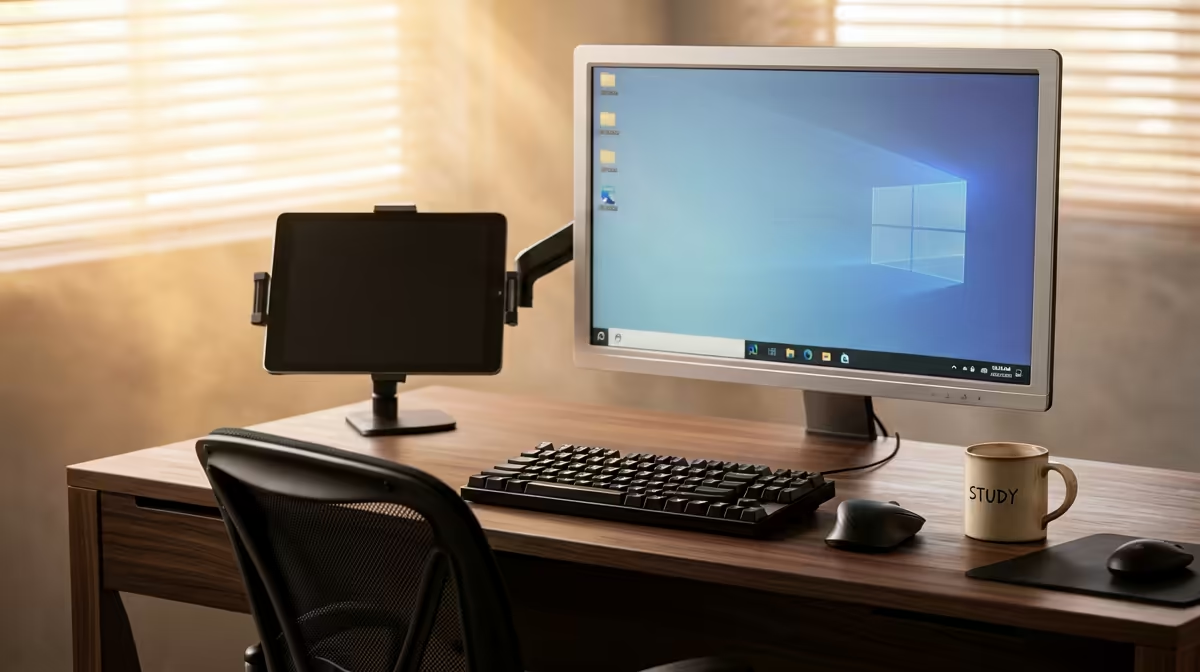
A res room hands you a desk you cannot change: usually fixed to the wall, shallow, and often hollow-core. The most effective ergonomic study desk setup for a student in res works around those limits instead of fighting them, raising your laptop screen to eye level, freeing your hands onto an external keyboard, and reclaiming desk depth with a clamp-mounted arm. No drilling, no swapping furniture, and it packs down when you move out.
Quick Answer
The winning res setup is a laptop riser plus an external keyboard and mouse, finished with a clamp-mounted monitor arm so the screen sits with its upper edge level with your eyes without eating your shallow desk. Aim for the top of the display to reach eye height or a touch below, the keyboard about 10cm to 15cm from the edge, and a screen distance of roughly 50cm to 70cm. Every part clamps or sits on top, so a koshuis or digs desk stays untouched.
Start by Separating Screen and Keyboard
Typing on a laptop forces a compromise: either the screen is too low and your neck bends down, or the keyboard is too high and your wrists strain. A laptop riser breaks that link. Lift the laptop until the upper edge of the display reaches eye height, then drive it with an external keyboard and mouse at desk height. Your neck stays neutral and your forearms settle level at the desk surface, which is the single biggest comfort gain you can make in a small room. Position the keyboard about 10cm to 15cm in from the edge so your wrists have somewhere to rest.
Reclaim Depth With a Clamp-Mounted Arm
Res desks are usually shallow, and a factory monitor stand wastes the depth you do not have. Moving an external monitor onto a clamp-mounted arm frees up roughly a third of your usable desk depth, because nothing rests on the surface. The clamp grips the rear edge, the screen floats above the desk, and you gain room for books and notes.
Check the Desk Edge First
Most arm clamps fit desk thicknesses of roughly 10mm to 33mm, so measure your edge before buying. Many budget and institutional desks are hollow-core, and a heavy arm can compress or crack a thin top over time. If the desk feels light or flexes, slip a steel reinforcement plate under the clamp to spread the load. That one cheap precaution protects the desk you do not own.
Sort the Chair, Not Just the Desk
A great desk height does nothing if you are perched on a hard res chair. Set your seat so your feet are flat and your thighs are roughly parallel to the floor, with elbows close to desk height rather than forced up or down. If the standard chair cannot get there, an adjustable chair does more for long study sessions than almost any other upgrade. The gaming and ergonomic desk range at Evetech covers height-adjustable desks and compact workspace furniture that suit both study and gaming setups.
Lighting and Eye Strain in a Small Room
Res rooms often have a single overhead light that creates glare on whatever screen faces it. Position your monitor so the light source is to your side rather than directly behind or in front of the screen. A small desk lamp angled away from the monitor provides softer ambient light for evening study without washing out the display. Increasing the screen's brightness slightly above its default and enabling any blue-light reduction mode the display offers both help on long nights, because SA university exam periods involve many of them.
Packing Down and Moving Out
One advantage of a fully clamp-based setup is that it dismantles in under ten minutes. When res closes for holidays, the arm unclamps, the riser stacks flat, and the keyboard and mouse slip into a bag. Nothing is fixed to the room, so you carry your ergonomic setup from res to digs to home as your living situation changes across your degree. That portability is a genuine quality-of-life win that a fixed monitor on a factory stand cannot match.
Managing Cables in a Compact Space
A monitor arm and laptop riser between them create several new cables: the monitor's power and video lead, the external keyboard's USB or wireless dongle, and the mouse. In a res room where there is no cable tray under the desk, a few small habits keep the surface tidy. Bundle the monitor's power and video cable together with a velcro tie and run them down the arm's pole rather than letting them hang loose. Place the keyboard and mouse wireless dongle in a rear USB port rather than a front one so it sits out of sight. If your riser has a small shelf or slot underneath, the laptop charger coils there instead of sitting on the desk surface. None of this needs hardware beyond two or three velcro strips, and it makes the desk look intentional rather than improvised, which matters when you are studying for eight hours and visual clutter adds to cognitive load.
Choosing a Mouse That Suits a Shallow Desk
Res desks often have no room for a wide mouse mat. A compact wireless mouse, rather than a full-size wired one, uses less surface and has no cable to drag against the desk edge. For students who primarily type documents and browse, a basic optical wireless mouse is all that is needed and often under R200. Students who also game from the same setup may want a slightly larger mouse with adjustable DPI so it doubles for both tasks without switching hardware. The wireless dongle from a keyboard-and-mouse combo typically plugs into the riser or monitor hub, keeping the USB ports on the laptop free for storage and charging.
Build It in the Right Order
Add the pieces as the budget allows rather than all at once. The riser plus an external keyboard and mouse is the foundation and the cheapest meaningful change. The monitor and arm come next if you want a second screen and more desk space. The chair is the upgrade that pays off across every hour you sit. For a view of which seats other South African students and buyers are choosing, the best-selling desk accessories at Evetech gives a useful snapshot of what other SA students are adding to their study setups.
Frequently Asked Questions
Can I set up an ergonomic desk in res without drilling?
Yes. A laptop riser and external keyboard sit on top of the desk, and a monitor arm clamps to the rear edge, so nothing is screwed into the wall or furniture. The whole setup is removable when you move out.
Will a monitor arm damage a hollow-core res desk?
It can if the top is thin and the arm is heavy. Measure the edge thickness, confirm the clamp range fits, and add a steel reinforcement plate under the clamp to spread the weight on lightweight desks.
How high should my laptop screen sit?
Raise it until the upper edge of the display reaches your seated eye level or just below it, with the screen about 50cm to 70cm away. At that height your neck stays neutral, which is why an external keyboard is essential once the laptop is lifted.
What is the cheapest first upgrade for a student?
A laptop riser paired with an external keyboard and mouse. It fixes the neck-versus-wrist compromise of laptop typing for the least money and needs no other changes to the room.
Do I need a separate monitor at all?
Not necessarily. A riser and external keyboard already deliver most of the ergonomic benefit. Add a monitor on a clamp arm only if you want more screen space and the desk depth a clamp setup frees up.