The ache that creeps in by mid-afternoon is rarely about one bad chair. A working-from-home back-pain setup is a stack of fixes that work together: a desk that lets you alternate sitting and standing, a screen lifted to eye level, and a chair that actually supports your lower back. Get all three aligned and the sustained pressure on your spine that drives desk-related pain finally eases off.
Quick Answer
The best WFH setup for back pain pairs a sit-stand desk with a monitor raised so its upper edge aligns with your eye level or drops fractionally below it, on a chair with proper lumbar support set so your hips are level with or slightly above your knees. Swapping between sitting and standing at intervals through the day is the core move, because no single posture held for hours is good for the spine.
Why Sitting Still Hurts Your Back
The problem is not sitting itself, it is sitting frozen in one position for six or eight hours. A chair that fails to support the natural curve of your lower back lets the spine slump, which increases pressure on the discs and slowly weakens the core muscles meant to hold you upright. The body is built to move, and a desk job removes almost all of that movement. The whole point of a good setup is to reintroduce variety: change of posture, change of height, small shifts in weight, all of which keep the spine from bearing the same load in the same place all day.
This is why people buy an expensive chair and still hurt. The chair is one layer. Without the screen height and the option to stand, the spine is still locked in place.
Layer One: The Sit-Stand Desk
A height-adjustable desk is the foundation because it lets you break the single-posture trap. The benefit comes from alternating, not from standing all day, so the advice is to start with short standing spells and build up gradually rather than swinging to hours on your feet. Standing introduces natural micro-movements -- shifting weight from foot to foot, adjusting your stance, gently engaging the core -- that sitting simply does not allow. A practical rhythm is to sit, then stand for a stretch, then sit again, changing well before any one position starts to ache. Research from Cornell and Penn State suggests keeping seated stretches to around 30 to 45 minutes before a standing break, since even shorter rotations have a measurable effect on reducing low-back discomfort. Keep total standing time sensible rather than extreme, since standing rigid for too long brings its own strain.
Layer Two: Monitor At Eye Level
A low screen is a silent neck and upper-back wrecker. Looking down at a laptop for hours bends the neck forward and drags the upper spine with it. Raise the display until its upper edge is level with your gaze or a touch below, roughly an arm's length away. A screen too low forces the head down, while one too high tilts it back, and both feed into neck and shoulder pain that radiates down. If you work on a laptop, a stand or riser plus an external keyboard is the single cheapest, highest-impact change you can make, because it lets you lift the screen while keeping your hands at a natural typing height.
Layer Three: The Chair And Lower Back
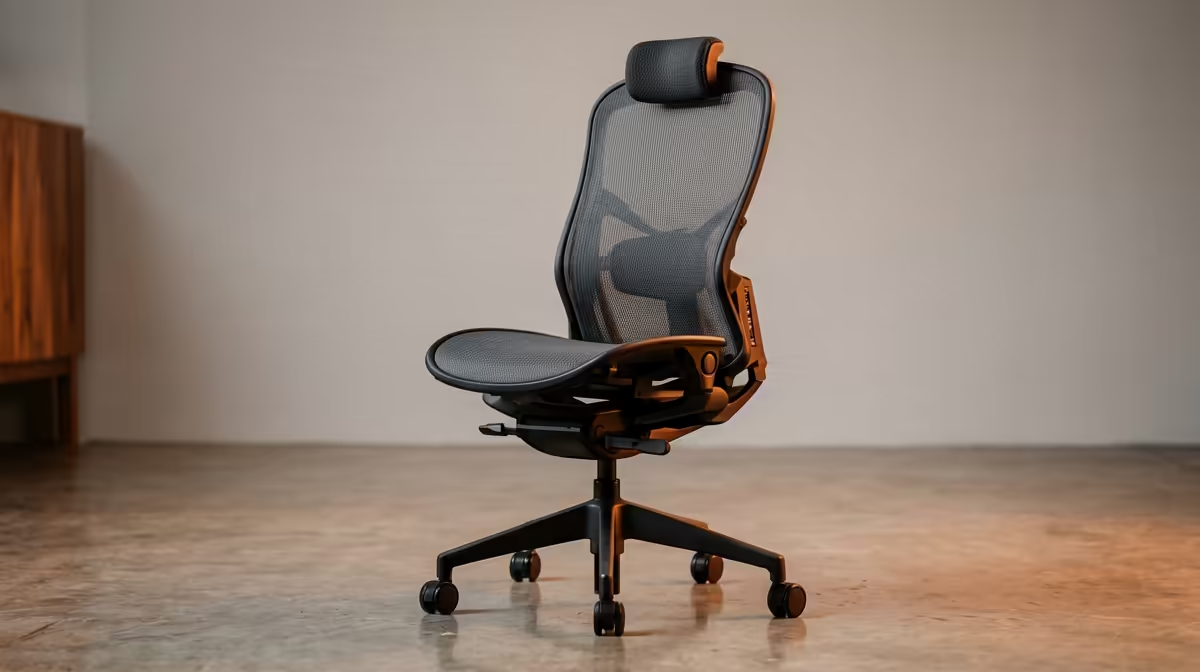
For the hours you are seated, the chair carries the load. Set the seat height so your hips are level with or slightly above your knees and your feet rest flat on the floor or a footrest. The lumbar support should make gentle contact with the small of your back, holding the spine's natural inward curve so you are not slumping to fill the gap. Good adjustability matters more than a flashy shape, since a chair that fits your body beats a generic one every time. The ergonomic and gaming chairs at Evetech include models with adjustable lumbar support built for long sessions, which is exactly the kind of support a desk worker needs.
A footrest and an anti-fatigue mat
Two small additions round out the setup. A footrest helps shorter users keep thighs parallel to the floor when the chair sits a touch high, and an anti-fatigue mat makes standing spells far more comfortable so you actually use the standing mode rather than avoiding it.
Putting It Together On A Budget
You do not need everything at once. If funds are tight, start with the change that fixes your worst symptom: a laptop riser and external keyboard if your neck aches, or a properly supportive chair if your lower back is the issue, then add the sit-stand desk when you can. Building the setup in stages still works because each layer solves a distinct problem.
Track your improvement as you add each layer
It is worth spending a week on just the screen-height fix before adding the next piece. That way you can judge how much each change actually helps before spending more. Most people report the biggest relief from the monitor and keyboard adjustment, with the chair adding the next significant gain and the sit-stand desk providing the movement variety that makes the improvement stick. To see what other home workers are choosing for the chair layer, the best-selling office chairs at Evetech give a useful snapshot of what holds up across long WFH workdays.
Frequently Asked Questions
Does a standing desk fix back pain on its own?
Not by itself. The benefit comes from rotating between sitting and standing at intervals, which keeps the spine from holding one position for hours. Standing all day simply swaps one static posture for another and can cause its own aches.
How high should my monitor be to protect my back?
Set the display so its upper edge is at or very slightly below your eye level, about an arm's length from your face. This keeps your neck neutral instead of bending forward over a low laptop screen, which is a common driver of upper-back and neck strain.
What chair setting matters most for lower back pain?
Lumbar support that gently meets the curve in the small of your back, combined with a seat height that puts your hips level with or just above your knees. Together they stop the slump that increases pressure on your spinal discs.
Can I improve my posture without buying a new desk?
Yes. A laptop riser with an external keyboard and a chair adjusted for proper lumbar support deliver most of the benefit. The sit-stand desk adds the movement layer, but you can stage your purchases over time.
How often should I change position during the day?
Often, well before discomfort sets in. The body dislikes any single posture held for hours, so shifting between sitting and standing and getting up to walk periodically keeps the spine loaded differently throughout the day.
Tired of the afternoon backache? Browse the ergonomic chairs at Evetech and build a home setup that supports your spine through the whole working day.