


AIO Liquid 240mm Setup and Configuration: Complete Tutorial
AIO Liquid 240mm Setup and Configuration. Clear setup instructions with SA-specific considerations, troubleshooting tips & recommended components.
Read moreToo much dust in your PC? Learn how filter design and fan layout affect airflow, dust capture, and cooling performance—so you clean less and run cooler ❄️🧼.
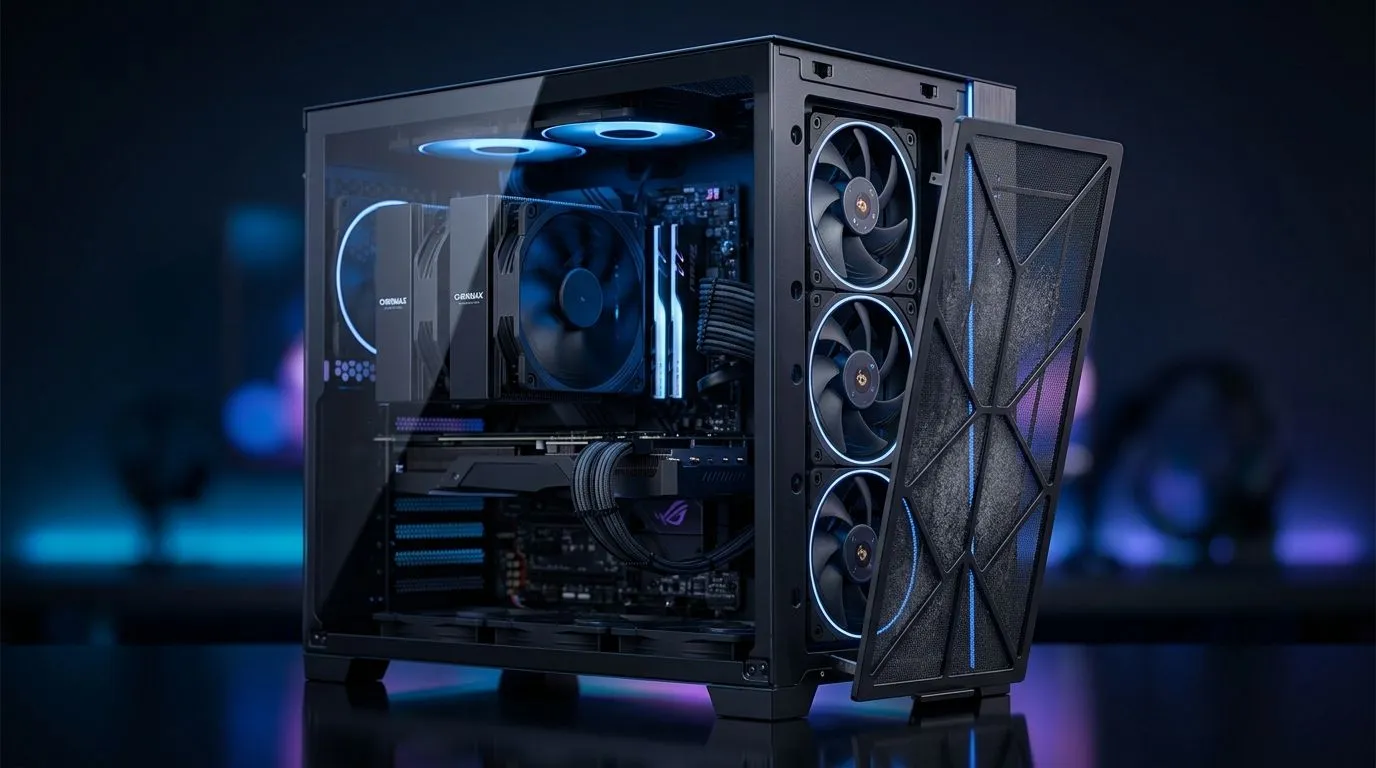
South African gamers know the frustration: your rig’s running hotter and louder. The culprit? Too much dust in your PC is silently choking airflow, causing temps to spike and fans to scream. Dust buildup doesn’t just hurt performance; it reduces hardware lifespan. Tackling dust starts with smart fan layout and quality filter design. Let’s explore expert insights to keep your build clean and cool under any gaming load.
An optimal fan configuration controls airflow direction, pushing dust particles out before they settle on components. The classic setup uses front intake fans drawing cool, filtered air in and rear or top exhaust fans expelling warm air. This positive air pressure reduces dust entering through cracks and openings.
For PC builders in South Africa, especially those near dusty or coastal areas, filtering intake air is crucial. Check out Evetech’s range of computer cases with great airflow designed with strategic fan mounting points and pre-installed dust filters. Proper fan positioning also avoids dead zones inside the case where dust tends to accumulate the most.
More isn’t always better. A balanced system of 2-3 intake fans matched with 1-2 exhaust fans typically keeps dust levels and temperatures in check. Overdo fans and you risk negative pressure, which sucks dust through unfiltered areas.
Dust filters are the unsung heroes in dust management. Look for fine-mesh filters on every intake side of your setup. These trap even microscopic dust without choking airflow. Magnetic or slide-out filters are easier to clean, encouraging regular maintenance.
Evetech stocks Fractal Design PC cases famous for smart filter designs, giving gamers peace of mind with hassle-free dust control. Take preemptive care by scheduling a simple monthly clean with a soft brush or gentle vacuum.
Always clean your dust filters monthly. Clogged filters reduce airflow, making fans work harder and raising temperatures.
One Jozi gamer shared how switching from a budget case with no filters to a Gamdias gaming case with multi-layer filters changed his experience. His previous setup clogged with dust within weeks, forcing frequent deep cleans. Upgrading to a Gamdias case under R1500 meant fewer dust build-ups, quieter fans, and stable fps during marathon sessions. Smart filter placement plus a balanced fan layout made all the difference.
Ready to upgrade? From minimalist sleek builds to fully geared-out gaming rigs, Evetech has Gamdias cases designed with every dust-fighting measure you need.
Optimise Your Gaming Setup Now Don't let dust drag your rig down. Shop now at Evetech for top-tier cases that keep your PC pristine and performing at its best.
Most cases build dust when airflow creates negative pressure. Fan layout and filter coverage can pull unfiltered air in, increasing dust buildup.
Yes. Slight positive pressure (more intake than exhaust) tends to push air out through gaps, lowering dust entry when combined with quality intake filters.
A balanced setup works best: filtered intakes supplying most airflow, then exhaust fans removing hot air. Keep intake consistent to avoid turbulence.
Good filters catch dust but can restrict airflow. Choose appropriate filter material and airflow paths, then clean on schedule to preserve cooling.
For dust-prone setups, filtering key intakes is ideal. Filter all major intake paths first, then monitor temperatures after installation.
Clean more frequently in dusty rooms or with pets. A common approach is a quick monthly check and deeper cleaning every few months, adjusting as needed.
It can. If exhaust dominates, negative pressure can pull dust through unfiltered seams. Align intake and exhaust to maintain controlled pressure.
Not automatically, but cleaner airflow improves heat transfer. Dust filters and fan layout reduce buildup, helping maintain better cooling performance over time.
AIO Liquid 240mm Setup and Configuration. Clear setup instructions with SA-specific considerations, troubleshooting tips & recommended components.
Read more
Setting Up DDR5 64GB Kit. Tested & verified settings for best FPS and visual quality on SA hardware budgets.
Read more
Overwatch 2 Setup Guide Gamers. Clear setup instructions with SA-specific considerations, troubleshooting tips & recommended components.
Read more
R and RStudio on Mac: Data Science Setup Guide. Clear setup instructions with SA-specific considerations, troubleshooting tips & recommended components.
Read more
NVIDIA Broadcast Setup with GPU: Streamer Guide. Clear setup instructions with SA-specific considerations, troubleshooting tips & recommended components.
Read more
Core Ultra 7 265K Temperature Guide: Normal Range. Complete product range with SA pricing, key specs & recommendations for different budgets.
Read more
AMD RX 9050 XT: Rumoured Specs, Price & Release. SA-focused analysis with local pricing data, real-world insights & actionable buying advice.

Can RTX 4080 Super Run AI Workloads for SA Developers Detailed answer with SA data, expert analysis & practical recommendations for local buyers.

Can RTX 4090 Run AI Workloads for SA Developers Detailed answer with SA data, expert analysis & practical recommendations for local buyers.

Top Settings for Intel Arc B580 at Ultrawide 1440p picks evaluated on performance, value & SA availability with current Rand pricing from Evetech.

RTX 4060 CS2 Low Settings at 1080p: FPS Results. Real-world benchmark data, FPS numbers & performance analysis. What SA gamers can actually expect.

Visual Artifacts: Possible GPU Issue Issue #1. Diagnosis steps, proven fixes & when to seek professional help. SA-specific support info included.

Can the RTX 4090 Handle 1440p 144Hz Gaming. Performance testing verdict with real data & practical recommendations for SA buyers.

Top ASUS GPU Under R15000 picks evaluated on performance, value & SA availability with current Rand pricing from Evetech.

GTA 6 Max Settings on RTX 5070. Tested & verified settings for best FPS and visual quality on SA hardware budgets.

Cyberpunk 2077 Max Settings on RTX 5080. Tested & verified settings for best FPS and visual quality on SA hardware budgets.

Starfield Max Settings on RTX 5070 Ti. Tested & verified settings for best FPS and visual quality on SA hardware budgets.

Top RTX 5090 Under R5000 picks evaluated on performance, value & SA availability with current Rand pricing from Evetech.