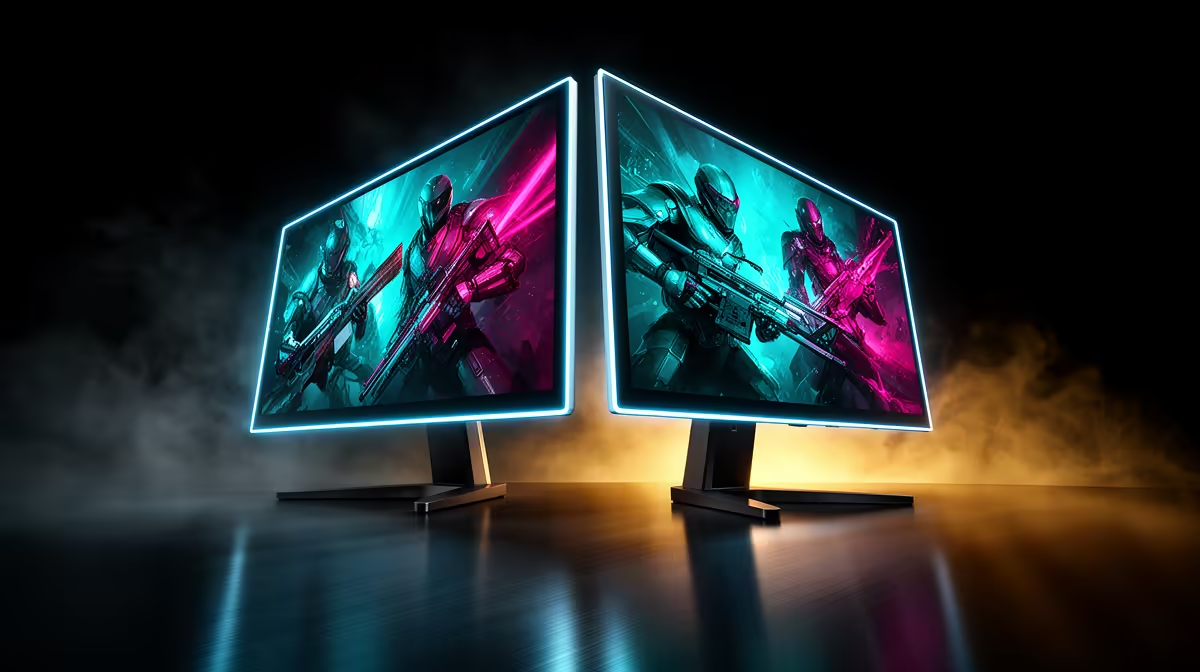
An ultrawide removes the central bezel and gives one window or game a broad canvas. Two monitors give each task a physical border and let one screen stay independent while the other changes. Neither arrangement owns productivity. The best ultrawide vs dual monitor setup is the one that matches how your windows move through a real workday and how your games handle a wider aspect ratio.
Quick Answer
Choose a 34-inch 3440x1440 ultrawide for immersive supported games, wide timelines and a clean single-screen desk. Choose dual monitors when you need a hard split between game and chat, frequently share one screen or want portrait beside landscape. An ultrawide carries more GPU load than standard 1440p but less than 4K at the common QHD format. Evetech's July 2026 in-stock gaming-monitor sample centred on R4,499, a dated single-screen reference before comparing one premium ultrawide with two separate panels and their mounting cost.
🌄 Ultrawide makes one task feel expansive
A 34-inch 3440x1440 screen gives a racing cockpit, strategy map or supported shooter more horizontal view. There is no bezel through the centre, and a gentle curve can keep the edges comfortable from a close chair.
Work applications benefit when their canvas stretches. Video timelines, audio tracks and wide spreadsheets can stay visible without a divider. Windows snapping tools let you create two or three zones for ordinary apps.
The common resolution renders nearly five million pixels, around a third above 2560x1440. Benchmark the GPU at the exact ultrawide mode instead of borrowing standard QHD results.
Use Evetech's monitor range to compare ultrawide resolution, curve and stand depth.
🪟 Dual monitors preserve independent spaces
Put a full-screen game on the primary and Discord, a stream preview or a guide on the second. The side screen can rotate to portrait, use a different input or remain visible while a full-screen application takes over the main display.
That hard border helps people who think in separate workspaces. A document can stay maximised while the reference keeps its own screen. During a call, sharing one monitor avoids showing the private notes on the other.
Two stands consume depth and create a central or off-centre bezel. A dual arm can bring the edges together and reclaim space, subject to desk strength and panel weight.
🎮 Check whether your games support the aspect ratio
Many PC games handle 21:9 well. Others place black bars around cutscenes, stretch interface elements or lock competitive field of view. Consoles generally output 16:9, leaving side bars on a standard ultrawide.
Search the support behaviour for the specific games you play. If one title dominates every evening and handles ultrawide poorly, the wide screen's strongest benefit disappears. Dual 16:9 monitors keep the game on a familiar panel.
🧑💻 Recreate your busiest work hour
Write down the windows open during a real deadline. An ultrawide suits three related panes that you move between constantly. Dual displays suit a stable primary task beside persistent reference or communications.
Screen-sharing is a practical divider. Sharing an entire 3440-pixel-wide desktop can make text tiny for colleagues. Sharing one application works, but menus or pop-ups may appear outside the captured region. Dual screens make whole-monitor sharing straightforward.
Spend a day imitating the ultrawide with snapping zones on the monitors you already own. Give the main task half the total width and place two supporting windows beside it. Notice whether you keep resizing panes or leave the same arrangement untouched.
Then try the dual-screen version with one display dedicated to reference material. If your pointer and attention cross the boundary constantly, one continuous canvas may feel calmer. If the separation helps you stop notifications invading the main task, two screens have already proven their advantage.
📐 Measure width and depth with the stands included
A 34-inch ultrawide is wide, but two 27-inch monitors are wider still. The ultrawide stand may project far forward and steal keyboard space; separate stands can do the same twice.
Mark panel edges and stand feet on the desk. Add speakers, microphone and laptop. If using arms, check VESA support and weight ratings. An ultrawide arm often needs a stronger rating than its diagonal alone suggests.
Evetech's monitor best-sellers provide current local dimensions to place into that desk plan.
🔌 Compare inputs and device switching
An ultrawide with picture-by-picture can display two computers side by side, acting like two logical areas. Confirm the resolution and refresh available to each half, because gaming features may be restricted in that mode.
Dual screens can each belong to a different machine or switch independently. A KVM reduces peripheral clutter, while Windows display profiles help when a laptop leaves the desk.
Check webcam placement as well. A camera centred above an ultrawide keeps eye contact aligned with the whole desk; between two monitors it can sit over the bezel, but the active call window may be far to one side. The best mounting point follows where faces actually appear.
💰 Price the whole structure
One ultrawide needs one cable and one stand, but premium curved or OLED models can be expensive. Two mainstream monitors may cost less or more depending on panel quality, and a capable dual arm changes the total.
Compare equivalent quality. One excellent ultrawide against two bargain screens is a different decision from one entry wide panel against a strong primary plus a modest side display.
Frequently Asked Questions
Is ultrawide better for gaming immersion than dual monitors?
Usually in games with good 21:9 support, because the picture remains continuous and fills more horizontal vision.
Which is better for spreadsheet-heavy work, ultrawide or dual?
Ultrawide suits one very wide sheet; dual monitors suit a sheet beside a separate reference or communication screen.
Does every game support ultrawide resolutions properly?
No. Check aspect ratio, cutscenes, interface and field-of-view behaviour in your regular titles.
Is an ultrawide monitor more expensive than two smaller monitors?
It can be, especially with premium panels. Compare panel quality, stands or arms and required cables in the total.
Does dual monitor setup need less desk depth than ultrawide?
Not automatically. Stand footprints and arm placement decide depth, while dual monitors normally need more total width.
Which suits streaming better, ultrawide or dual?
Dual monitors make it easy to keep the game and streaming controls separate. Ultrawide can work with careful window zones and capture settings.
Can I use one ultrawide as if it were two monitors?
Window snapping can create zones, and picture-by-picture can accept two inputs. Some full-screen and sharing behaviour remains different from two physical displays.
Choosing between one uninterrupted canvas and two windows that stay out of each other's way?
Compare ultrawide and standard monitors at Evetech after mapping one real work hour, your key games and the full desk footprint.