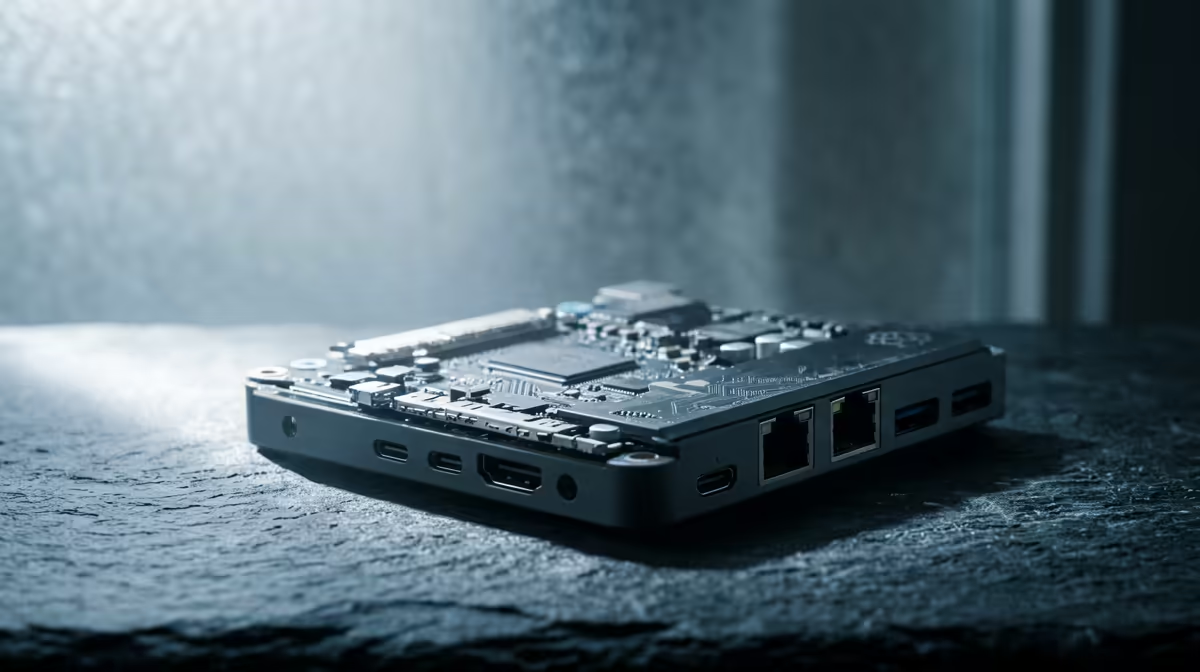
A credit-card-sized board sitting in a cupboard can quietly run your network ad-blocking, your file storage and your private VPN, all for a few watts of power. Using a Raspberry Pi as a home server has gone from a fiddly hobby to a genuinely reliable setup, especially on the Pi 5, which finally fixes the weakest link in older boards: storage.
Quick Answer
A Pi 5 makes the best home server because it exposes a PCIe 2.0 lane through an M.2 HAT+, letting you boot from a proper NVMe SSD instead of a fragile microSD card. Running Pi-hole, a small NAS or a VPN costs only a few watts at idle, so the board can stay on around the clock for very little on your electricity bill.
Why the Pi 5 Changes the Game for Storage
The classic Pi weakness was the microSD card. Cards are fine for casual use, but a server writes logs and data constantly, and microSD cards wear out and corrupt under that load. Rebuilding a server because the card died at 2am is the experience that put many people off.
The Pi 5 adds a single PCIe 2.0 lane, and an M.2 HAT+ board breaks that out into a standard NVMe slot. With an SSD as the boot and storage drive, the Pi reads and writes far faster and survives years of continuous logging that would have killed a card. This is the upgrade that turns the Pi from a toy server into something you can actually rely on.
What you need to get started
- A Raspberry Pi 5 with an official power supply, since a server that resets under load is no server at all.
- An M.2 HAT+ and a compatible NVMe SSD for reliable storage.
- A wired Ethernet connection, which is steadier than wireless for an always-on box.
- A case with active cooling, because a Pi under sustained load runs warmer than one doing nothing.
Pi-hole: Network-Wide Ad Blocking
Pi-hole is the project that sells most people on a home server. It acts as your network's DNS resolver and blocks ad and tracker domains for every device on your home network, phones and smart TVs included, without installing anything on those devices. You point your router's DNS at the Pi and it filters everything automatically.
It barely touches the processor, so it leaves plenty of room to run other services at the same time. For many homes this single use justifies the whole build.
A Home NAS for Your Files
With an NVMe drive or an external USB disk attached, the Pi can serve files across your home as a small network-attached storage box. Software such as Samba shares folders to Windows and other machines, giving you a central place for documents, photos and backups that lives in your house rather than on a subscription cloud.
It will not match a dedicated multi-bay NAS for raw throughput or huge capacity, but for backups and everyday file sharing on a home network it is more than capable, and the running cost is trivial.
Adding a VPN for remote access
A Pi running a lightweight VPN server, such as a WireGuard-based setup, lets you reach your home network securely from anywhere. You can stream from your NAS, manage your services, or simply browse through your home connection while travelling. Because the Pi sips power, leaving it on permanently to accept those connections is painless.
Running It All Together
The quiet strength of a Pi server is stacking these jobs. A single board can run Pi-hole, a NAS share and a VPN at once, and tools like Docker let you add or remove services in tidy containers without breaking the others. Start with one role you actually want, get it stable, then layer the next on top once you are comfortable.
Why Docker makes this easier than it sounds
Docker runs each service in an isolated container with its own dependencies, so Pi-hole, Samba and WireGuard do not conflict with each other's packages. Adding a new service is a single command; removing one leaves nothing behind. Portainer, a lightweight browser-based Docker manager, lets you monitor all running containers, check logs and restart services from your phone without opening a terminal. For a beginner who is nervous about breaking a working setup, this separation is reassuring: stopping one container does not take down the rest.
A well-organised Pi 5 running Pi-hole, a Samba NAS and WireGuard via Docker idles at around four to six watts. Under moderate load, such as a file transfer and Pi-hole processing queries simultaneously, it typically stays below ten watts. Over a full month of continuous operation, that adds only a few rand to the electricity bill at South African tariff rates, which is the core reason a Pi server makes financial sense compared with leaving a full desktop running around the clock.
Keeping it reliable: backups and monitoring
An always-on server is only as useful as its uptime. Two practices matter most for a Pi home server. First, schedule regular backups of your configuration files and data to an external drive or a second location. The NVMe drive is far more reliable than microSD, but drives still fail, and a container configuration file is quick to back up and painful to recreate from memory. Second, set up a simple health monitor. Tools like Uptime Kuma run as a Docker container and send a notification to your phone if a service goes down, which means you find out about a problem before you need the service rather than when you cannot reach it from a hotel room.
If you find the Pi running out of headroom for heavier tasks like media transcoding, a small x86 mini PC is the natural next step up, and it is worth seeing how the mini PCs at Evetech compare on power and performance for a beefier home server. For most starter projects, though, the Pi is the cheaper and more power-efficient route, and you can weigh full small-form-factor builds against it on the PC best sellers list.
Frequently Asked Questions
Do I really need an SSD, or is microSD fine?
You can start on microSD, but for an always-on server an NVMe SSD via the M.2 HAT+ is strongly recommended. Constant logging wears out cards over time, and an SSD is far more durable and noticeably faster.
How much power does a Pi home server use?
Very little. A Pi 5 idles at only a few watts and rises modestly under load, so leaving it running continuously adds only a small amount to your monthly electricity cost compared with a full desktop.
Can one Pi run Pi-hole, a NAS and a VPN at the same time?
Yes. These services are light enough to coexist on a Pi 5, especially with an SSD. Using Docker keeps each service isolated so you can update or remove one without disturbing the others.
When should I move up from a Pi to a mini PC?
When you want heavier workloads such as media transcoding, running several virtual machines, or serving many users at once. At that point a low-power x86 mini PC gives you the extra horsepower while still staying compact and quiet.
Is a Pi server hard to set up for a beginner?
The basics are approachable. Raspberry Pi OS and one-line installers for Pi-hole make the first project straightforward, and you can grow your skills by adding services one at a time rather than tackling everything at once.
Planning an always-on home server? Compare a Pi build against compact x86 options in the mini PC range at Evetech and pick the right amount of power for your projects.