


Complete Guide: Setting Up AIO Liquid 420mm
Setting Up AIO Liquid 420mm. Tested & verified settings for best FPS and visual quality on SA hardware budgets.
Read moreValorant Max Settings on RTX 5070 Ti. Tested & verified settings for best FPS and visual quality on SA hardware budgets.
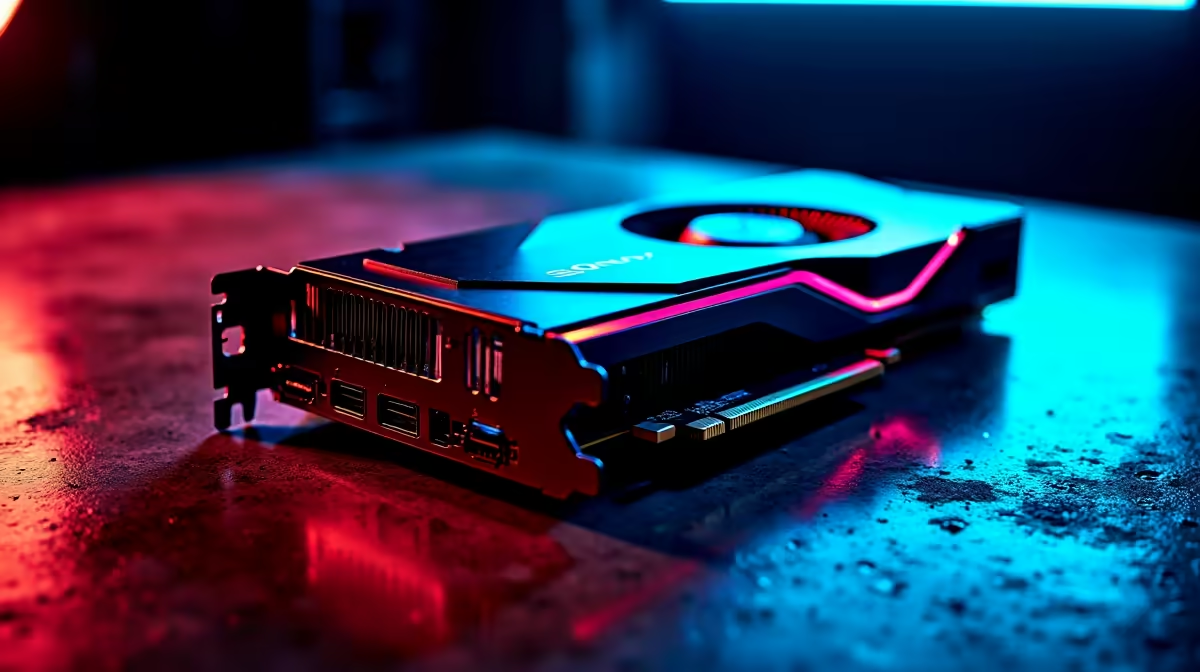
The RTX 5070 Ti can run Valorant at max settings (Epic quality, 1440p) at well above 240fps - often pushing 400fps or more. The card is dramatically overpowered for Valorant, which is a CPU-bound, low-spec esports title. The key is pairing the GPU with a high-refresh-rate monitor and a strong CPU to eliminate bottlenecks.
Valorant is designed to run on a huge range of hardware - it can hit 60fps on integrated graphics. On a purpose-built gaming PC with an RTX 5070 Ti, you are looking at framerates that far exceed what most monitors can display. The GPU itself contributes less to raw Valorant fps than your CPU and RAM. However, the RTX 5070 Ti becomes valuable in Valorant when you enable NVIDIA Reflex Ultra, which minimises system latency and keeps your shots registering faster than your opponents'. In the South African competitive scene, where LAN events and Riot-official servers introduce real ping variability, low latency hardware gives a measurable edge.
For competitive Valorant on an RTX 5070 Ti, use these settings:
Pair the RTX 5070 Ti with a high-refresh-rate gaming PC setup to fully unlock what the GPU delivers.
Valorant's fps ceiling is almost entirely set by your CPU. An RTX 5070 Ti paired with an Intel Core i5 mid-range CPU will see lower fps than the same GPU paired with a Core i9 or Ryzen 9. For South African gamers running 360Hz or 540Hz monitors, investing in CPU and RAM speed - fast DDR5 in dual-channel at XMP profile - is what closes the gap to maximum theoretical fps. Ensure your system is running Windows 11 with the latest NVIDIA Game Ready Driver and that Hardware-Accelerated GPU Scheduling (HAGS) is enabled for Reflex to work at full effectiveness.
Does the RTX 5070 Ti support DLSS in Valorant? Valorant does not natively support DLSS. The game's engine uses its own upscaling and you will not find DLSS in the in-game settings. NVIDIA Reflex is the primary RTX feature relevant to Valorant.
Should I use fullscreen or windowed fullscreen in Valorant on RTX 5070 Ti? Always use exclusive fullscreen for the lowest possible latency. Windowed Fullscreen routes the frame through the desktop compositor, adding unnecessary input lag.
What refresh rate monitor should I pair with an RTX 5070 Ti for Valorant? A 360Hz 1080p monitor is the sweet spot. The RTX 5070 Ti can sustain framerates above 360fps at 1080p Low settings, meaning you will never drop below your monitor's refresh rate during intense moments.
Valorant Max Settings on RTX 5070 Ti: Co available at Evetech.co.za with local warranty and fast delivery.
Valorant Max Settings on RTX 5070 Ti: Co - check Evetech for latest stock and SA pricing.
Depends on your use case. Valorant Max Settings on RTX 5 offers good value at current Rand pricing.
Setting Up AIO Liquid 420mm. Tested & verified settings for best FPS and visual quality on SA hardware budgets.
Read more
Intel XTU Download & Setup Guide: Intel CPU. Clear setup instructions with SA-specific considerations, troubleshooting tips & recommended components.
Read more
Cyberpunk 2077 Max Settings on RTX 4090. Tested & verified settings for best FPS and visual quality on SA hardware budgets.
Read more
The Complete Guide to GPU. Everything you need to know with SA pricing, step-by-step instructions & expert recommendations.
Read more
NVCleanstall Download & Setup Guide: NVIDIA. Clear setup instructions with SA-specific considerations, troubleshooting tips & recommended components.
Read more
to Driver Installation for Beginners. Everything you need to know with SA pricing, step-by-step instructions & expert recommendations.
Read more
AMD RX 9050 XT: Rumoured Specs, Price & Release. SA-focused analysis with local pricing data, real-world insights & actionable buying advice.

Can RTX 4080 Super Run AI Workloads for SA Developers Detailed answer with SA data, expert analysis & practical recommendations for local buyers.

Can RTX 4090 Run AI Workloads for SA Developers Detailed answer with SA data, expert analysis & practical recommendations for local buyers.

Top Settings for Intel Arc B580 at Ultrawide 1440p picks evaluated on performance, value & SA availability with current Rand pricing from Evetech.

RTX 4060 CS2 Low Settings at 1080p: FPS Results. Real-world benchmark data, FPS numbers & performance analysis. What SA gamers can actually expect.

Visual Artifacts: Possible GPU Issue Issue #1. Diagnosis steps, proven fixes & when to seek professional help. SA-specific support info included.

Can the RTX 4090 Handle 1440p 144Hz Gaming. Performance testing verdict with real data & practical recommendations for SA buyers.

Top ASUS GPU Under R15000 picks evaluated on performance, value & SA availability with current Rand pricing from Evetech.

GTA 6 Max Settings on RTX 5070. Tested & verified settings for best FPS and visual quality on SA hardware budgets.

Cyberpunk 2077 Max Settings on RTX 5080. Tested & verified settings for best FPS and visual quality on SA hardware budgets.

Starfield Max Settings on RTX 5070 Ti. Tested & verified settings for best FPS and visual quality on SA hardware budgets.

Top RTX 5090 Under R5000 picks evaluated on performance, value & SA availability with current Rand pricing from Evetech.