


Black Myth: Wukong 2 Ultrawide Support: 21:9 and 32:9 Setup Guide
Black Myth: Wukong 2 Ultrawide Support: 21:9 and. Clear setup instructions with SA-specific considerations, troubleshooting tips & recommended components.
Read moreLearn VESA 75x75 and 100x100 mount compatibility so your gaming monitor arm fits perfectly. Avoid wobble, missing holes, and bad adapters. ✅🛠️ Get the checklist, specs, and quick fixes.
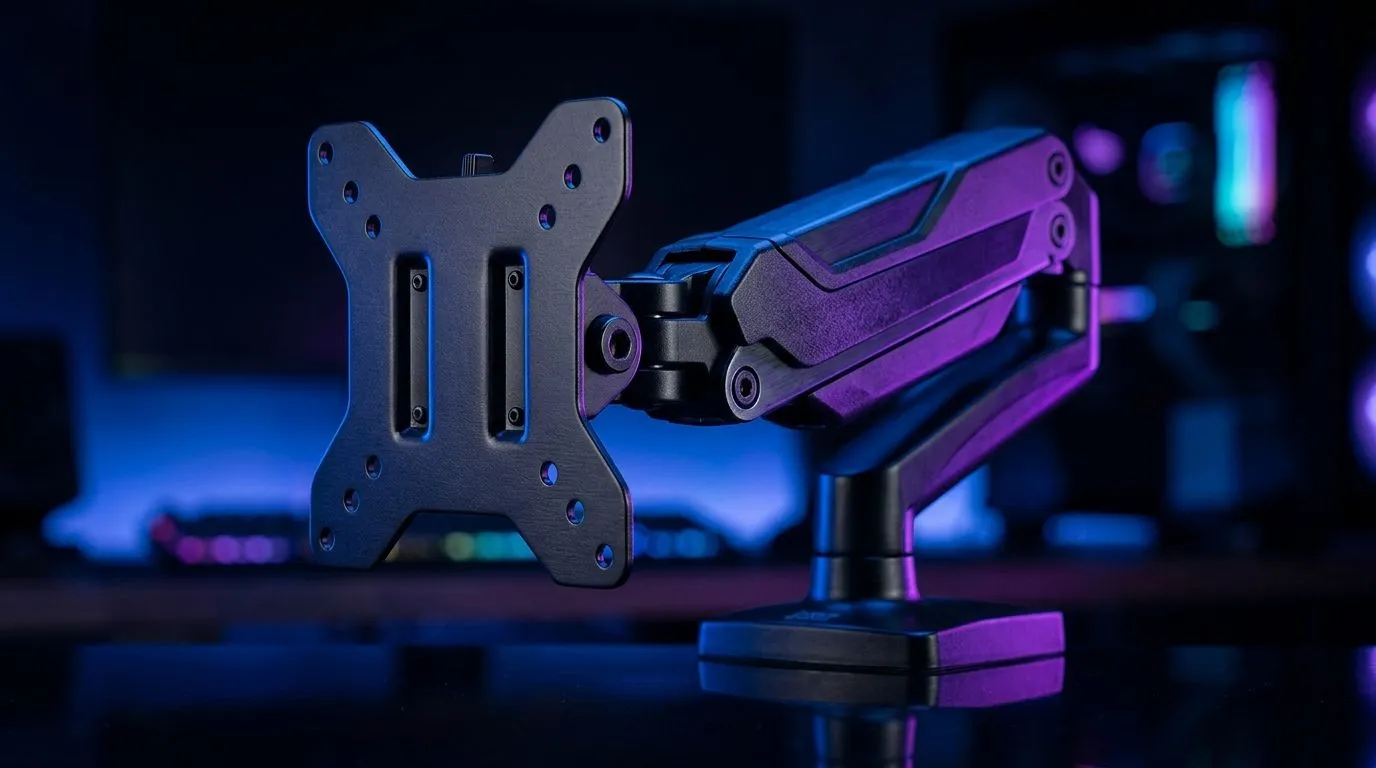
South African gamers and tech buyers, are you confused about which VESA mount fits your screen? Whether you’re upgrading your battlestation or building from scratch, knowing the difference between VESA 75x75 and 100x100 can save you time and frustration. These mounting standards dictate which brackets or arms your monitor supports, and getting it right means cleaner setup and optimal ergonomics 🚀.
VESA stands for Video Electronics Standards Association. The numbers 75x75 and 100x100 refer to the millimetre spacing of the screw holes on your monitor's back panel.
Why fuss over these details? Your choice affects which mounting arms, stands, or wall mounts fit your display. The right VESA compatibility unlocks better desk space management and enhances your gaming comfort—especially with flexible setups like those available in premium gaming desks.
Most manufacturers list VESA compatibility clearly. If you own a gaming monitor from popular brands, check its manual or sticker on the back for “VESA 75x75” or “VESA 100x100.” It’s a small detail, but one that affects the entire rig. Yes, double-checking saves headaches!
Planning a dual or triple monitor setup? Many gamers delight in using adjustable mounts designed for these standard sizes, like those you’ll find in the Arrozi gaming setups range — ideal for that immersive multi-display experience.
Remember, your monitor’s VESA size isn’t the only factor. Weight limits and mount quality matter just as much. Here’s a quick checklist to consider:
Use a monitor arm with both 75x75 and 100x100 mounting plates. It saves money if you upgrade monitors later!
Choosing the right VESA mount size boosts more than convenience—it vastly improves your gaming posture. The ability to adjust your monitor height and angle reduces neck strain during extended play. Plus, combined with a good desk and chair, your entire setup works harmoniously for peak focus and performance.
Whether you want to free up desk space or create a sleek multi-monitor rig, knowing your VESA 75x75 or 100x100 specs is the first step to a custom setup that’s both functional and stylish.
Upgrade Your Rig Smartly Discover the perfect monitor mounts, desks, and chairs tailored for South African gamers. Shop now at Evetech for performance that leaves lag in the dust.
VESA 75x75 and 100x100 describe the bolt-hole patterns in millimeters on your monitor, used to match a gaming monitor arm.
Look for the VESA label on the back or measure bolt-hole distance center-to-center. Your pattern will match 75x75 or 100x100.
Often yes if the arm supports both or uses a universal plate, but it depends on hole pattern coverage. Check the arm’s VESA spec.
Usually not without an adapter or plate, because the 100x100 spacing won’t line up with 75x75 mounting holes.
You need an adapter when your monitor and arm patterns don’t match exactly (for example, VESA 100x100 to a 75x75-only arm).
Weight rating, screen size, and mounting hardware. A correct VESA pattern still fails if the arm can’t support your monitor weight.
Use the correct VESA screws length, tighten evenly, and confirm the adapter plate aligns fully. Recheck after the first few days.
Review the product listing for supported VESA patterns like 75x75 and 100x100, plus weight capacity and included mounting hardware.
Black Myth: Wukong 2 Ultrawide Support: 21:9 and. Clear setup instructions with SA-specific considerations, troubleshooting tips & recommended components.
Read more
Setting Up HDMI 2.1 Cable. Tested & verified settings for best FPS and visual quality on SA hardware budgets.
Read more
Every spec on PCIe 5.0 explained in plain English. What matters for gaming and creator work in 2026, what's marketing fluff, and how each number translates to real-world performance.

A head-to-head look at WiFi 7: real-world performance, ZAR pricing and which option delivers better value for SA builders. The clear answer — no fluff.

Everything you need to set up and tune PCIe 5.0 properly: the prep work, the settings that actually matter, and the mistakes to skip. Written for SA builders in 2026.

Everything you need to set up and tune X870E Motherboard properly: the prep work, the settings that actually matter, and the mistakes to skip. Written for SA builders in 2026.

Wondering what a 512GB SSD capacity really holds? This guide breaks down how many games, photos, and documents fit on 512GB, with real-world ranges 📦💾

Every spec on vrm explained in plain English. What matters for gaming and creator work in 2026, what's marketing fluff, and how each number translates to real-world performance.

Every spec on motherboard explained in plain English. What matters for gaming and creator work in 2026, what's marketing fluff, and how each number translates to real-world performance.

Premium vs Midrange Motherboards in South Africa: real-world performance, SA pricing, power draw and which one delivers better value for your build for SA buyers. The clear answer — without the fluff.
Wondering what a 512GB SSD capacity really holds? This guide breaks down how many games, photos, and documents fit on 512GB, with real-world ranges 📦💾
Every spec on PCIe 5.0 explained in plain English. What matters for gaming and creator work in 2026, what's marketing fluff, and how each number translates to real-world performance.
A head-to-head look at WiFi 7: real-world performance, ZAR pricing and which option delivers better value for SA builders. The clear answer — no fluff.

Every spec on USB4 explained in plain English. What matters for gaming and creator work in 2026, what's marketing fluff, and how each number translates to real-world performance.