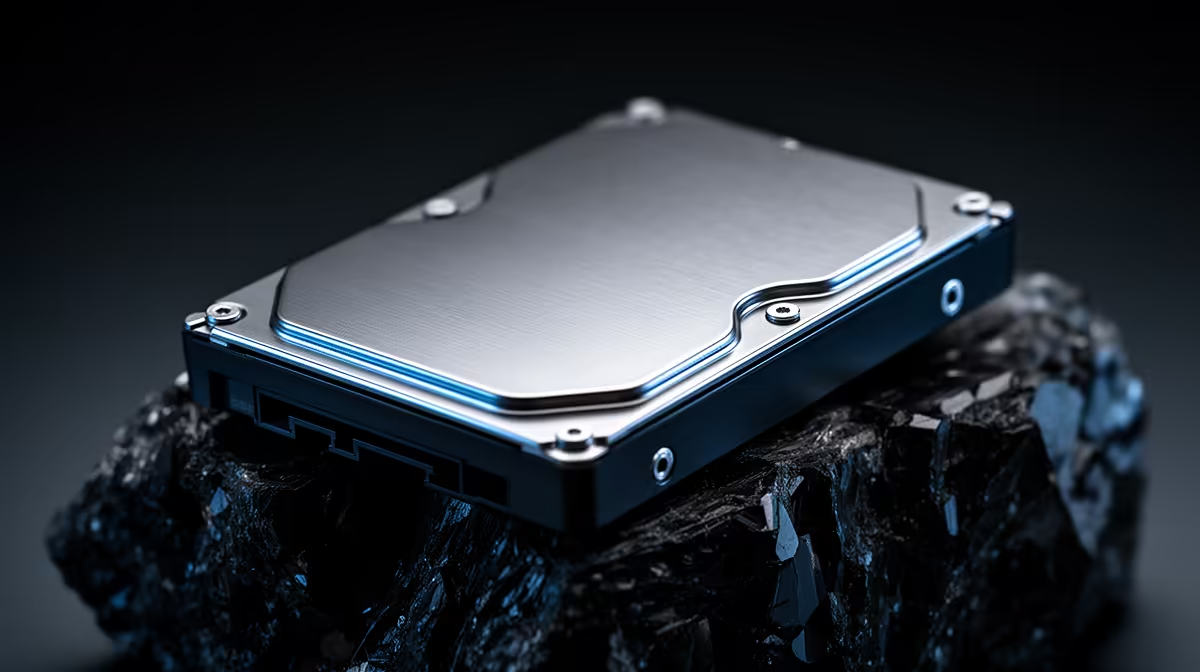
Building or refreshing a network-attached storage box in 2026 usually comes down to two drive families that have dominated the category for years. The WD Red Plus vs Seagate IronWolf decision is genuinely close, because both run conventional magnetic recording, both carry the same 180TB-per-year workload rating, and both quote a million-hour mean time between failures. The differences are real but narrow, and they show up in heat, noise, spin speed, and the diagnostic software each brand bundles.
Quick Answer
For a quiet, cooler-running home NAS, WD Red Plus has the edge on acoustics and power draw. For a power user who wants drive-health telemetry baked into Synology or QNAP, Seagate IronWolf wins thanks to IronWolf Health Management. Both are CMR, both are rated for 180TB/year, and both are the right kind of drive for a multi-bay NAS.
What Both Drives Get Right
The single most important thing about either of these drives is what they are not: they are not shingled (SMR) drives. Both the Red Plus and the entry IronWolf use conventional magnetic recording, which writes tracks side by side rather than overlapping them. CMR matters enormously in a NAS because rebuilding a RAID array hammers the disk with sustained random writes, and SMR drives choke under that load. Choosing either of these ranges means you have already sidestepped the worst mistake a NAS builder can make.
They also share the headline reliability numbers. Both carry a 180TB-per-year workload rating on their mainstream models, a one-million-hour MTBF figure, and multi-bay vibration tolerance designed for drives packed close together in a chassis. For a typical two-to-four-bay home or small-office NAS, both will comfortably outlast the array they live in.
Heat, Noise, and Power
This is where WD Red Plus quietly pulls ahead. Across the current product stacks, WD holds a small but consistent advantage in both idle and seek acoustics, and the gap widens in multi-bay deployments where vibration and background noise stack up over time. If your NAS sits in a study, a lounge media cabinet, or a bedroom, those few decibels are the difference between a box you forget about and one you notice every evening.
WD also tends to draw slightly less power at equivalent capacities. In a four-bay enclosure running around the clock, that lower consumption adds up over a year and keeps the drives cooler, which in turn helps longevity. None of this is dramatic, but for an appliance that runs continuously, the cooler and quieter drive is the more comfortable long-term housemate.
Spin Speed Nuance
The entry-level Red Plus and IronWolf models both spin at 5400 RPM class speeds, which is part of why they stay cool and quiet. Step up into the Pro tiers and both brands move to 7200 RPM with 256MB cache for higher sustained throughput, at the cost of more heat and noise. For most home libraries serving media and backups, the slower, cooler entry drives are plenty; the faster Pro drives earn their keep in busier multi-user or virtualisation setups.
Health Tools and Capacity
Seagate's standout feature is IronWolf Health Management, firmware that integrates with compatible Synology and QNAP systems to surface drive-health status and early failure warnings inside the NAS dashboard. If you are the kind of user who checks SMART data and wants the NAS itself flagging a drive before it dies, IHM is a genuine reason to lean Seagate. Seagate also tends to push higher maximum capacities into the consumer and prosumer space and bundles a rescue data-recovery service on many of its NAS models.
WD does not offer an equivalent integrated health dashboard, relying instead on standard SMART reporting that any NAS reads. That is perfectly adequate, but it is reactive rather than proactive. If telemetry and predictive warnings matter to you, that tips the scales toward IronWolf.
Warranty, Capacity, and Buying Smart
The standard Red Plus and IronWolf drives both carry three-year warranties, while the Pro tiers extend that to five years, which is part of what you pay extra for in the higher range. For a home NAS that runs continuously, the warranty length is worth weighing, because a drive that fails inside its cover is a free replacement rather than an unplanned spend.
Capacity planning should come before brand loyalty. Seagate tends to push larger single-drive capacities into the consumer space, so if you want the most storage per bay in a smaller enclosure, IronWolf often has the edge on maximum size. WD's range is broad too, but the headline very-large capacities frequently appear on the Seagate side first.
Matching Drives to Your Workload
Think honestly about what the NAS will do day to day. A box that mostly stores media, serves the occasional movie, and holds backups barely stresses either drive, so the cooler, quieter, cheaper option wins. A NAS running several users, virtual machines, or surveillance recording works the disks far harder, and that is where the 7200 RPM Pro drives, with their higher workload ratings and five-year cover, start to justify their premium.
The mistake to avoid is over-buying. Many home users reach for Pro drives they never push hard, paying for noise and heat they did not need. Match the drive tier to the actual workload, and in most homes the standard Red Plus or IronWolf is exactly right.
Which One Fits Your NAS
Pick WD Red Plus if your priorities are a silent, cool, low-power box that you set up and forget, especially in a living space where noise carries. Pick Seagate IronWolf if you actively manage your storage, want health telemetry surfaced inside your NAS OS, or need the larger single-drive capacities Seagate offers. Either way, buy two or more matched drives from the same range so your RAID array behaves predictably.
Plan capacity before you plan brand. A pair of mirrored 4TB drives behaves very differently from four 8TB drives in RAID 5, and the right drive count shapes the rest of your build. The current diskless NAS and storage enclosures at Evetech show which chassis pair well with these drives, and if part of your library lives on flash for fast access, the solid-state drive best sellers cover cache and cold-storage SSD options alongside the spinning disks.
Frequently Asked Questions
Are WD Red Plus and Seagate IronWolf both CMR?
Yes. The Red Plus and the standard IronWolf both use conventional magnetic recording, which is what you want for a NAS. Avoid the plain WD Red (non-Plus) older SMR models, which were the source of much of the SMR controversy in NAS circles.
Which is quieter for a home NAS?
WD Red Plus generally runs quieter and cooler at equivalent capacities, and the advantage grows in multi-bay enclosures. If the NAS lives anywhere you spend time, that acoustic edge is worth weighing heavily.
Is IronWolf Health Management worth choosing Seagate for?
If you use a compatible Synology or QNAP and like proactive drive-health warnings inside the dashboard, yes. IHM surfaces early failure signs that standard SMART reporting leaves you to interpret yourself.
Can I mix WD and Seagate drives in the same NAS?
Technically yes, the array will work, but matched drives from one range give more predictable performance, noise, and rebuild behaviour. For a clean build, stick to one brand and model across all bays.
What workload rating do I actually need?
For home media, backups, and light office use, the 180TB-per-year rating on the standard drives is more than enough. Only heavy multi-user, surveillance, or virtualisation workloads justify stepping up to the Pro drives with higher ratings.
Ready to build a NAS that lasts? Compare enclosures and pair them with the right disks from the diskless NAS and storage range at Evetech, and add fast flash where it counts.