Unbox a new MacBook and the first thing you notice is what is missing. No USB-A, no HDMI, no SD slot, in most cases just a couple of USB-C ports and a headphone jack. That gap is the reason a perfectly good laptop can feel half-finished on day one. What you actually need to buy with a new MacBook comes down to closing those holes in a sensible order, starting with connectivity and ending with the small things that protect your investment.
Quick Answer
The non-negotiable first buy is a USB-C hub or adapter, because a modern MacBook has no legacy ports for monitors, USB drives, or SD cards. After that, prioritise a protective sleeve, external storage, and a second charger. Budget roughly R1,500 to R4,000 for a solid accessory kit depending on how much you add.
Start With Connectivity: A USB-C Hub or Dock
Everything else can wait, but this cannot. The moment you want to plug in a USB stick, connect an external monitor, read a camera SD card, or use a wired ethernet line, you hit a wall of USB-C ports and nothing to put in them.
A multiport hub solves all of it at once. Look for one that gives you HDMI for a monitor, at least one USB-A port for older peripherals, and pass-through USB-C charging so the hub does not eat the port you need for power. If you regularly drive two displays or a full desk setup, a docking station is the better call, letting you connect everything with a single cable when you sit down.
To see the laptops these accessories pair with, the MacBook range at Evetech lists the current models and their exact port layouts, which tells you how many adapters you genuinely need.
Protect the Hardware Early
A MacBook is a serious purchase, and the cheapest insurance is the stuff that keeps it from getting scratched, dented, or knocked.
A padded sleeve is the first protective item to buy. It guards the aluminium body inside a backpack and costs a fraction of a single repair. If you carry the machine daily, a proper laptop bag with a dedicated padded compartment is worth it over tossing it in with books and a water bottle.
A keyboard cover and a screen protector are optional but cheap, and many owners add a hardshell case to keep the lid and base free of the small scuffs that pile up over a few years. None of these is essential to function, but together they keep resale value and daily appearance intact.
Storage and Backup
Apple charges a premium for internal storage, and MacBook SSDs cannot be upgraded after purchase. That makes external storage one of the smartest early buys, especially if you went with a base storage tier to keep the price down.
A portable SSD is the better choice over a spinning external drive: it is faster, smaller, more rugged, and connects over the same USB-C you already have. Use it for media libraries, large project files, and a Time Machine backup so your work is not living in one place only. For photographers and video shooters, an SD or microSD card reader belongs on the list too, since most MacBooks cannot read cards directly.
What capacity makes sense?
For most users, a 1TB portable SSD covers photo libraries, a Time Machine backup partition, and project archives without filling up quickly. Video editors working in ProRes should start at 2TB and look upward. The cost per gigabyte of a portable NVMe SSD has dropped considerably, so sizing up one tier at purchase is usually worth it.
Power, Desk Comfort, and Everyday Extras
A few smaller additions round out a complete setup.
A second charger is more useful than it sounds. Leaving one at the office or in a bag and one at home means you never carry the brick back and forth or hunt for it in a rush. Apple's 30W and 67W USB-C chargers cover most MacBook Air and MacBook Pro models respectively, and third-party GaN alternatives are available locally at lower prices without sacrificing wattage.
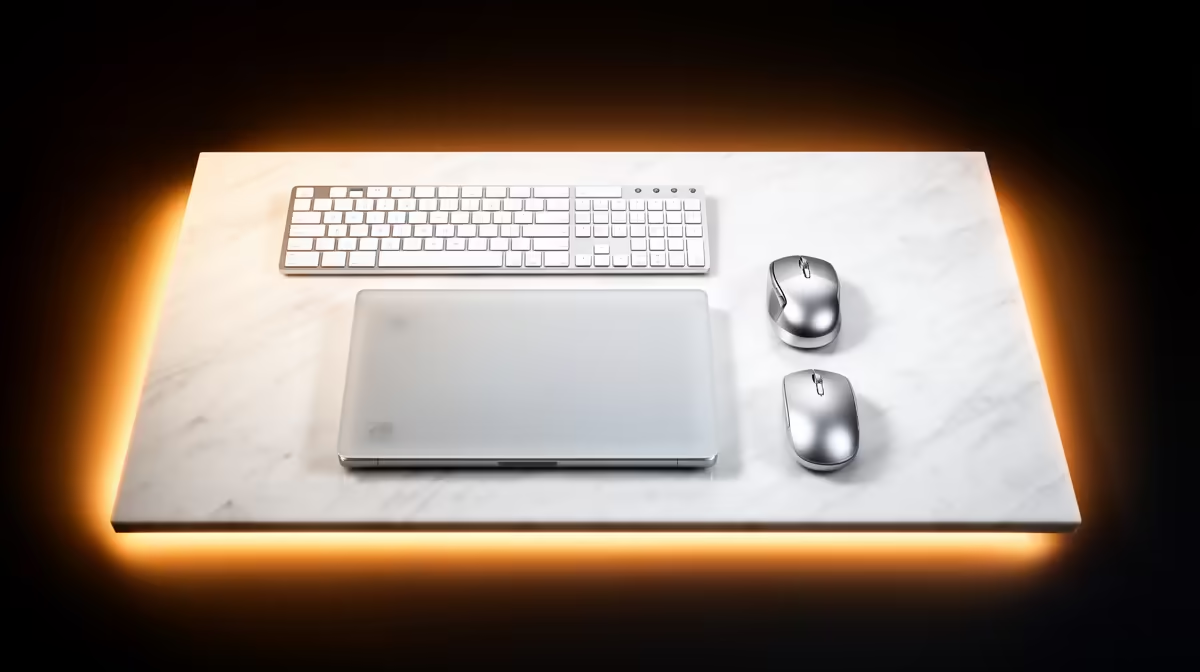
For comfort, an external mouse and keyboard turn the MacBook into a proper workstation when paired with a monitor, and a laptop stand raises the screen to eye level to ease neck strain over long days. A vertical stand that holds the MacBook closed is the right pick for a clamshell desk setup. If you take a lot of calls, a decent pair of wireless earbuds or a headset earns its place quickly.
Rather than buy all of this at once, start with the hub and a sleeve, then add storage and desk gear as you feel the need. The most popular laptop accessories are a good guide to what other owners reach for first, and they help you avoid over-spending on things you will rarely use.
A Sensible Buying Order
If you want a simple priority list: hub or dock first, then a sleeve or bag, then external SSD storage, then a second charger, and finally the comfort extras like a stand, mouse, and keyboard. That order spends your money where you will feel the difference soonest and spreads the rest out as your workflow tells you what it actually needs.
Frequently Asked Questions
What is the single most important accessory for a new MacBook?
A USB-C hub or multiport adapter. Modern MacBooks lack USB-A, HDMI, and SD card slots, so a hub is what lets you connect monitors, drives, and older peripherals at all. Buy this before anything else.
Do I need an external SSD with a MacBook?
If you chose a smaller internal drive to save money, yes. Internal storage cannot be added after purchase and Apple prices it steeply. A portable USB-C SSD adds fast, rugged space and gives you somewhere to keep a backup.
Is a sleeve or a hardshell case better protection?
They protect against different things. A sleeve guards the body in transit inside a bag, while a hardshell case shields the lid and base from daily scuffs. Many owners use both, but a sleeve is the more essential first buy.
Why would I need a second MacBook charger?
Convenience and reliability. Keeping one charger at home and one at work or in your bag means you never carry the brick around or scramble when you forget it. A second charger is cheap relative to the hassle it removes.
Do I need an SD card reader for a MacBook?
Only if you work with cameras or devices that use SD or microSD cards, since most MacBooks cannot read them directly. Photographers and videographers should add one; everyone else can skip it.
Setting up a new MacBook properly? Pair it with the right hub, storage, and protection from the Evetech MacBook range and accessories, all stocked locally with fast SA delivery and support.