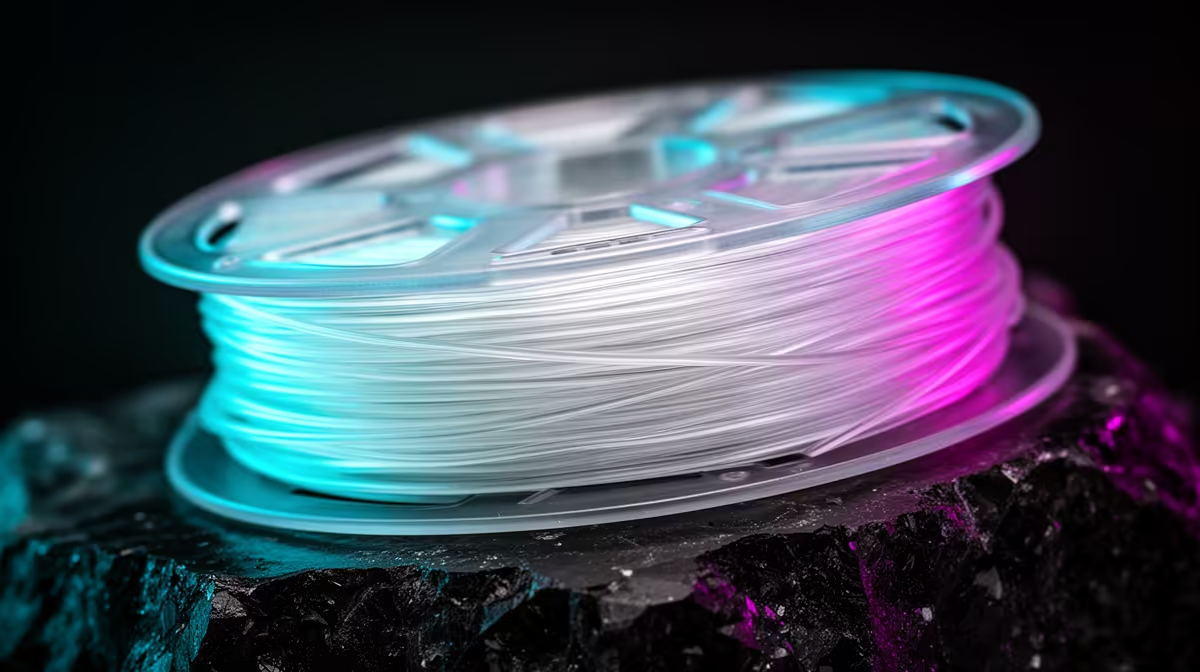
Push a standard PLA spool past 200mm/s on a Bambu P1S and the symptoms show up fast: gappy top layers, weak walls that split along the print lines, and a nozzle that simply cannot melt plastic quickly enough to keep up with the toolhead. High-speed PLA exists to remove that ceiling. It is reformulated to melt and flow faster, so the molten bead stays consistent and bonds cleanly even when the printer is laying down filament at speeds that would starve an ordinary spool.
Quick Answer
High-speed PLA flows reliably above 200mm/s and many formulations are rated past 250mm/s on a capable printer, where standard PLA typically tops out around 150 to 200mm/s before under-extrusion and layer separation begin. The difference is the plastic itself, not a slicer setting, so on a fast machine high-speed PLA can roughly halve print time without losing wall strength.
Why standard PLA bottlenecks at high flow
The real limit is not how fast the motors can move, it is how many cubic millimetres of plastic the hotend can melt per second. This figure is called maximum volumetric flow, and it is the number that decides your true ceiling. A typical 0.4mm nozzle pushing standard PLA manages somewhere around 12 to 15mm3/s before the molten core cannot keep up. Past that point the extruder is commanded to feed more filament than the heater block can soften, so the gear skips or the bead thins out. You see it as pale, rough top surfaces and walls you can pull apart with your fingers.
Standard PLA is also formulated to cool and set at a measured pace, which is fine at moderate speeds. At high flow that same slow set works against you, because each new layer lands on plastic that has not been heated long enough to weld properly to the one below it. The result is poor layer adhesion exactly when you are asking the machine to work hardest.
What makes high-speed PLA different
High-speed PLA is a distinct alloy, not a marketing label on the same pellets. Manufacturers lower the melt viscosity so the plastic flows like a thinner liquid through the nozzle, which lets the hotend shift far more material in the same time. Pair that with a sharper glass transition, often helped by nucleating agents that trigger fast crystallisation, and the bead solidifies almost the instant it leaves the nozzle. That combination is what allows clean bonding at speed: the plastic is fluid enough to extrude quickly, then firm enough to hold its shape before the next pass arrives.
The practical payoff is a higher volumetric flow rating. Where standard PLA struggles past the mid-teens in mm3/s, high-speed grades are commonly rated into the low twenties, and Bambu rates its own PLA Basic to 258mm/s on its hardware at a 0.4mm nozzle and 0.2mm layer height. Independent testing has also found high-speed variants holding stronger layer adhesion than ordinary PLA, so you are not trading durability for the speed.
Where the gains actually land
Speed only converts into shorter prints when the rest of the chain can cash in the flow. A CoreXY printer with a rigid frame, input shaping to cancel ringing, and a high-flow hotend is the natural home for this filament. The Bambu P1S and X1C are built around exactly this, which is why high-speed PLA is so often discussed alongside them. On those machines a print that took two hours with conservative settings can finish in closer to an hour with no visible quality loss.
On an older or lighter printer the story changes. If the frame flexes or the hotend is a stock low-flow unit, the bottleneck moves away from the plastic and back onto the hardware. High-speed PLA will still print, but you will not see the full time saving because the machine cannot sustain the flow the filament allows.
Settings that let the filament breathe
The filament does the heavy lifting, but a few slicer choices decide whether you reach its ceiling. Raise the nozzle temperature toward the top of the recommended band, because faster flow needs more heat to fully melt the core as it rushes through. Confirm your maximum volumetric speed in the filament profile matches the grade you are running, since a profile capped at a standard PLA value will throttle a high-speed spool for no reason.
Cooling matters just as much. Fast layers give the part less time to shed heat between passes, so strong, well-aimed part cooling keeps overhangs crisp and stops small features from slumping. A larger nozzle, such as a 0.6mm, raises the flow ceiling further still and suits chunky functional parts, while a 0.4mm stays better for fine detail. Match the nozzle to the job rather than running one for everything.
Is the price premium worth it
High-speed PLA usually costs a little more per spool than basic PLA, and whether that is money well spent comes down to your printer and your patience. On a fast CoreXY machine the time saved across a week of printing is real, and the cleaner high-flow behaviour means fewer failed prints to reprint, which claws back filament too. If you mostly print small models slowly on a budget bed-slinger, standard PLA is perfectly sensible and the premium buys you little.
For anyone running a quick printer as a small workshop or selling prints, the maths tips firmly toward high-speed PLA. More finished parts per day from the same machine is the whole point. You can match a suitable spool to your printer from the range of fast 3D printers stocked at Evetech, and the consumables and tooling worth keeping on the shelf show up in the printing and accessories that move fastest with local buyers.
Frequently Asked Questions
Does high-speed PLA need a special printer to be worth it?
It needs a printer that can actually sustain high flow: a stiff frame, input shaping, and a high-flow hotend. Machines like the Bambu P1S and X1C qualify. On a slow or flexy printer the filament still prints fine, but you will not unlock the full speed because the hardware becomes the limit instead of the plastic.
Will high-speed PLA print on a slow setup?
Yes. It is backward compatible and prints perfectly well at normal speeds, it simply will not show its advantage there. Treat it as a filament that removes the speed ceiling when your machine can reach it, rather than one that demands fast hardware to work at all.
What temperature should I run high-speed PLA at?
Aim for the upper end of the manufacturer's recommended band, often a little hotter than standard PLA, so the higher flow stays fully molten through the nozzle. Always start with the maker's stated range for your specific spool and fine-tune from a clean first layer before chasing speed.
How much faster is it really?
On a capable printer you can often cut print time by roughly half, moving from cautious sub-200mm/s speeds to 250mm/s and beyond while keeping clean surfaces. The exact saving depends on your model geometry and how much of the print is travel versus solid extrusion.
Is high-speed PLA weaker because it prints so fast?
No. Testing has found high-speed grades holding layer adhesion as good as or better than standard PLA, partly because the sharper set helps each layer weld cleanly. You get the speed without giving up the everyday toughness PLA is known for.
Matching the right spool to a printer that can actually sustain the flow is the whole game. Browse the fast 3D printers in stock at Evetech and pair one with a high-speed PLA grade to cut your print times without losing strength.