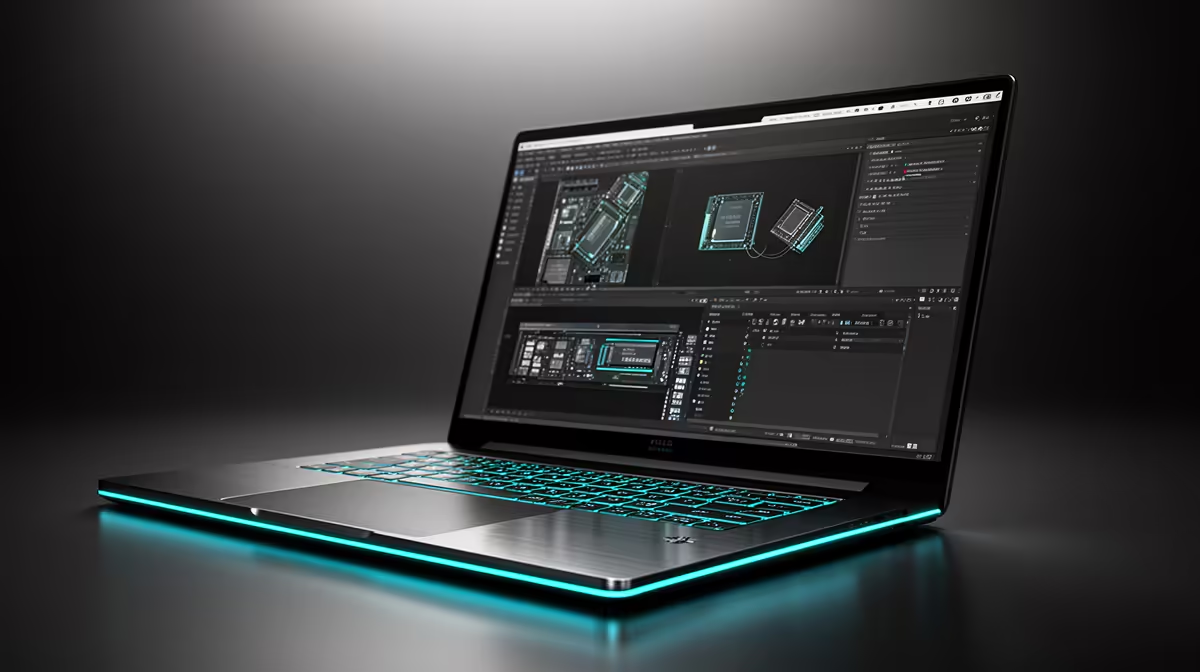
Ask a machine learning engineer why they reach for a unified-memory Mac during model experimentation and the answer usually comes down to one number: how much memory the GPU can actually touch. On the M5 Max, that figure climbs to 128GB shared across CPU and GPU, which is enough to hold a 70B model quantised to roughly 40GB entirely in memory on a single laptop. No VRAM ceiling, no model splitting, no second machine humming in a cupboard.
Quick Answer
The Apple M5 Max scales to 128GB of unified memory with up to 614GB/s of bandwidth, letting it fit a 70B Q4 model's roughly 40GB footprint without offloading anything to slower CPU memory. That single-machine headroom is the reason ML engineers pick it for fast, iterative experimentation rather than provisioning a multi-GPU rig.
Why unified memory removes the VRAM ceiling
On a traditional setup, a discrete GPU has its own pool of VRAM, and a model that does not fit in that pool either gets split across cards or spills into system RAM at a brutal speed penalty. A 24GB consumer GPU simply cannot hold a 70B model on its own, so you end up buying two cards or renting cloud instances by the hour.
Apple Silicon collapses that divide. CPU and GPU share one physical memory pool, so the full 128GB is addressable by the GPU at full bandwidth. A 70B model quantised to Q4 sits around 40GB and loads comfortably, with plenty of room left for context, activations and the operating system. For an engineer cycling through quantisations and prompt formats, that means loading and unloading models without constantly hitting an out-of-memory wall. Builds aimed at this kind of work live in the AI PC range at Evetech for those who would rather stay on x86.
What the M5 Max brings over older Apple Silicon
The M5 Max, announced alongside the new MacBook Pro in March 2026, is not just more memory. Every GPU core now carries a Neural Accelerator, which cuts prompt processing time by roughly 3.3 to 4 times versus the M4. That matters more than raw token generation for interactive work, because prompt processing is what you feel when you paste a long context and wait for the first token to appear.
In practice, a 70B model at Q4 generates in the region of 12 to 28 tokens per second on the M5 Max depending on the framework and quantisation, with MLX-optimised paths sitting toward the upper end. That is comfortably fast enough to read along with, which is the bar most experimentation workflows actually need.
Where the headroom pays off
The 128GB ceiling is not really about running one big model. It is about running a big model plus your editor, a browser with twenty tabs, a notebook kernel and a vector database without the machine swapping. Experimentation is messy and parallel, and the spare memory is what keeps the whole environment responsive while a model is resident.
Where a unified-memory Mac is not the answer
This is a tool for iteration, not for large-scale training. Training a model from scratch or fine-tuning at serious batch sizes still wants the raw throughput and multi-GPU scaling of dedicated accelerators, and that work belongs in a cloud cluster or a purpose-built rig. The Mac shines at the experimentation loop: load a model, probe it, swap it, prototype an agent, then push the heavy lifting elsewhere.
Bandwidth is also a real limit. At 614GB/s the M5 Max is excellent for a laptop but still well short of a high-end discrete GPU's memory bandwidth, so token generation on very large models will trail a dedicated card even when the Mac can hold a model the card cannot. The trade is portability and capacity against peak speed. For engineers weighing that decision, the best-selling PCs at Evetech show what the desktop alternatives look like at various budgets.
Quantisation: the lever that makes it work
None of this is possible without quantisation, so it is worth understanding what that 40GB figure actually represents. A 70B model in full precision would need far more memory than even 128GB, but quantising it to roughly 4-bit (the Q4 level) shrinks each weight dramatically while keeping the model's behaviour close to the original for most tasks. That compression is what brings a 70B model down to around 40GB and into the realm of a single laptop.
The practical takeaway for an experimenting engineer is that the unified-memory ceiling and the quantisation level work together. With 128GB you have room to run a 70B model at a higher-quality quantisation than a tighter machine could manage, or to load a smaller model at near-full precision with enormous context headroom. That flexibility, choosing the quality-versus-size trade-off per experiment rather than being forced into the most aggressive compression just to fit, is a quiet but real advantage of the larger memory pool.
What to check before you buy one
The memory tier is the decision that matters most, and it is fixed at purchase. Unified memory cannot be upgraded later, so you are choosing your model-size ceiling on the day you order. If 70B-class work is the goal, the 128GB configuration is the one to target, since a smaller tier forces you into tighter quantisation or smaller models. Buying short here is the most common regret, because there is no add-a-stick fix afterwards.
Storage deserves the same thought. Large model files run to tens of gigabytes each, and an experimentation habit accumulates many of them, so a generous internal drive saves constant shuffling. Bandwidth and core count scale with the chip tier too, so the Max sits above the Pro for this work precisely because it pairs the highest memory ceiling with the most GPU cores and the widest memory bus. Spec the machine around the largest model you realistically intend to run, then add headroom, rather than the other way round.
How it fits a South African workflow
Cloud GPU rental is billed in dollars, and for an SA engineer that exchange rate turns an experimentation habit into a recurring rand cost that climbs every month. A capable local machine flips that to a one-time purchase that runs at near-zero marginal cost afterwards, which is a far more predictable line item for a small team or an independent researcher. Holding the model locally also keeps proprietary data on your own hardware, which is its own reason to favour a machine that can fit the whole thing in memory.
Frequently Asked Questions
How big a model can 128GB of unified memory hold?
A 70B model quantised to Q4 sits around 40GB and fits comfortably, with room left for context and the operating system. The remaining headroom lets you run editors, notebooks and databases alongside the model without swapping.
Is unified memory the same as VRAM?
Functionally for this use case, yes. Because CPU and GPU share one pool, the GPU can address the full 128GB at full bandwidth, removing the separate VRAM ceiling that limits discrete GPUs.
How fast does a 70B model run on the M5 Max?
Roughly 12 to 28 tokens per second at Q4 depending on the framework, with MLX-optimised paths toward the higher end. That is fast enough to read along with during interactive experimentation.
Should I train models on a unified-memory Mac?
No. It is built for the experimentation and inference loop, not large-scale training or heavy fine-tuning, which still belong on multi-GPU clusters or the cloud. Use the Mac to prototype, then move the heavy compute elsewhere.
Does it make financial sense over cloud rental in South Africa?
Often, yes. Cloud GPU time is billed in dollars and recurs monthly, while a local machine is a one-time rand purchase that runs at near-zero cost afterwards and keeps your data on your own hardware.
Building a local AI workflow without the cloud bill? Explore the AI PC range at Evetech and spec a machine that holds your model in memory from day one.