


Complete Guide: Setting Up AIO Liquid 420mm
Setting Up AIO Liquid 420mm. Tested & verified settings for best FPS and visual quality on SA hardware budgets.
Read moreIs your wireless charging not working as it should? Don't panic! This guide walks you through the most common issues, from a blinking charger to slow charging speeds. We'll help you diagnose the problem and get your devices powered up again in no time. 🔋⚡
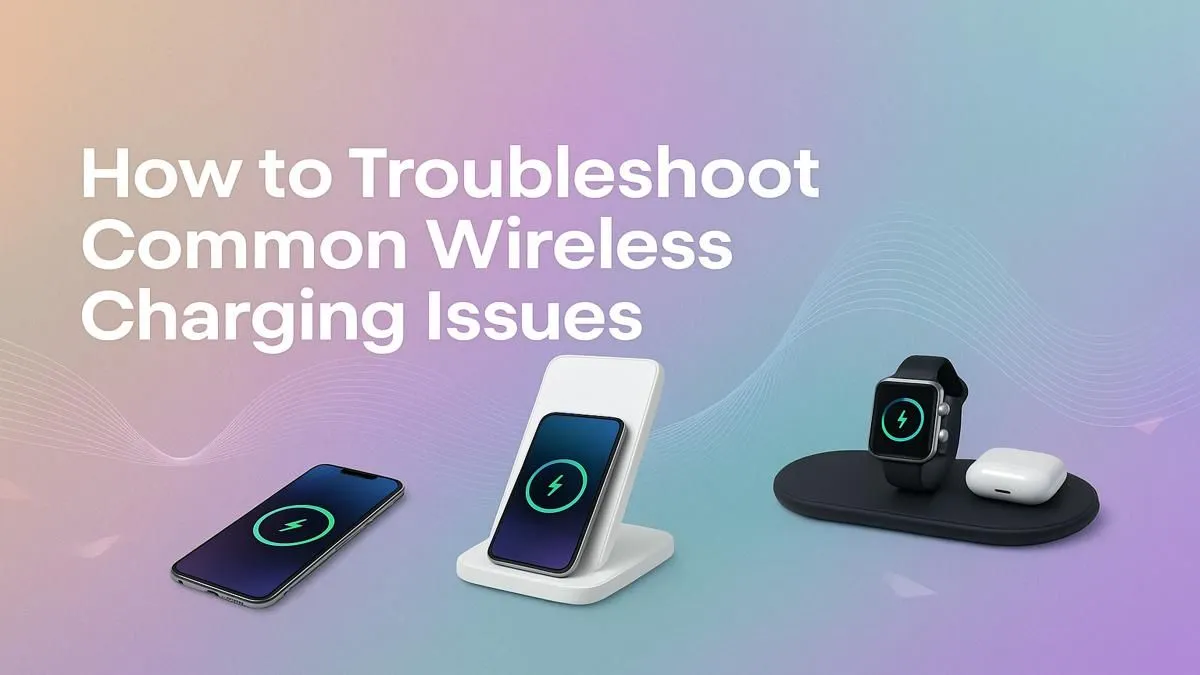
That sinking feeling... you place your phone on its wireless charging pad, expecting that familiar chime and charging icon, but get nothing. Absolutely nothing. Is the phone broken? Is the charger dead? Before you start stressing, relax. When your wireless charging is not working, the fix is often surprisingly simple. Let's run through the most common causes and get your gear powered up again, from Cape Town to Polokwane. 🔧
Before diving into complex software fixes, let's eliminate the easy stuff. More often than not, one of these simple adjustments will solve why your phone is not charging wirelessly.
Thick, rugged phone cases, especially those with metal plates or pop sockets, are the number one enemy of wireless charging. The technology, known as Qi (pronounced "chee"), relies on a close magnetic connection. If your case is too bulky (usually over 3mm thick), it can block the signal.
The Fix: Simply remove the case and place your phone directly on the pad. If it starts charging, you've found your culprit.
Wireless chargers have charging coils inside them, and your phone has a receiving coil. They need to be aligned almost perfectly to work. If your phone is slightly off-centre, the connection might fail. It's a common reason why a wireless charger is not working even when everything seems fine.
The Fix: Nudge your phone around on the pad. Move it up, down, left, and right until you hear the chime or see the charging indicator light up. Some chargers have multiple coils to make alignment easier, but many budget models require precise placement.
If the basics didn't work, don't worry. The problem might be a minor software glitch or a power delivery issue. These next steps will help you troubleshoot what's going on.
It's a classic for a reason. A simple restart can clear temporary software bugs or processes that might be interfering with the charging function. It's a quick, easy step that often fixes mysterious tech gremlins.
Is your wireless charging pad plugged into a low-power USB port on a laptop or an old power brick? Many wireless chargers, especially fast-charging models, need a specific amount of power to function correctly. If the power adapter is too weak, the pad might light up, but it won't have enough juice to actually charge your phone.
The Fix: Make sure you're using the power adapter and cable that came with your wireless charger. If you've lost it, use a reputable wall adapter with a sufficient wattage rating (check the charger's manual or base for requirements). This is a crucial step if your wireless charging stopped working suddenly.
Qi is the universal standard for most Android phones and older iPhones. It works via magnetic induction. MagSafe, found on iPhone 12 and newer, is Apple's version which adds magnets for perfect alignment and a more secure connection. While MagSafe chargers are Qi-compatible, you'll only get the magnetic 'snap' and faster speeds with a compatible iPhone.
You've tried everything. You've rebooted, checked the case, and perfected the alignment... but still nothing. If you've tested your phone on a friend's wireless charger and it works fine, the evidence points to one thing: your charger might have given up the ghost.
Internal components can fail over time, especially on cheaper, uncertified models. This is where investing in a quality unit saves you a headache. A faulty charger isn't just an inconvenience; it can be a risk. If you suspect your hardware is the problem, it's safer to replace it with a reliable new charger.
For peace of mind and performance, consider looking at options from trusted brands like Promate, which are built to last and deliver consistent power. You can check out the full Promate charger range to find one that suits your desk setup. After all, keeping your devices powered up is a key part of your arsenal of gaming accessories.
Ready for a Hassle-Free Charge? Don't let a faulty charger slow you down. A reliable power source is the foundation of any great tech setup. Explore our massive range of chargers and power solutions and find the perfect gear to keep your devices in the game.
Common causes include a poor connection, a faulty power adapter, case incompatibility, or a software glitch. Start by checking your cables and restarting your phone.
A blinking light on your wireless charger usually signals an error. It could be caused by a foreign object on the pad, misalignment, or an incompatible device or adapter.
Yes, cases thicker than 5mm, metal cases, or those with pop sockets or credit cards can interfere with the connection and prevent your phone from charging wirelessly.
A slow wireless charger is often due to a low-wattage power brick, a thick phone case, or misalignment. Ensure you're using the recommended adapter for full charging speed.
It's normal for the charger and your phone to get slightly warm. However, if your wireless charger gets very hot to the touch, unplug it immediately as it may be faulty.
Most wireless chargers don't have a dedicated reset button. To perform a soft reset, simply unplug the charger from its power source for 30 seconds and plug it back in.
Setting Up AIO Liquid 420mm. Tested & verified settings for best FPS and visual quality on SA hardware budgets.
Read more
Intel XTU Download & Setup Guide: Intel CPU. Clear setup instructions with SA-specific considerations, troubleshooting tips & recommended components.
Read more
Cyberpunk 2077 Max Settings on RTX 4090. Tested & verified settings for best FPS and visual quality on SA hardware budgets.
Read more
The Complete Guide to GPU. Everything you need to know with SA pricing, step-by-step instructions & expert recommendations.
Read more
NVCleanstall Download & Setup Guide: NVIDIA. Clear setup instructions with SA-specific considerations, troubleshooting tips & recommended components.
Read more
to Driver Installation for Beginners. Everything you need to know with SA pricing, step-by-step instructions & expert recommendations.
Read more
AMD RX 9050 XT: Rumoured Specs, Price & Release. SA-focused analysis with local pricing data, real-world insights & actionable buying advice.

Can RTX 4080 Super Run AI Workloads for SA Developers Detailed answer with SA data, expert analysis & practical recommendations for local buyers.

Can RTX 4090 Run AI Workloads for SA Developers Detailed answer with SA data, expert analysis & practical recommendations for local buyers.

Top Settings for Intel Arc B580 at Ultrawide 1440p picks evaluated on performance, value & SA availability with current Rand pricing from Evetech.

RTX 4060 CS2 Low Settings at 1080p: FPS Results. Real-world benchmark data, FPS numbers & performance analysis. What SA gamers can actually expect.

Visual Artifacts: Possible GPU Issue Issue #1. Diagnosis steps, proven fixes & when to seek professional help. SA-specific support info included.

Can the RTX 4090 Handle 1440p 144Hz Gaming. Performance testing verdict with real data & practical recommendations for SA buyers.

Top ASUS GPU Under R15000 picks evaluated on performance, value & SA availability with current Rand pricing from Evetech.

GTA 6 Max Settings on RTX 5070. Tested & verified settings for best FPS and visual quality on SA hardware budgets.

Cyberpunk 2077 Max Settings on RTX 5080. Tested & verified settings for best FPS and visual quality on SA hardware budgets.

Starfield Max Settings on RTX 5070 Ti. Tested & verified settings for best FPS and visual quality on SA hardware budgets.

Top RTX 5090 Under R5000 picks evaluated on performance, value & SA availability with current Rand pricing from Evetech.