

Storage Specs Explained for Beginners
Storage Specs Explained for Beginners. Plain-English explanation of what it means, why it matters & how it affects your buying decisions in SA.
Read moreWireless headset battery drains fast? 🔋 Learn the real causes and simple fixes to extend wireless usage time, improve battery life, and get more hours from every charge.
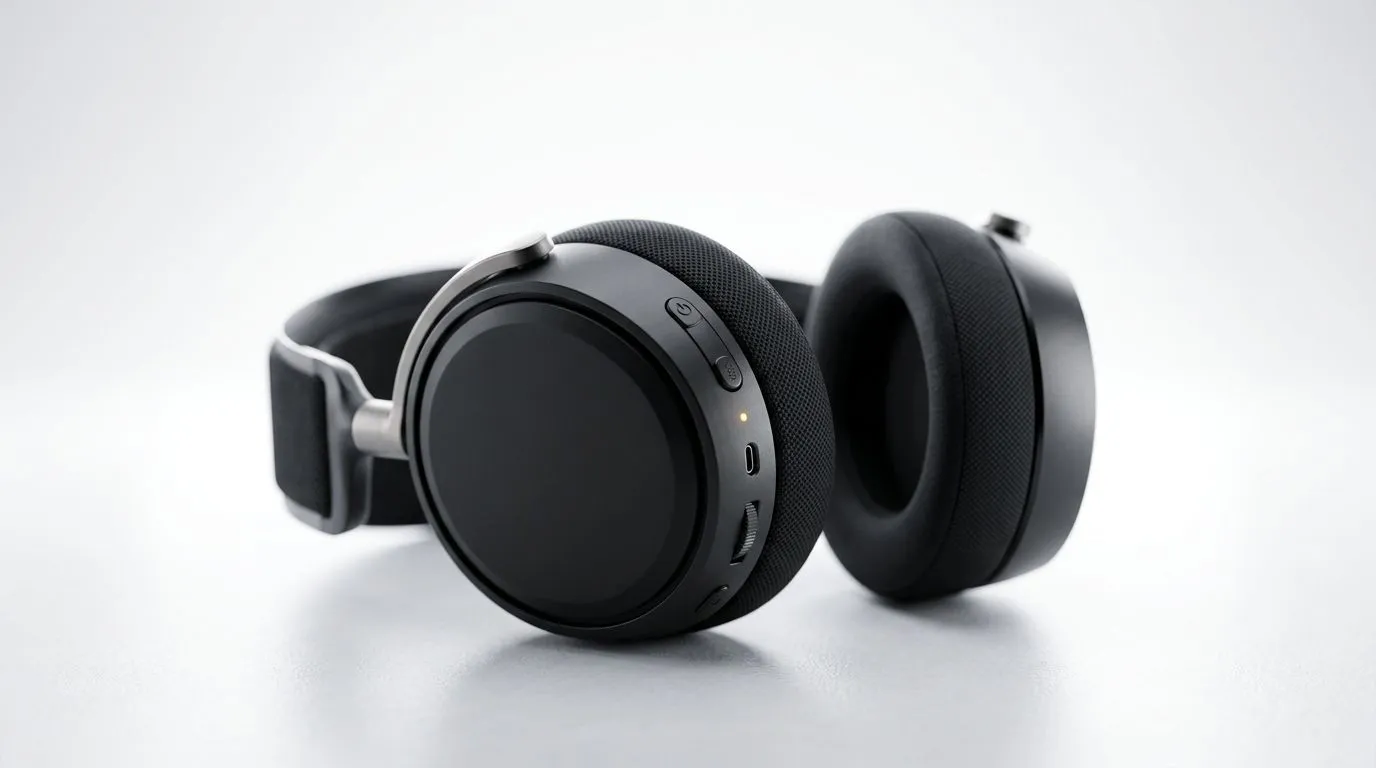
If your wireless headset dies mid-match, it’s not just annoying… it’s expensive. One evening of “just one more quest” can turn into repeated charging, lower comfort, and even faster battery wear over time. In South Africa, where load shedding and long commutes are real, dependable headset battery life matters more than most people think. ⚡ Let’s fix the drain and get more playtime out of what you already bought.
Most wireless headsets drain faster due to a few common culprits: high volume, constant wireless features, and battery modes that aren’t matched to your usage. Start with the basics, then tune the rest.
High output power increases battery use fast. If you use chat + game audio loudly, you’ll feel it immediately. Also, features like RGB lighting, sidetone, and certain wireless modes can add constant draw.
A quick win: turn down volume a notch and test whether the drain slows. It sounds too simple… but it’s often the fastest path to better battery life.
Some headsets sound best with EQ boosts. The catch? EQ boosts can increase power demand. If your headset has a companion app, reduce any extreme bass or treble boosts first, then retest battery behaviour.
If your headset never goes into sleep, it will keep sipping power. Make sure the auto-sleep or shutoff timer is enabled in the headset app or system settings. For PC players, also check that the headset isn’t constantly re-connecting due to Bluetooth instability.
On Windows, open Settings → Bluetooth & devices → Devices, then remove and re-pair the headset if connection drops or power usage feels abnormal. A cleaner pairing often reduces constant re-handshakes that quietly drain battery. If you use EQ software, adjust presets down first before re-testing battery life. Use a consistent test (same volume, same app) so you can compare results reliably.
If you’re shopping for a new headset, don’t only chase “max battery” in marketing. Look for batteries that match your real routine: long sessions, mixed use, and stable wireless.
One popular option in our range is the Razer Barracuda X Chroma (Phantom White). If you’re set on wireless with RGB, you’ll want to understand that lighting can raise drain, which is why knowing the trade-offs matters. Check it out here: Razer Barracuda X Chroma Wireless Headset (Phantom White) deals. ✨
If you’re comparing across brands and styles, start from category pages so you can cross-check features and picks quickly. Browse the broader headset line-up here: Razer headphones and headsets on Evetech and explore the full headphones and headsets range too: Headphone & headset options. 🚀
Want longer runtime without killing your immersion? Try this practical routine:
These steps won’t just stretch battery life… they reduce stress on the battery chemistry over time. And if you’re gaming through load shedding, fewer charging cycles means less stress on your setup. 🔧
Ready to Find Your Perfect Match? If your current headset battery drain is killing your sessions, it’s time to upgrade with confidence. Explore our massive range of gaming headsets and wireless options, then match features to your daily routine. Shop Evetech’s laptop specials for sale in South Africa and gear up for longer playtime, better value, and smoother gaming nights.
Common causes include high volume, RGB lighting, weak Bluetooth connection, old batteries, and constant background features.
Lower volume, turn off unused features, keep firmware updated, and avoid full overnight charging to extend wireless headset battery life.
Yes. Higher volume uses more power, so keeping volume moderate can help your headset battery last longer.
Yes. Poor signal strength, dual connections, and unstable Bluetooth can increase headset battery drain and reduce usage time.
It is better to unplug it after charging. Frequent overnight charging can add unnecessary battery wear over time.
Yes. Firmware updates can fix power bugs and improve battery performance on many wireless headsets.
If runtime drops sharply after a full charge, the battery may be aging and no longer holding capacity well.
Storage Specs Explained for Beginners. Plain-English explanation of what it means, why it matters & how it affects your buying decisions in SA.
Read more
Will RDNA 5 Use the Same Silicon as the Next. Plain-English explanation of what it means, why it matters & how it affects your buying decisions in SA.
Read more
Google Workspace on Mac: Drive, Docs, Sheets and. Everything you need to know with SA pricing, step-by-step instructions & expert recommendations.
Read more
Back-to-School Parent Guide: Storages. Everything you need to know with SA pricing, step-by-step instructions & expert recommendations.
Read more
to Esports Tournaments. Everything you need to know with SA pricing, step-by-step instructions & expert recommendations.
Read more
Easter Storage Buying Guide. Hand-picked gift ideas at every budget tier. SA pricing & Evetech availability included.
Read more
AMD RX 9050 XT: Rumoured Specs, Price & Release. SA-focused analysis with local pricing data, real-world insights & actionable buying advice.

Can RTX 4080 Super Run AI Workloads for SA Developers Detailed answer with SA data, expert analysis & practical recommendations for local buyers.

Can RTX 4090 Run AI Workloads for SA Developers Detailed answer with SA data, expert analysis & practical recommendations for local buyers.

Top Settings for Intel Arc B580 at Ultrawide 1440p picks evaluated on performance, value & SA availability with current Rand pricing from Evetech.

RTX 4060 CS2 Low Settings at 1080p: FPS Results. Real-world benchmark data, FPS numbers & performance analysis. What SA gamers can actually expect.

Visual Artifacts: Possible GPU Issue Issue #1. Diagnosis steps, proven fixes & when to seek professional help. SA-specific support info included.

Can the RTX 4090 Handle 1440p 144Hz Gaming. Performance testing verdict with real data & practical recommendations for SA buyers.

Top ASUS GPU Under R15000 picks evaluated on performance, value & SA availability with current Rand pricing from Evetech.

GTA 6 Max Settings on RTX 5070. Tested & verified settings for best FPS and visual quality on SA hardware budgets.

Cyberpunk 2077 Max Settings on RTX 5080. Tested & verified settings for best FPS and visual quality on SA hardware budgets.

Starfield Max Settings on RTX 5070 Ti. Tested & verified settings for best FPS and visual quality on SA hardware budgets.

Top RTX 5090 Under R5000 picks evaluated on performance, value & SA availability with current Rand pricing from Evetech.