


Storage Specs Explained for Beginners
Storage Specs Explained for Beginners. Plain-English explanation of what it means, why it matters & how it affects your buying decisions in SA.
Read moreConfused about wireless mechanical keyboard switches? Our complete guide breaks down linear, tactile, and clicky options to help you find the perfect feel for gaming or typing. Unlock your ideal keystroke and elevate your setup today! ⌨️✨
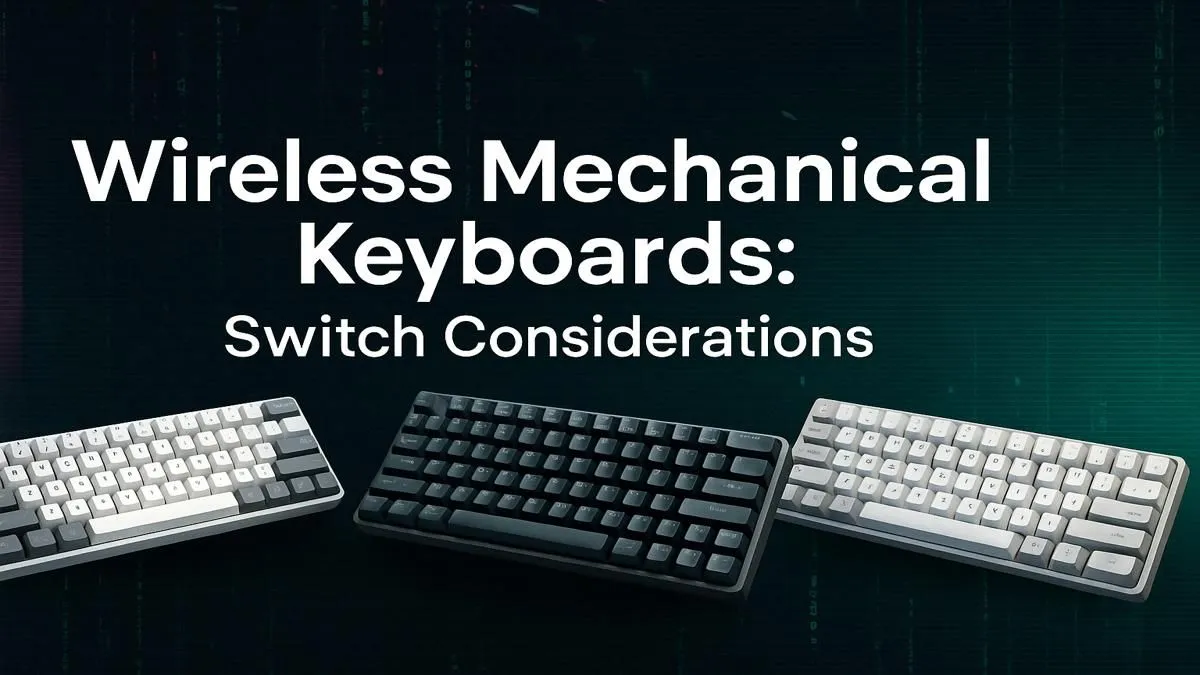
Tired of that cable snagging your mouse during a clutch play in Apex? Or maybe you just want that clean, minimalist desk setup you see all over Instagram. Going wireless doesn't mean sacrificing that satisfying clack you love. Choosing the right wireless mechanical keyboard switches can feel complex, but it's the key to unlocking your perfect typing and gaming experience. Let's break down everything you need to know, right here in South Africa.
The biggest win is obvious: a clean, cable-free desk. ✨ This freedom means you can easily reposition your keyboard for marathon gaming sessions or clear space for work without wrestling with wires. For years, serious gamers worried about latency... the delay between pressing a key and the action happening on-screen. Thankfully, modern 2.4GHz wireless tech has made that a non-issue. Pro-grade wireless keyboards now offer response times that are indistinguishable from their wired counterparts. You get the crisp, reliable feedback of a mechanical switch with the freedom of a wireless connection.
At the heart of the experience are the wireless mechanical keyboard switches themselves. They generally fall into three main families, each defined by how it feels and sounds when you press it. Understanding this is the first step to finding your perfect match.
Linear switches, like the popular Cherry MX Reds, offer a smooth, consistent keystroke from top to bottom. There's no bump or click along the way. This makes them ideal for gamers who need to double-tap or perform rapid actions, as nothing impedes the key's travel. They are also quieter than other types, making them a great choice for late-night sessions or office environments.
Tactile switches, like Cherry MX Browns, are the jack-of-all-trades. They provide a small, noticeable "bump" halfway through the keypress to let you know the keystroke has been registered. This feedback is fantastic for typing accuracy without being overly loud. If you use your PC for both intense gaming and a lot of typing, a keyboard with tactile wireless mechanical switches is often the perfect compromise.
You know a clicky switch when you hear it. Types like the Cherry MX Blue provide both a tactile bump and a distinct, audible "click" sound on actuation. Many typists love this level of feedback, finding it incredibly satisfying and helpful for rhythm typing. The downside? They are loud. Very loud. Your teammates on Discord... and possibly your family in the next room... will definitely hear you. If sound isn't an issue, the feedback is unmatched. If you're looking to experiment, you can always explore our full range of keyboard switches to find the perfect feel.
Can't decide between Red, Brown, or Blue? Look for a switch tester. It's a small board with different switch types mounted on it, letting you feel the difference firsthand before committing to a full keyboard. It's a small investment that can save you a lot of buyer's remorse down the line.
The type of switch is just the beginning of your customisation journey. Hot-swappable keyboards are becoming incredibly popular because they let you pull out and replace switches without any soldering. This means you can try linear switches for your WASD keys and tactile ones for the rest of your board. You can also completely change the look and feel by choosing a new theme. Why not customise your look with a new set of keycaps to match your setup? And for those long hours grinding in Valorant or finishing a report, your wrists will thank you if you don't forget a comfortable wrist rest.
So, which wireless mechanical keyboard switches are right for you?
For a hassle-free start, a pre-built wireless keyboard and mouse combo can be a fantastic value-for-money option. But if you're looking to build something truly unique or just need a specific part, finding the right gaming keyboard components in South Africa has never been easier.
Ready to Find Your Perfect Feel & Sound? Choosing the right wireless mechanical keyboard switches is a personal journey... but it's one that ends with a setup you'll love using every day. From silent linears to clicky tactiles, the perfect match is waiting for you. Explore our incredible gaming keyboard deals and find the board that will elevate your game.
The three main types are Linear (smooth, quiet), Tactile (a noticeable bump mid-press), and Clicky (a bump with an audible click). Your choice depends on your preference for feedback and noise.
Linear switches, like Cherry MX Reds, are often preferred for wireless gaming due to their smooth, rapid actuation. They allow for quick, repeated keystrokes without tactile interference.
Yes, tactile switches are excellent for typing. The physical bump provides feedback that a key has been registered, which can improve accuracy and reduce the chance of bottoming out the key.
For a quiet experience, look for 'silent' linear switches like Cherry MX Silent Reds or dampened tactile switches. These are designed to reduce the noise from both the downstroke and upstroke.
Not all. You need a 'hot-swappable' wireless keyboard to change switches easily without soldering. Always check the product specifications to confirm if it supports hot-swappable switches.
Most mechanical switches from top brands like Cherry MX, Gateron, or Kailh are rated for 50 to 100 million keystrokes, ensuring years of reliable performance for your wireless keyboard.
Storage Specs Explained for Beginners. Plain-English explanation of what it means, why it matters & how it affects your buying decisions in SA.
Read more
Will RDNA 5 Use the Same Silicon as the Next. Plain-English explanation of what it means, why it matters & how it affects your buying decisions in SA.
Read more
Google Workspace on Mac: Drive, Docs, Sheets and. Everything you need to know with SA pricing, step-by-step instructions & expert recommendations.
Read more
Back-to-School Parent Guide: Storages. Everything you need to know with SA pricing, step-by-step instructions & expert recommendations.
Read more
to Esports Tournaments. Everything you need to know with SA pricing, step-by-step instructions & expert recommendations.
Read more
Easter Storage Buying Guide. Hand-picked gift ideas at every budget tier. SA pricing & Evetech availability included.
Read more
AMD RX 9050 XT: Rumoured Specs, Price & Release. SA-focused analysis with local pricing data, real-world insights & actionable buying advice.

Can RTX 4080 Super Run AI Workloads for SA Developers Detailed answer with SA data, expert analysis & practical recommendations for local buyers.

Can RTX 4090 Run AI Workloads for SA Developers Detailed answer with SA data, expert analysis & practical recommendations for local buyers.

Top Settings for Intel Arc B580 at Ultrawide 1440p picks evaluated on performance, value & SA availability with current Rand pricing from Evetech.

RTX 4060 CS2 Low Settings at 1080p: FPS Results. Real-world benchmark data, FPS numbers & performance analysis. What SA gamers can actually expect.

Visual Artifacts: Possible GPU Issue Issue #1. Diagnosis steps, proven fixes & when to seek professional help. SA-specific support info included.

Can the RTX 4090 Handle 1440p 144Hz Gaming. Performance testing verdict with real data & practical recommendations for SA buyers.

Top ASUS GPU Under R15000 picks evaluated on performance, value & SA availability with current Rand pricing from Evetech.

GTA 6 Max Settings on RTX 5070. Tested & verified settings for best FPS and visual quality on SA hardware budgets.

Cyberpunk 2077 Max Settings on RTX 5080. Tested & verified settings for best FPS and visual quality on SA hardware budgets.

Starfield Max Settings on RTX 5070 Ti. Tested & verified settings for best FPS and visual quality on SA hardware budgets.

Top RTX 5090 Under R5000 picks evaluated on performance, value & SA availability with current Rand pricing from Evetech.