


Repetitive Strain: Mouse Guide for SA Gamers
Repetitive Strain: Mouse Guide Gamers. Everything you need to know with SA pricing, step-by-step instructions & expert recommendations.
Read moreWireless Mouse Configuration Guide: Complete. Clear setup instructions with SA-specific considerations, troubleshooting tips & recommended components.

South African gamers, tired of imprecise clicks or laggy mouse movement? Your wireless mouse could be the secret to unlocking smoother plays and quicker reactions. Proper wireless mouse configuration not only improves accuracy but also cuts down input lag — crucial when every millisecond counts in titles like Apex Legends or Call of Duty. If you haven’t tuned your setup yet, this complete tutorial will get you clicking with confidence.
Start by unboxing your gaming mouse and installing any accompanying software. Popular brands include Logitech and Razer, both offering detailed configuration suites to customise DPI (dots per inch) settings and button mappings. 📈 Adjust DPI to match your play style — lower for precision sniping, higher for swift movements.
Next, ensure your mouse firmware and software are up to date. This prevents compatibility issues on Windows or macOS and unlocks the latest performance enhancements.
Most gaming mice offer two connection options: 2.4GHz wireless dongle or Bluetooth. For competitive gaming, the 2.4GHz USB receiver generally offers lower latency and greater stability in South African homes that may experience Wi-Fi interference. Bluetooth can be sufficient for casual use or office work but expect slight lag.
Polling rate determines how often your mouse reports its position to your PC. Higher polling rates (like 1000Hz) reduce input delay but consume more battery power. If you game long hours, balance polling rate with battery life by setting it to 500Hz or using a mouse with rechargeable batteries.
Gaming mice with programmable buttons can give you an edge. Bind frequently used commands to these buttons — for example, reload or melee in shooters. Macros help automate complex sequences, saving time and effort during intense play sessions.
Instead of default keybindings, assign macros that execute combos in a single click. It saves precious seconds and keeps you focused.
Experiencing lag or dropouts? Here’s what to check:
South African gamers using fibre or ADSL internet can also benefit from lower latency by ensuring your overall PC system is optimised — a pre-built PC from Evetech can help with performance tuning and hardware compatibility.
Looking to upgrade your setup? Browse the gaming mouse collection at Evetech — from budget-friendly to pro-grade options.
Pair your new mouse with power gaming rigs available in our best gaming PC deals. You want a system ready to keep up with every click and movement. For those who prefer ready-made solutions, check out our pre-built PC deals, designed for flawless compatibility and performance.
If you’re gaming on the go or looking for versatile power, browse the latest notebooks for sale in South Africa with wired or wireless mouse support. And don’t miss out on our special offers for peripherals, upgrades, and more at Evetech Specials.
Get Your Perfect Wireless Mouse Today Elevate your gameplay with custom-tuned gear. Shop now at Evetech for performance that leaves lag in the dust.
Wireless Mouse Configuration Guide: Comp available at Evetech.co.za with local warranty and fast delivery.
Wireless Mouse Configuration Guide: Comp - check Evetech for latest stock and SA pricing.
Depends on your use case. Wireless Mouse Configuration G offers good value at current Rand pricing.
Repetitive Strain: Mouse Guide Gamers. Everything you need to know with SA pricing, step-by-step instructions & expert recommendations.
Read more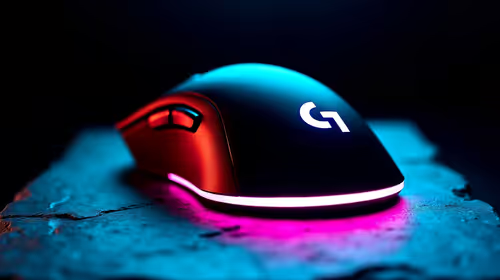
Mouse Durability: Complete Guide. Everything you need to know with SA pricing, step-by-step instructions & expert recommendations.
Read more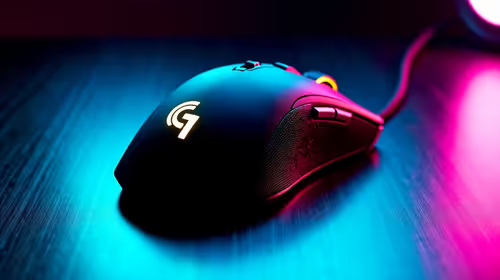
FPS Mouse Installation Guide for Your PC. Real-world benchmark data, FPS numbers & performance analysis. What SA gamers can actually expect.
Read more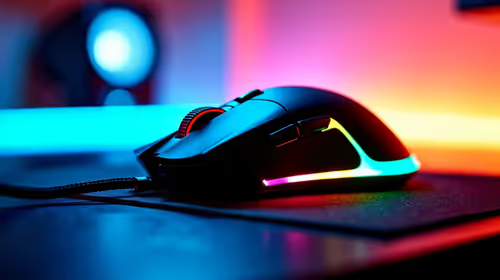
Gaming Endurance: Mouse Guide Gamers. Everything you need to know with SA pricing, step-by-step instructions & expert recommendations.
Read more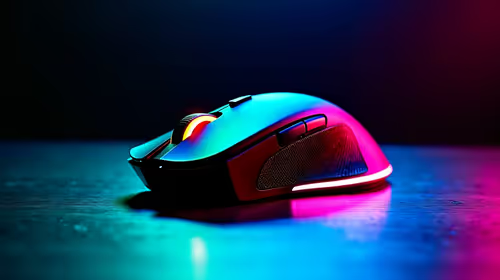
Mouse Specs Explained for Beginners. Plain-English explanation of what it means, why it matters & how it affects your buying decisions in SA.
Read more
Mouse Performance: Complete Guide. Real-world benchmark data, FPS numbers & performance analysis. What SA gamers can actually expect.
Read more
CS2 Low FPS: Monitor Bottleneck. Real-world benchmark data, FPS numbers & performance analysis. What SA gamers can actually expect.

Is AOC a Good Monitor Brand for Gaming in South Africa Detailed answer with SA data, expert analysis & practical recommendations for local buyers.

What Gaming Monitor Can You Get for R20,000. Full parts list, Rand pricing & expected performance. Build confidently with SA-available components.

What Gamers Actually Bought: November Report. Real purchase data from SA retailers revealing what local buyers are actually choosing and why.

Can the RX 7700 XT Handle 1440p 144Hz Gaming. Performance testing verdict with real data & practical recommendations for SA buyers.

Top Laptop with Core i7 + RX 7700S: Picks picks evaluated on performance, value & SA availability with current Rand pricing from Evetech.

RX 7700 XT Black Myth Wukong 2 FPS: Performance. Real-world benchmark data, FPS numbers & performance analysis. What SA gamers can actually expect.

RTX 6080 Gran Turismo 7 PC Performance: FPS Test. Real-world benchmark data, FPS numbers & performance analysis. What SA gamers can actually expect.

MacBook Pro 16-Inch M5 Max: Complete Specs,. Everything you need to know with SA pricing, step-by-step instructions & expert recommendations.

Travelling With a MacBook: Travellers. Everything you need to know with SA pricing, step-by-step instructions & expert recommendations.

Back-to-School Parent Guide: Laptops. Everything you need to know with SA pricing, step-by-step instructions & expert recommendations.

MacBook Air 13-Inch M5: Complete Specs, Features. Everything you need to know with SA pricing, step-by-step instructions & expert recommendations.