

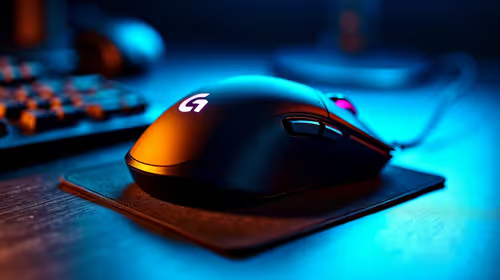
Repetitive Strain: Mouse Guide for SA Gamers
Repetitive Strain: Mouse Guide Gamers. Everything you need to know with SA pricing, step-by-step instructions & expert recommendations.
Read moreFPS Mouse Installation Guide for Your PC. Real-world benchmark data, FPS numbers & performance analysis. What SA gamers can actually expect.

Getting your FPS mouse set up right is key if you're aiming for pinpoint accuracy in intense gaming sessions. Whether you're sniping in Apex Legends or rushing objectives in CS:GO, a properly installed FPS mouse can slash those frustrating misclicks and missed shots. South African gamers deserve hardware setups that keep pace with their skill, and the installation process matters just as much as the specs.
If you’re upgrading or building your rig, grasping the mouse installation fundamentals ensures smooth tracking and swift response times on your PC.
Start by checking your system's compatibility. Most FPS mice use USB connections, which are universally supported on modern South African desktops and laptops. Before plugging in, close any software that might interfere, like background apps that control older mouse drivers or lighting.
For the latest in gaming rigs, explore top-notch pre-built PC deals designed to handle high-performance peripherals seamlessly. These PCs ensure no bottlenecks hinder your new FPS mouse’s performance.
Many FPS mice come with proprietary software offering DPI adjustments, custom macros, and RGB lighting control. Download the official drivers from the manufacturer’s site or verify if Evetech provides software support links on their gaming mouse page.
Installing the correct drivers lets you fine-tune settings tailored for competitive play and adapt your mouse to different games or movement styles.
South African gamers often report smoother gameplay after tweaking polling rates and DPI together rather than just one setting alone.
Ensure your mouse pad complements your FPS mouse sensor by choosing a medium-textured pad—this strikes a balance for tracking precision and speed.
Proper FPS mouse installation doesn’t just affect comfort; it impacts reaction times and accuracy. An optimised setup reduces input lag and sensor jitter, crucial for commands executed in milliseconds during gameplay.
If you’re also hunting for a powerful system to pair your setup with, check out current best gaming PC deals on Evetech. These rigs deliver smooth frame rates and multi-threaded power, complementing your high-performance mouse perfectly.
For South Africans using laptops, FPS mouse installation follows the same principles. Plug in a wired or wireless FPS mouse for better control than trackpads offer. Browse through notebooks for sale in South Africa tailored to gaming and multitasking.
Keep your mouse and its sensor clean—dust and skin oils can degrade sensor accuracy. Also, periodically update your mouse and system drivers via manufacturer websites or through Evetech specials on gaming peripherals.
If your mouse behaves erratically, try switching USB ports or testing on another PC to isolate issues.
Ready to Upgrade Your Setup? Experience FPS precision built for champions—Shop now at Evetech for performance that leaves lag in the dust.
FPS Mouse Installation Guide for Your PC available at Evetech.co.za with local warranty and fast delivery.
FPS Mouse Installation Guide for Your PC - check Evetech for latest stock and SA pricing.
Depends on your use case. FPS Mouse Installation Guide f offers good value at current Rand pricing.
Repetitive Strain: Mouse Guide Gamers. Everything you need to know with SA pricing, step-by-step instructions & expert recommendations.
Read more
Mouse Durability: Complete Guide. Everything you need to know with SA pricing, step-by-step instructions & expert recommendations.
Read more
Gaming Endurance: Mouse Guide Gamers. Everything you need to know with SA pricing, step-by-step instructions & expert recommendations.
Read more
Wireless Mouse Configuration Guide: Complete. Clear setup instructions with SA-specific considerations, troubleshooting tips & recommended components.
Read more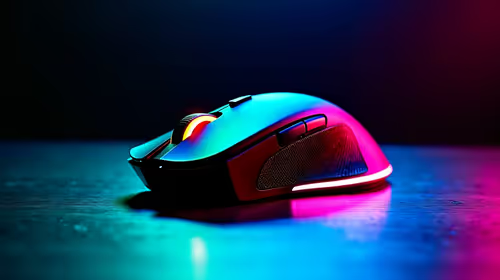
Mouse Specs Explained for Beginners. Plain-English explanation of what it means, why it matters & how it affects your buying decisions in SA.
Read more
Mouse Performance: Complete Guide. Real-world benchmark data, FPS numbers & performance analysis. What SA gamers can actually expect.
Read more
Snapdragon X2 NPU Explained: How 80 TOPS Changes. Plain-English explanation of what it means, why it matters & how it affects your buying decisions in SA.

HBM? High Bandwidth Memory Used in GPUs and AI. Plain-English explanation of what it means, why it matters & how it affects your buying decisions in SA.

How much should you spend on sim racing accessories in South Africa for a realistic setup? We break down budgets by quality tiers, so you buy smart gear and avoid overspending 🎮💸

G-Sync and FreeSync? Variable Refresh Rate. Plain-English explanation of what it means, why it matters & how it affects your buying decisions in SA.

AMD Laptop: Value. SA-focused analysis with local pricing data, real-world insights & actionable buying advice.

How MacBook Neo Handles 30+ Chrome Tabs with Only. SA-focused analysis with local pricing data, real-world insights & actionable buying advice.

Why Apple Put 8GB RAM in MacBook Neo: The A18 Pro. SA-focused analysis with local pricing data, real-world insights & actionable buying advice.

Upgrade your work laptop with a New Motherboard. Step-by-step instructions with SA-specific tips, common pitfalls to avoid & expert recommendations.

MacBook Pro 16-Inch M5 Max: Complete Specs,. Everything you need to know with SA pricing, step-by-step instructions & expert recommendations.

Travelling With a MacBook: Travellers. Everything you need to know with SA pricing, step-by-step instructions & expert recommendations.

Back-to-School Parent Guide: Laptops. Everything you need to know with SA pricing, step-by-step instructions & expert recommendations.

MacBook Air 13-Inch M5: Complete Specs, Features. Everything you need to know with SA pricing, step-by-step instructions & expert recommendations.